GymTracker Customer Help

Find the exact flow your user is stuck on.

This hub turns the generated customer-help guides into one searchable screen with screenshots, plain-language steps, and direct links for sharing support answers.

Support-Ready Help Library

Quick starts, plain-language FAQs, and the long-form screenshot guides live together here.

Quick starts

Start in the right place.

These short routes are written for real customer situations, not technical setup jargon.

New personal user

Try the sample if you want a safe tour first, then open or create your real Data File when you are ready to train for real.

  1. Open the sample file if you want to explore first.
  2. Reset to start when you are ready.
  3. Open your real file or start a new one.
  4. Train, review, and export when you are done.

Returning user

Open your existing file, check that it looks right, train as normal, then export a fresh copy before you leave.

  1. Open your existing Data File.
  2. Check the current file and status items.
  3. Train and review progress.
  4. Export your updated file.

PT getting started

Switch to PT mode, sign in if you want PT tools, then use PT Profile and Account to get branding, profile, starter, and billing set up cleanly.

  1. Switch into PT mode.
  2. Sign in from Account if you need PT tools.
  3. Use PT Profile for branding, profile, and starter setup.
  4. Use Account for PT Pro and billing.

Something looks missing

Check whether you opened the right file, whether you are still in sample mode, and whether a local backup is available before assuming anything is lost.

  1. Check that the correct Data File is open.
  2. Make sure you are not still in sample mode.
  3. Look for a local backup restore prompt.
  4. Re-import your latest exported file if needed.

How it works

Understand the flow before you dive in.

These summaries explain the big picture in plain English, so customers know what GymTracker is trying to help them do.

1. Meet your Data File

This is your Data File. It contains your GymTracker history, progress, and setup. Keep it safe. In Personal mode, GymTracker is designed so you can simply bring your file with you, open it, train, and then save your updated version when you are done.

Home > Open Existing Data FileHome > Import New Data FileHome > Load saved starter fileHome > Open a sample file
2. Step into your gym diary

Once your file is open, GymTracker becomes your training space. You log workouts, choose exercises, track your sessions, and build up a history that belongs to you.

Home > WorkoutHome > Exercise LibraryHome > HistoryHome > Analytics
3. Let your data start talking back

After a few sessions, your file becomes more than a log. You can review sessions, look at analytics, build targets, and set weekly muscle goals.

Home > AnalyticsHome > Analytics > Build TargetHome > Analytics > Weekly Muscle TargetsHome > Analytics > Customise Analytics
4. Save your progress and take it with you

When you are done, export your updated Data File. Think of it like closing the cover on your training diary and putting it safely back in your bag.

Home > Export Data File

1. Switch from training for yourself to coaching with structure

PT mode is where GymTracker starts to feel more like a coaching tool. You are not just logging sessions now. You are shaping a training experience that can be more branded, more guided, and more repeatable.

Home > App Mode > PT
2. Build a client-ready training workspace

In PT mode, the focus shifts from simple personal tracking to a more presentable setup. You can work with file-based data, structured workouts, templates, targets, and a more guided journey.

Home > PT ProfileHome > WorkoutHome > Exercise LibraryHome > Settings > Pick Brand ColorHome > Account
3. Use the file as the handover point

The file becomes the thing that carries the client’s progress. It means the data can stay with the person or the coaching workflow rather than living in a bloated account system.

Home > Open Existing Data FileHome > AccountHome > Export Data File
4. Review, refine, and send them onward

Once workouts are logged, PT mode supports a clearer coaching loop. Review history. Open session details. Check analytics. Adjust targets. Then export the updated file.

Home > History > Session DetailsHome > History > Session Details > Open in Session AnalyticsHome > AnalyticsHome > Export Data File

FAQ library

Fast answers for the most common questions.

The app Help page and this hub now pull from the same maintained help catalog, so wording stays consistent.

What is a Data File?
Getting started Home

A Data File is the file that holds your GymTracker training data and related saved setup. It is the centre of the app’s workflow.

How do I start using GymTracker for the first time?
Getting started Home > Import New Data File

Most new users either start with a new Data File or try the sample file first. Once you are comfortable, open your real file, train as normal, and export when you are done.

How do I continue with my existing data?
Getting started Home > Open Existing Data File

Choose your existing GymTracker Data File and import it into the app.

What is the sample file for?
Getting started Home > Open a sample file

The sample file is a safe way to explore the app without touching your real data. It is ideal if you want to learn the layout before opening your own Data File.

How do I know if I am in sample mode?
Getting started Home

If sample mode is active, the app shows that sample mode is on. That means you are exploring demo data rather than your own real file.

How do I leave sample mode?
Getting started Home > Reset to Start

Return to the start, then open your real file or create a new one.

Does GymTracker use a file-based system?
File handling and privacy Home

Yes. The app is built around opening, using, and exporting a Data File.

In Personal mode, do I need to create an account?
File handling and privacy Home > App Mode > Personal

The Personal workflow is designed around file use and simplicity. The user journey is centered on the Data File rather than a required account-first process.

Where is my data while I am using the app?
File handling and privacy Home

Your current work is tied to the loaded file and local app state until you export. That is why exporting is so important.

What does Unsaved changes mean?
File handling and privacy Home

It means you have changes in the current session that may not yet have been exported back to your Data File.

What does Last export mean?
File handling and privacy Home

It shows when you last exported your data so you can judge whether your current state has been saved out recently.

What happens when I import a file?
Importing and upgrading Home > Open Existing Data File > Import Preview

GymTracker shows an import preview before completing the import. From there, you can continue with the recommended import route or use advanced options.

What is Import And Upgrade?
Importing and upgrading Home > Open Existing Data File > Import Preview > Import And Upgrade

This option combines import with a file upgrade flow where supported.

What are the advanced import options?
Importing and upgrading Home > Open Existing Data File > Import Preview > Advanced Options

The advanced options include Merge With Current Data and Save Backup Then Import.

When should I use Merge With Current Data?
Importing and upgrading Home > Open Existing Data File > Import Preview > Advanced Options > Merge With Current Data

Use it only when you intentionally want the incoming file combined with the currently loaded data.

When should I use Save Backup Then Import?
Importing and upgrading Home > Open Existing Data File > Import Preview > Advanced Options > Save Backup Then Import

Use this when you want an extra safety step before replacing what is currently loaded.

What does upgrading actually attach to?
Importing and upgrading Home > Account

The current app wording indicates that supported upgrades attach directly to the file you keep.

How do I save my latest progress?
Exporting and saving Home > Export Data File
Export your Data File to save your latest state.

What export choices do I have?
Exporting and saving Home > Export Data File
You can either overwrite the current linked imported file or save using a new file name.

Should I overwrite or use a new file name?
Exporting and saving Home > Export Data File
Overwrite is the simpler route if you want one current master file. New file name is the safer route if you want to keep older versions.

Can I export after a workout is complete?
Exporting and saving Home > Workout > Complete Live Workout

Yes. Workout completion still leaves you able to export your updated file.

How do I start logging a workout?
Live workouts and training Home > Workout

Open the Workout area and begin your live training session.

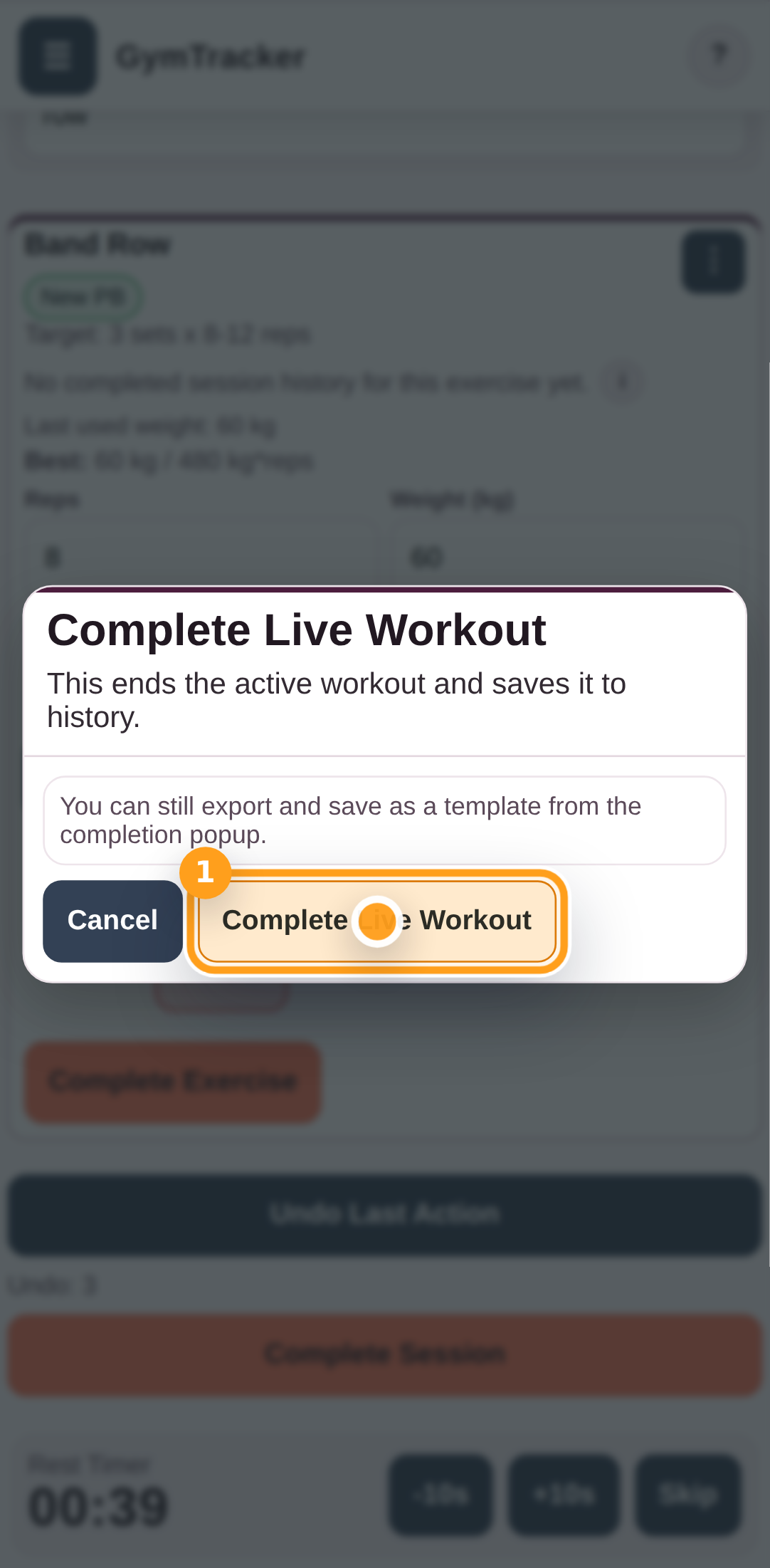
What does Complete Live Workout do?
Live workouts and training Home > Workout > Complete Live Workout

It ends the active workout and saves it to history.

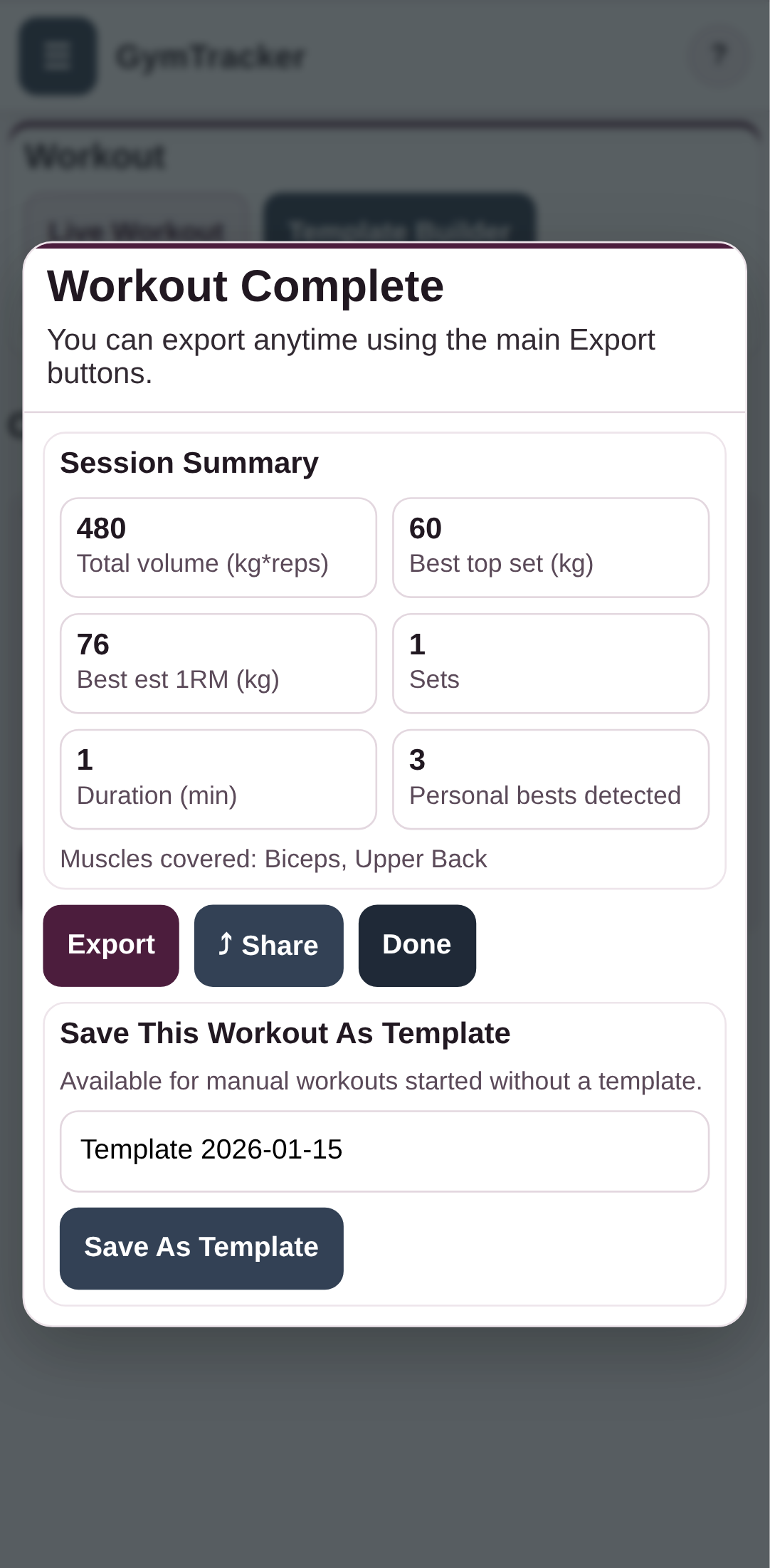
Can I save a completed workout as a template?
Live workouts and training Home > Workout > Complete Live Workout > Save This Workout As Template

Yes. This is available for manual workouts started without an existing template.

What is the benefit of saving a template?
Live workouts and training Home > Workout > Complete Live Workout > Save This Workout As Template

It lets you reuse a workout structure again later rather than rebuilding it from scratch.

Can I share a workout summary?
Live workouts and training Home > Workout > Complete Live Workout > Share Workout

Yes. You can build a shareable summary and copy it to the clipboard.

What can I include in a workout share message?
Live workouts and training Home > Workout > Complete Live Workout > Share Workout

The visible options include session personal bests, session metrics, and a fuller summary.

Where can I review past workouts?
Session review and history Home > History

History is the place to review previously completed sessions.

What can I do in Session Details?
Session review and history Home > History > Session Details

You can review the session, share it, and open it in session analytics.

Can I open one session directly in analytics?
Session review and history Home > History > Session Details > Open in Session Analytics

Yes. This lets you jump from a recorded session into a more analytical view.

Is there an exercise-specific session history?
Session review and history Home > Exercise Library > Exercise Session History

Yes. The app confirms an Exercise Session History area for reviewing past performance linked to an exercise.

How do I add or choose an exercise during a workout?
Exercise library and management Home > Exercise Library > Select Exercise

Use the exercise selector to search, filter, and choose the exercise you want.

Can I search the exercise library?
Exercise library and management Home > Exercise Library > Select Exercise

Yes. Search is built into the selector.

Can I filter the exercise list?
Exercise library and management Home > Exercise Library > Filter Exercises

Yes. The library includes filter controls.

What exercise filters are available?
Exercise library and management Home > Exercise Library > Filter Exercises

The currently confirmed visible quick filters are Favorites only, Recently used, and Custom only.

What does Favorites only mean?
Exercise library and management Home > Exercise Library > Filter Exercises > Favorites only

It shows only starred exercises.

What does Recently used mean?
Exercise library and management Home > Exercise Library > Filter Exercises > Recently used

It shows exercises you have already logged before.

What does Custom only mean?
Exercise library and management Home > Exercise Library > Filter Exercises > Custom only

It shows exercises you created yourself.

Can I edit an exercise?
Exercise library and management Home > Exercise Library > Exercise

Yes. The exercise editor allows you to make changes and save them.

Can I archive exercises?
Exercise library and management Home > Exercise Library

The app confirms an Archived Exercises area, which means hidden or archived exercise management is supported.

How do I restore an archived exercise?
Exercise library and management Home > Exercise Library > Archived Exercises

Open Archived Exercises and restore the item you want back in normal selection.

Why can’t I find an exercise I used before?
Exercise library and management Home > Exercise Library > Filter Exercises / Archived Exercises

Usually the reason is one of these. A filter is hiding it. It is archived. You are searching with a term that does not match.

Does GymTracker include analytics?
Analytics and planning Home > Analytics

Yes. Analytics is a main app area.

Can I change analytics options without leaving analytics?
Analytics and planning Home > Analytics > Customise Analytics

Yes. The visible wording indicates this lets you adjust analytics-related settings without leaving the analytics mode.

What is Build Target for?
Analytics and planning Home > Analytics > Build Target

It lets you create a target using exercise history or body metrics.

What are Weekly Muscle Targets?
Analytics and planning Home > Analytics > Weekly Muscle Targets

This feature allows you to set weekly set goals by muscle group.

Are weekly muscle targets saved with my file?
Analytics and planning Home > Analytics > Weekly Muscle Targets

Yes. The app wording indicates these goals are saved to the Data File.

Can I customise the look of the app?
Settings and customisation Home > Settings > Pick Brand Color

Yes. You can choose a colour from the colour map or enter a HEX or RGB value.

Is there a separate Data area?
Settings and customisation Home > Data

Yes. Data is clearly present in navigation, though the deeper controls were not fully surfaced during verification.

Where can I find support content in the app?
Settings and customisation Home > Help & Support

Use Help & Support for user guidance.

Where can I read product information about the app?
Settings and customisation Home > About GymTracker Personal

Use About GymTracker Personal for app-related overview information.

What does Local Backup Available mean?
Backup and recovery Home

It means GymTracker has found a local recovery state for unsaved work on that device.

When should I restore a local backup?
Backup and recovery Home > Local Backup Available > Restore Backup

Restore it if you lost recent changes after closing, refreshing, or leaving the app unexpectedly.

When should I discard a local backup?
Backup and recovery Home > Local Backup Available > Discard Backup

Discard it only if you are sure the backup is old, wrong, or no longer wanted.

Is a local backup the same as an exported file?
Backup and recovery Home / Home > Export Data File
No. A local backup is a recovery aid inside the app. An exported file is your deliberate saved copy that you keep and can re-import.

Can I install GymTracker like an app?
Install and device use Home > Install App

Yes. The build includes an Install App option.

Does installing the app change how my file works?
Install and device use Home > Install App

No file-handling difference is indicated by the visible app wording. Installation is about access convenience, not replacing the file-based workflow.

How do I switch between Personal and PT?
Modes Home > App Mode

Use the app mode selector and choose Personal or PT.

What is PT mode for?
Modes Home > App Mode > PT

PT mode is the coaching-focused version of GymTracker. It keeps the same file-based workflow, but adds PT-ready tools such as branding, a public PT profile, starter files, and client-ready exports when PT Pro is active.

Where do I access PT-specific setup?
Modes Home > PT Profile

Open PT Profile in PT mode when you want PT-facing setup such as branding, public profile details, starter files, and client-ready exports.

Can PT mode still use the same file-based approach?
Modes Home > Account / Home > PT Profile / Home > Export Data File
Yes. PT mode still keeps the file at the centre of the workflow. You coach from the file, review progress, and export the updated file when you are done.

What does the Weekly Set Tracker actually show?
Analytics Home > Analytics > Targets

It shows whether each muscle group hit its weekly target sets for the selected week. A green check means the target was hit, a dash means the current week is still in progress, and a red cross means a past week missed the target.

What is the difference between Full inclusion and Fractional share?
Analytics Home > Analytics > Targets > Set Weekly Targets

Full inclusion counts a logged set fully for every muscle mapped to that exercise. Fractional share splits the same set across those mapped muscles. Use the one that matches how you want to read your training coverage.

What are the different Analytics modes for?
Analytics Home > Analytics

Global looks at your overall training patterns. Exercise focuses on one movement. Session drills into one completed workout. Template compares workouts started from the same template. Body keeps body-metric trends together. Targets keeps weekly target tracking and saved targets together. PBs shows your personal-best trend and latest PB events.

What does Body analytics show?
Analytics Home > Analytics > Body

Body keeps your body-metric history together in one place, so weight and other tracked body measurements are easier to review without mixing them into the rest of your training charts.

What does PBs show?
Analytics Home > Analytics > PBs

PBs keeps your personal-best trend and recent PB moments together. Use it when you want the high-level progress view without changing date ranges.

Do I need a template before I start a live workout?
Workout Home > Workout

No. Templates are optional. You can start a live workout straight away, then add exercises as you go.

What is Workout Timer?
Workout Home > Workout

Workout Timer shows how long the current workout has been running. It gives you a simple running session timer while you train.

Do clients need their own accounts to use a branded PT file?
PT files Home > PT Profile > Client Files

No. Clients can keep using the normal file-based flow. When they import a valid PT-ready file, GymTracker verifies the PT branding and profile for that file and shows it automatically while the PT subscription stays active.

Why does a branded PT file stay in personal mode?
PT files Home > PT Profile

Because the client-facing branded experience stays in personal mode. GymTracker shows the PT profile and branding there, while keeping PT mode itself reserved for the PT-facing workflow.

What is a starter file?
PT files Home > PT Profile

A starter file is an optional PT tool for keeping one reusable base file ready for new clients. It keeps reusable setup such as exercises and templates, while leaving out personal history and other rows that should not carry forward.

What does Merge Into Saved Starter do?
PT files Home > PT Profile > Starter File

It lets you add reusable exercises and templates from another file into the saved starter, so you can keep building one starter file over time instead of starting again from scratch.

Where do I manage PT branding and profile details?
PT account Home > PT Profile

Use PT Profile in PT mode. That is where you manage branding assets, your public PT profile, starter files, and client-ready exports.

Where do I start PT Pro or manage PT billing?
PT account Home > Account

Use Account in PT mode to start PT Pro or manage billing. PT Profile is for the PT-facing tools you use after the account and billing side are ready.

What do Restore, Discard, and Download Current Data File mean on the welcome screen?

Data Home

These are fallback recovery tools. Restore brings the last local recovery snapshot back into the app. Discard removes that local recovery snapshot. Download Current Data File appears when GymTracker has a full saved CSV snapshot ready to download directly.

No guide articles matched that search. Try a simpler phrase like PT, billing, template, or export.

GymTracker Help

Signing Up To GymTracker PT

Create your account, confirm your email, and switch to PT mode so you can use the PT workspace and upgrade to PT Pro when you need it.

PTAccountBilling
  • Have access to the email inbox you want to use for your PT account.
  • Use the PT mode switch in the menu before opening PT Workspace.

After your email is confirmed, sign in, open PT Workspace, and use PT mode straight away. PT Pro stays available when you want branding, a public PT profile, starter files, client-ready exports, billing management, and the wider shared-app feature unlocks.

Step By Step

10 screens

Step 1

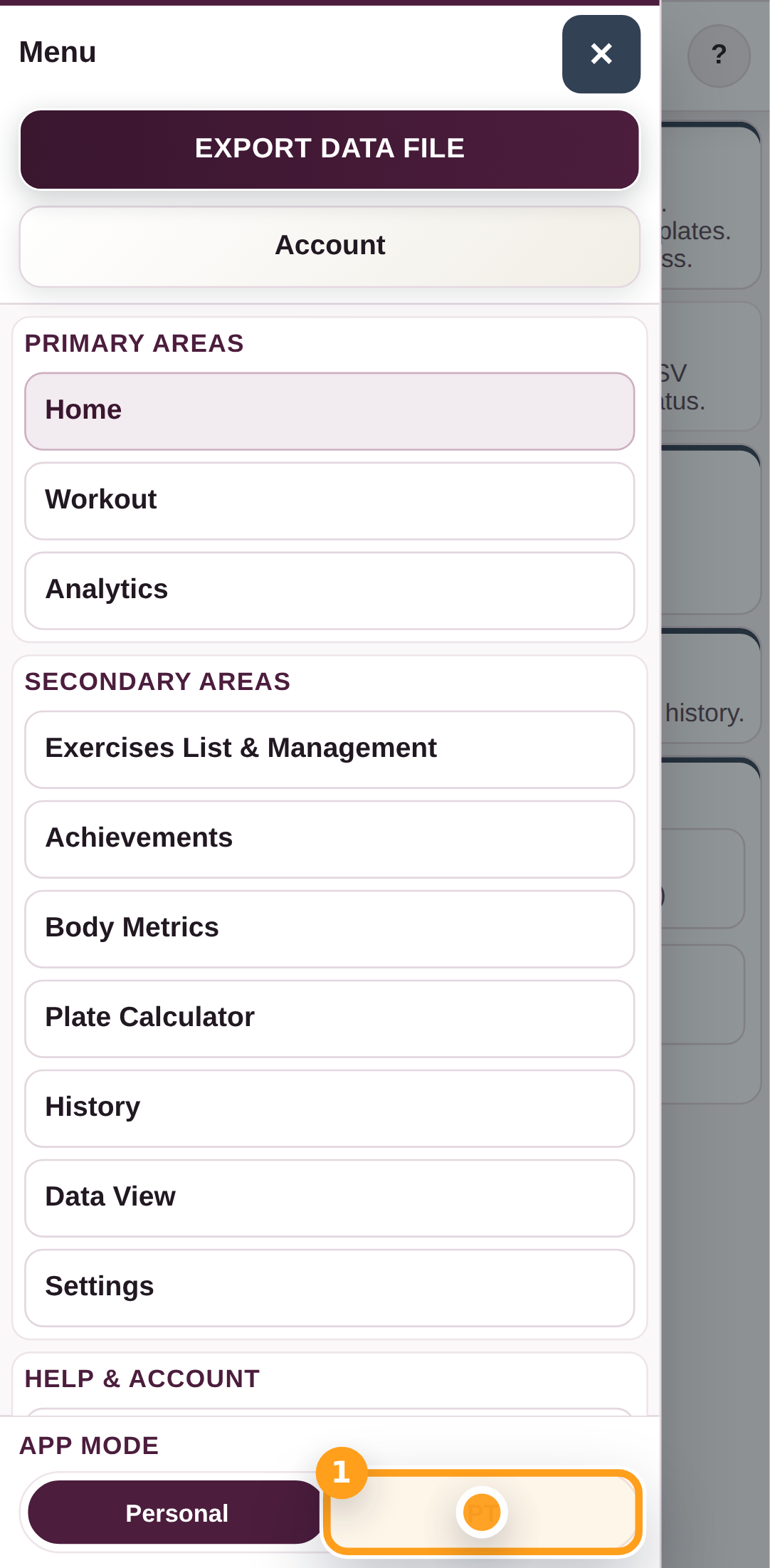
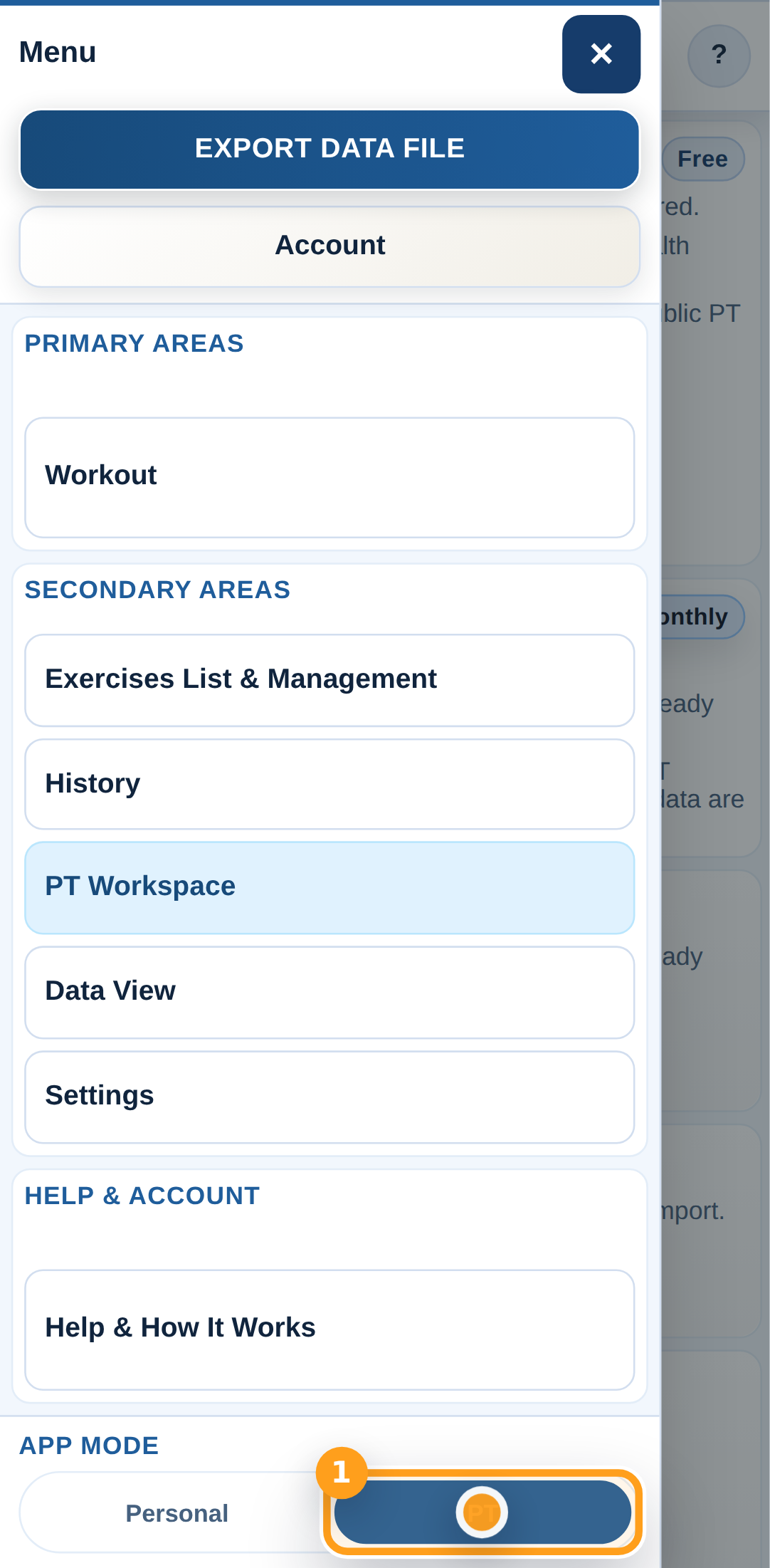
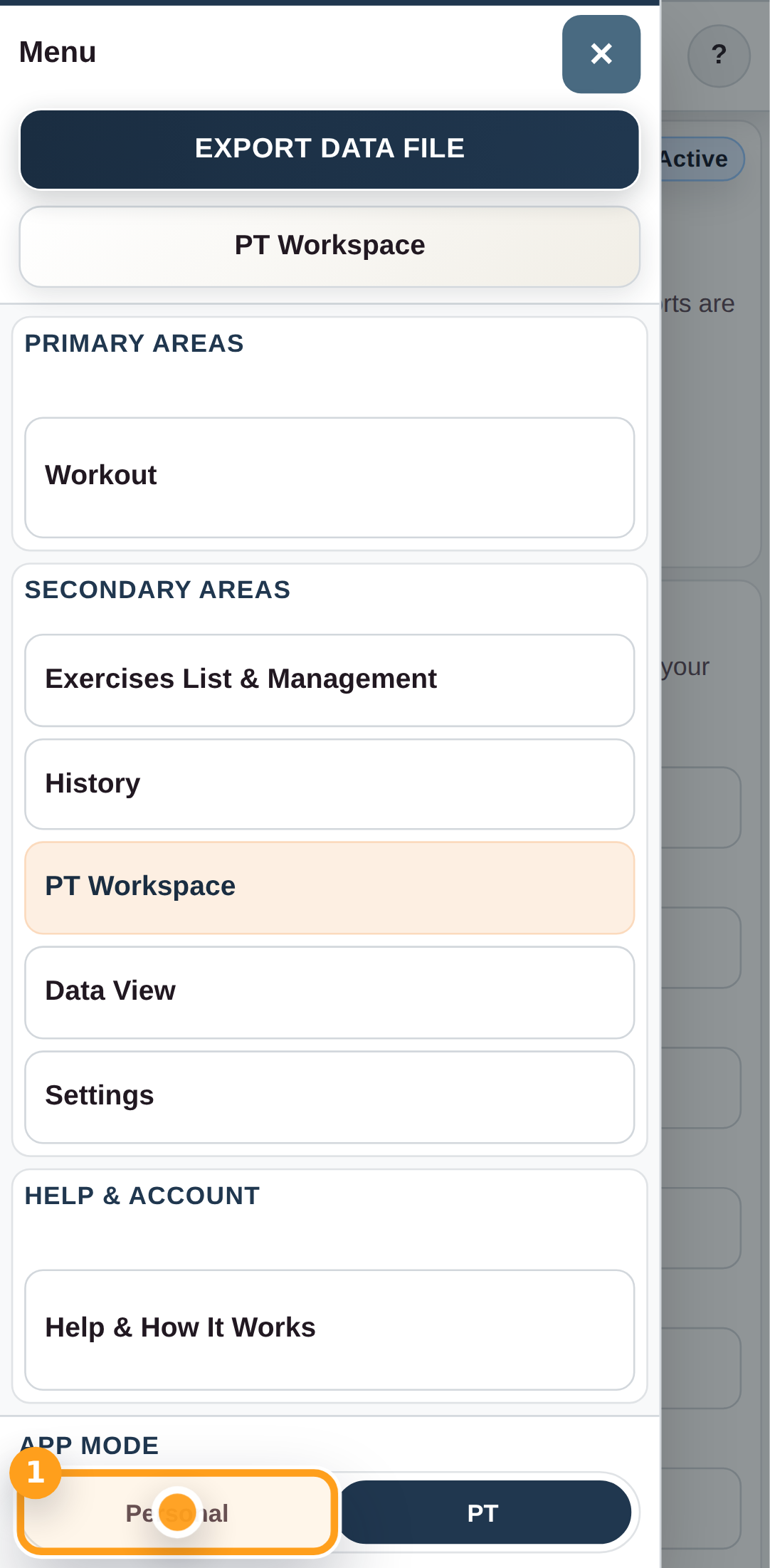
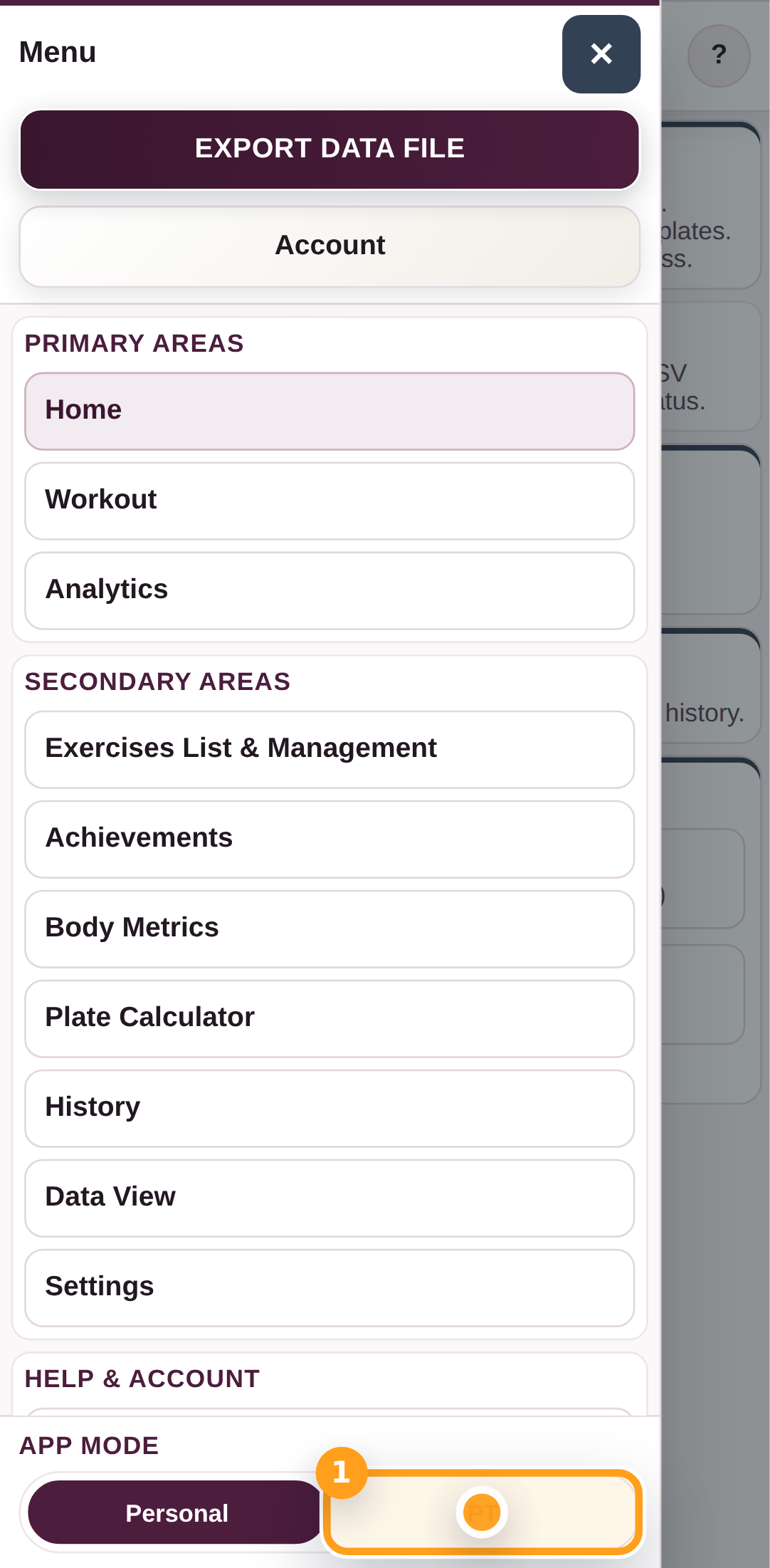
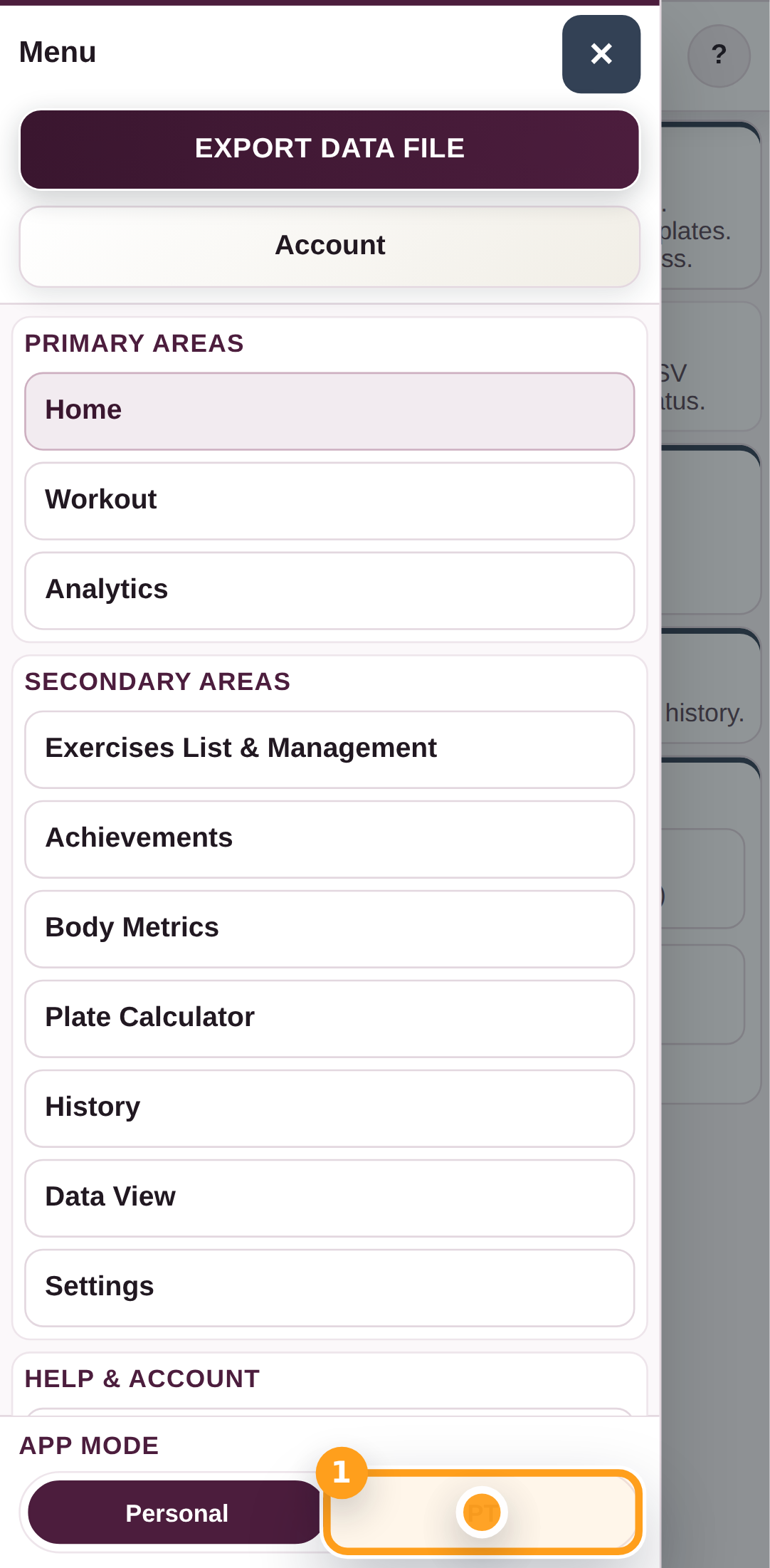
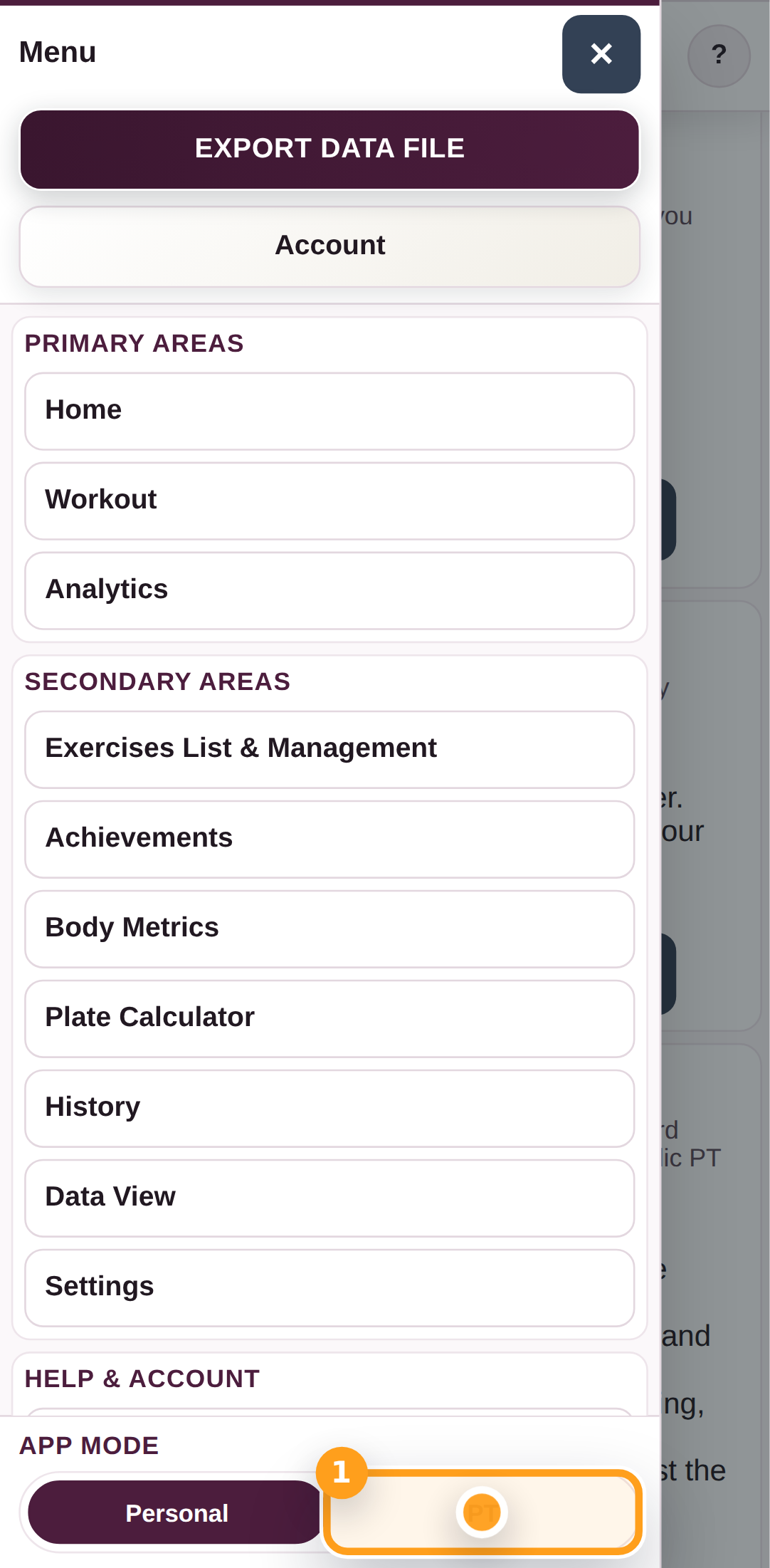
Switch to PT mode

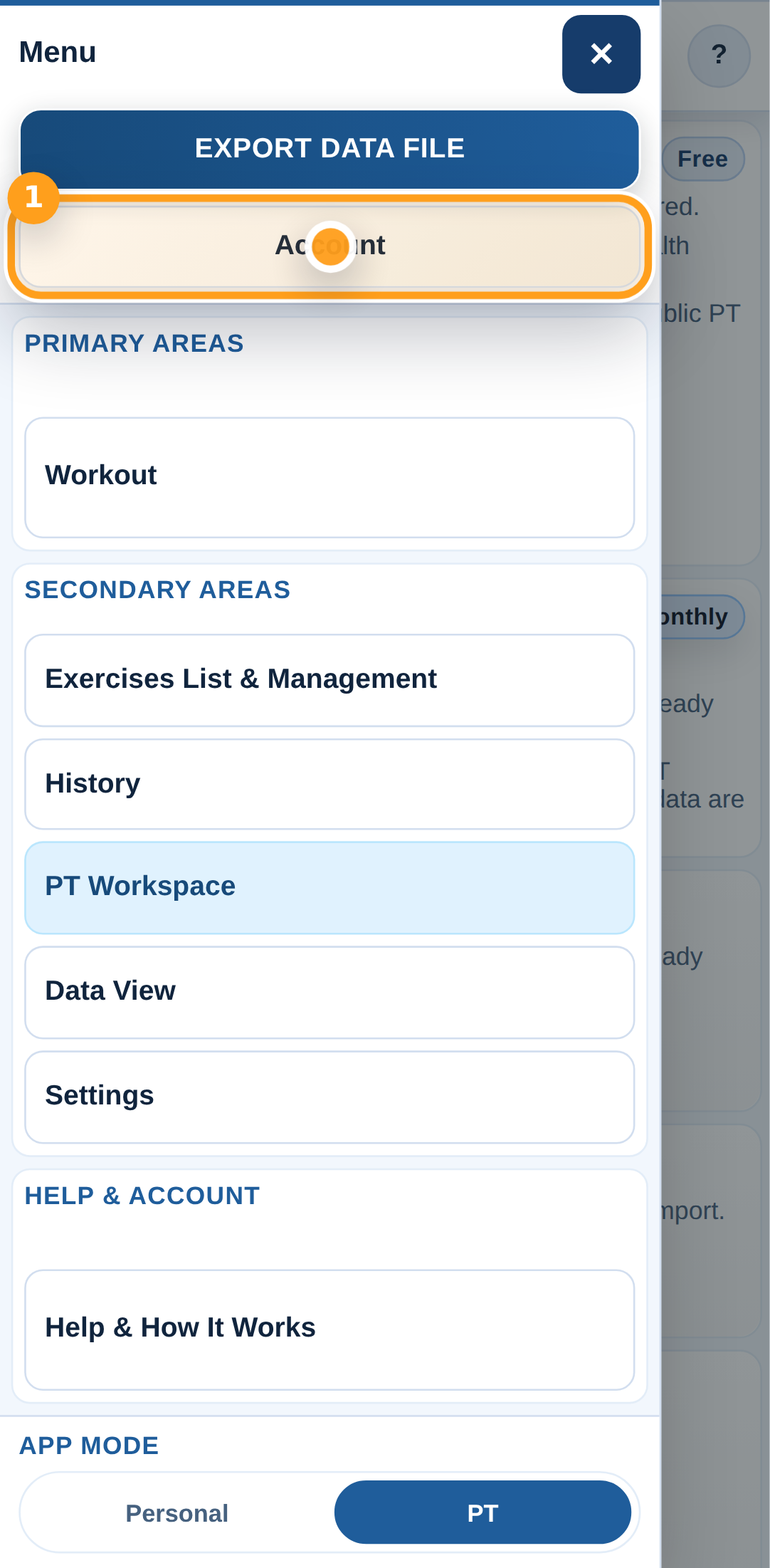
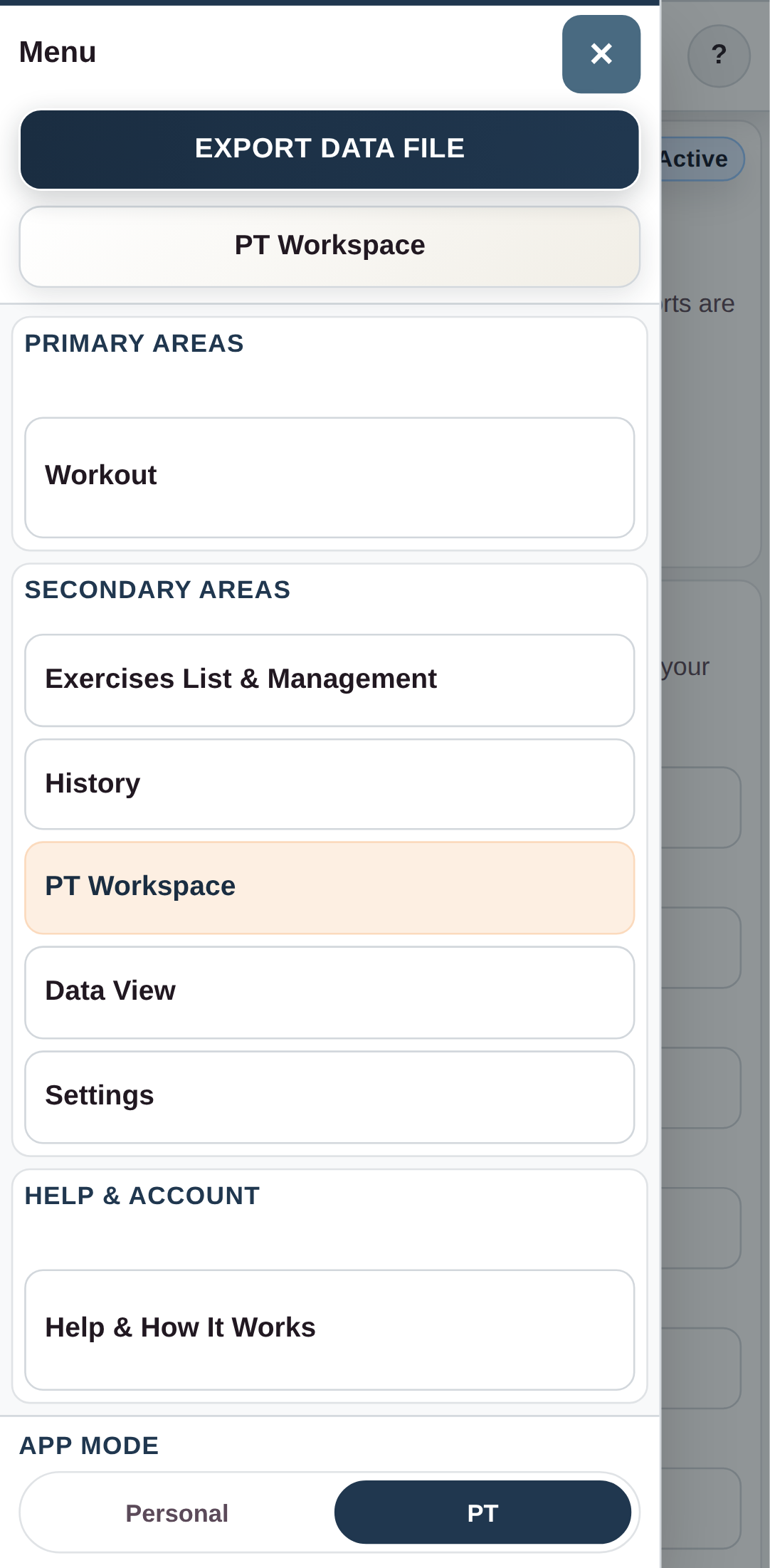
Open the menu and tap PT at the bottom to move from Personal into PT mode.

Switch to PT mode

Step 2

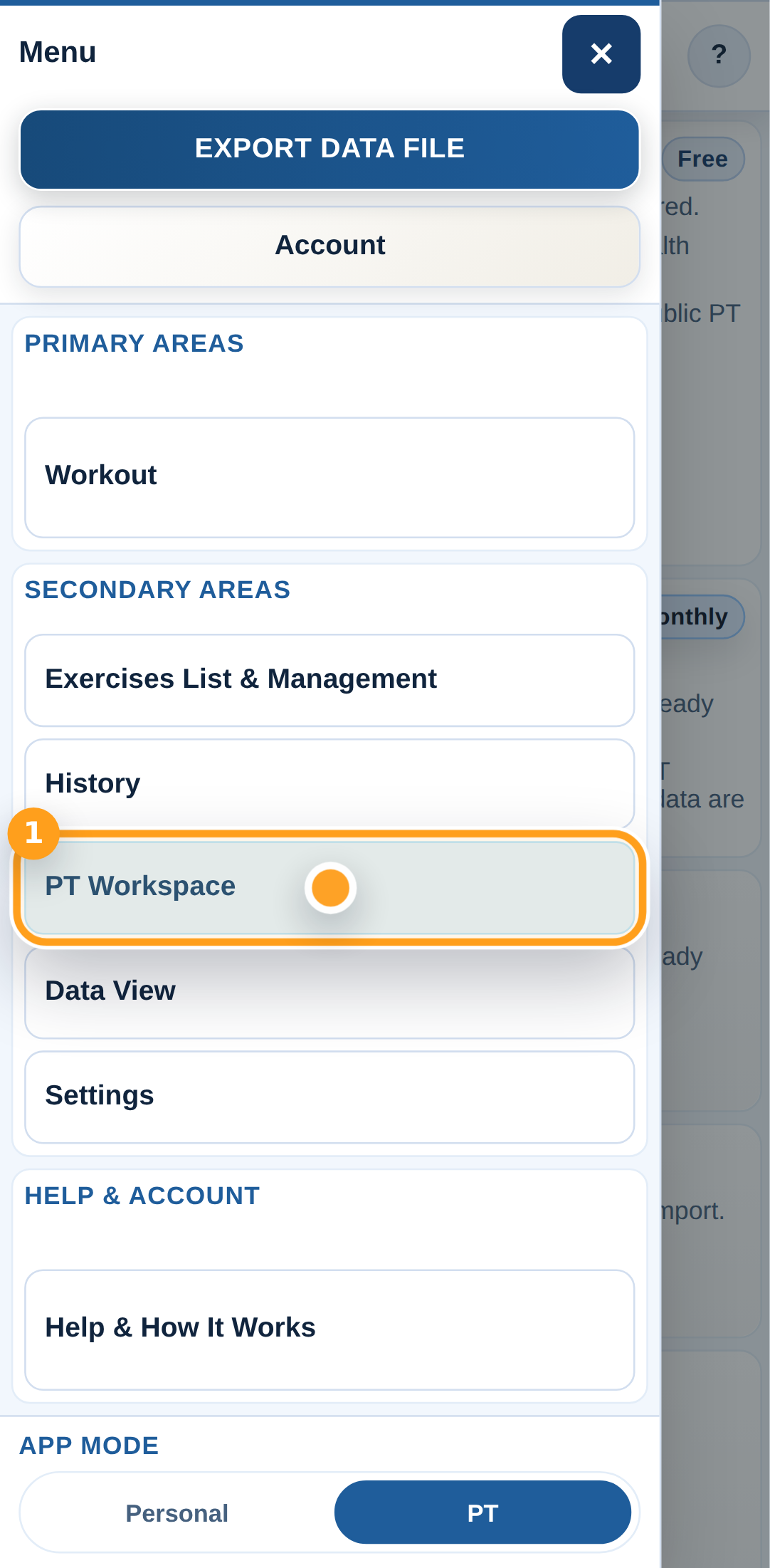
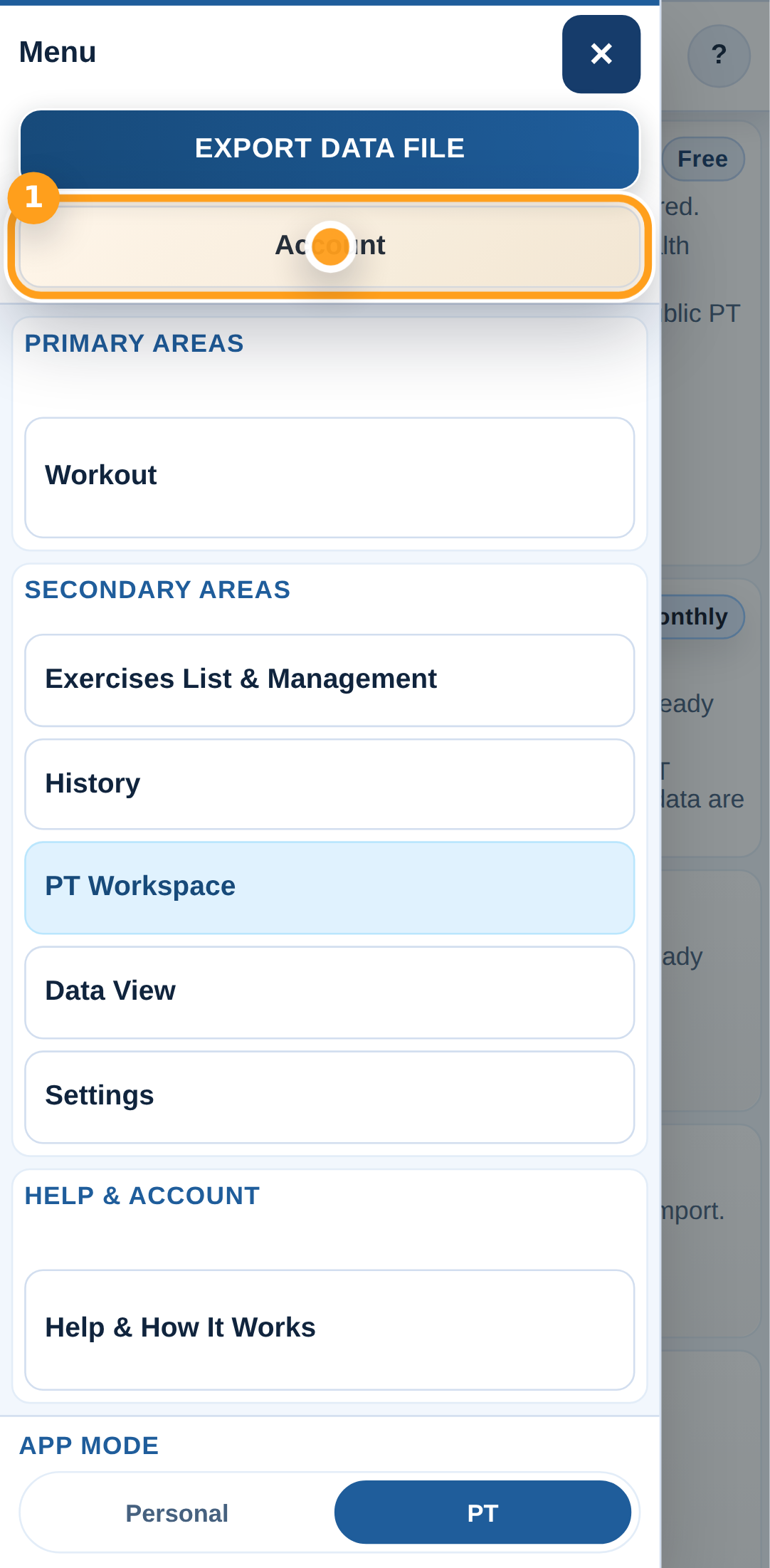
Open PT Workspace

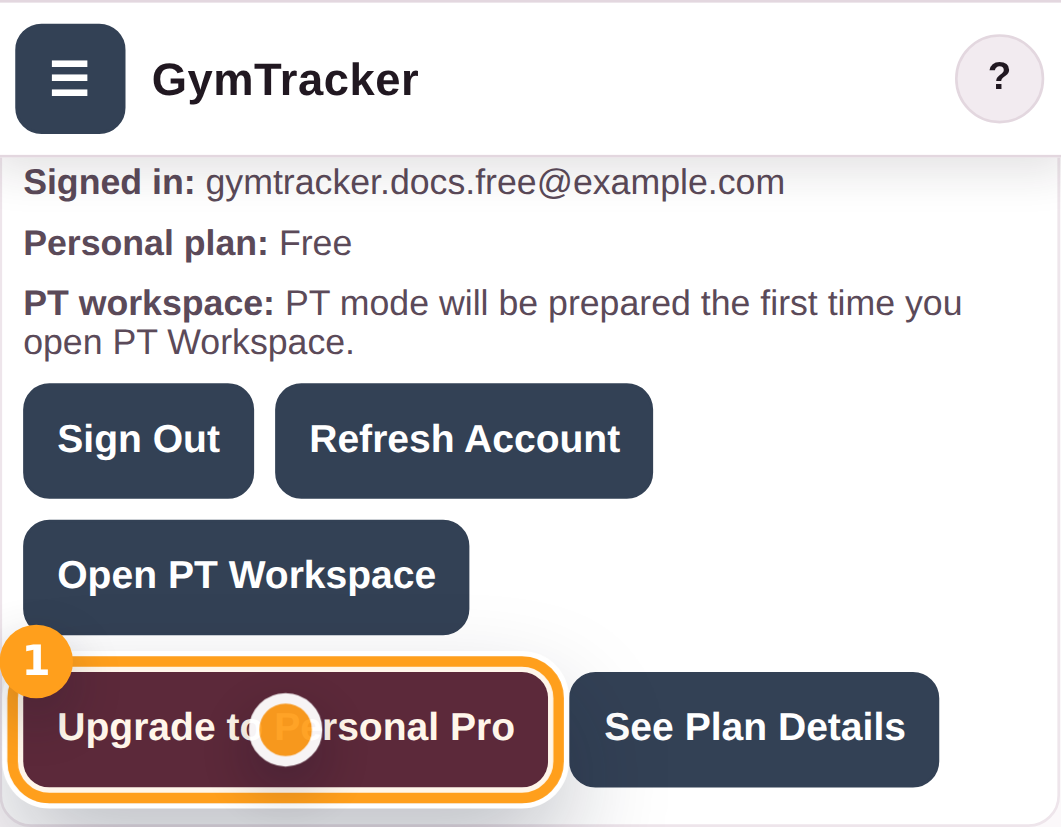
Open the menu again and choose PT Workspace to see the PT mode tools and the PT Pro upgrade path.

Open PT Workspace

Step 3

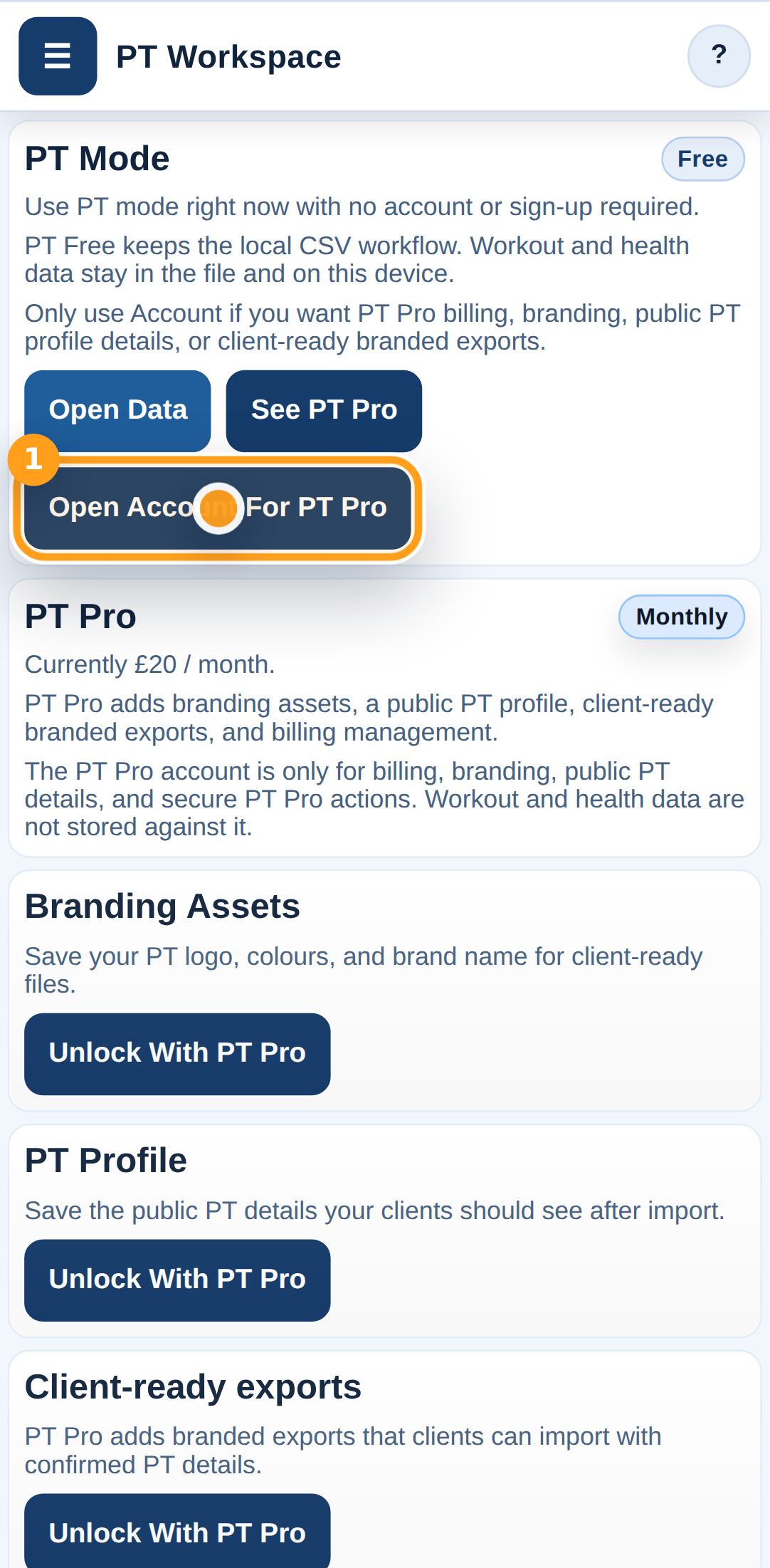
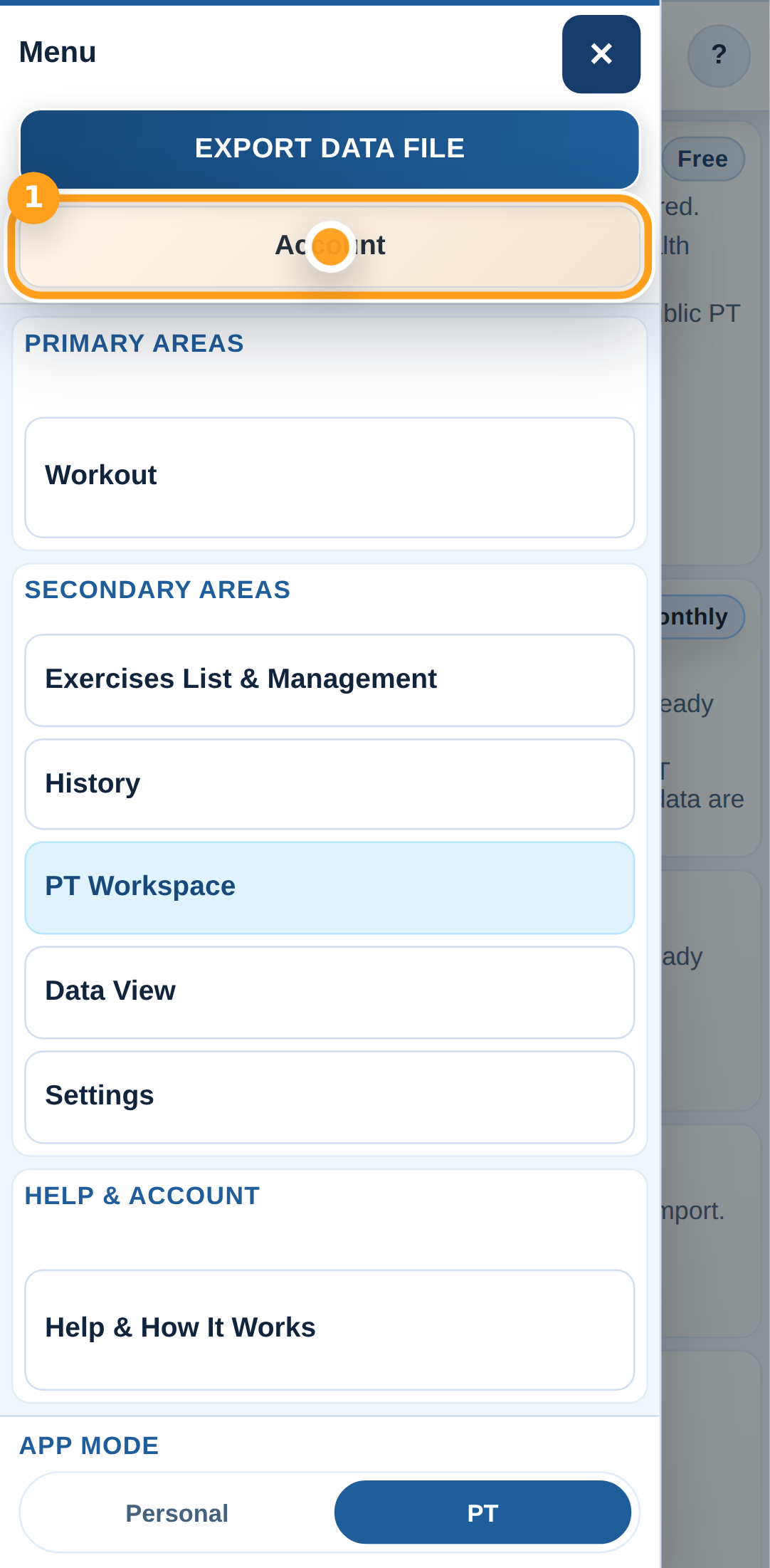
Open Account from PT Workspace

Tap Open Account to reach the sign-in and Create Account form for PT mode.

Open Account from PT Workspace

Step 4

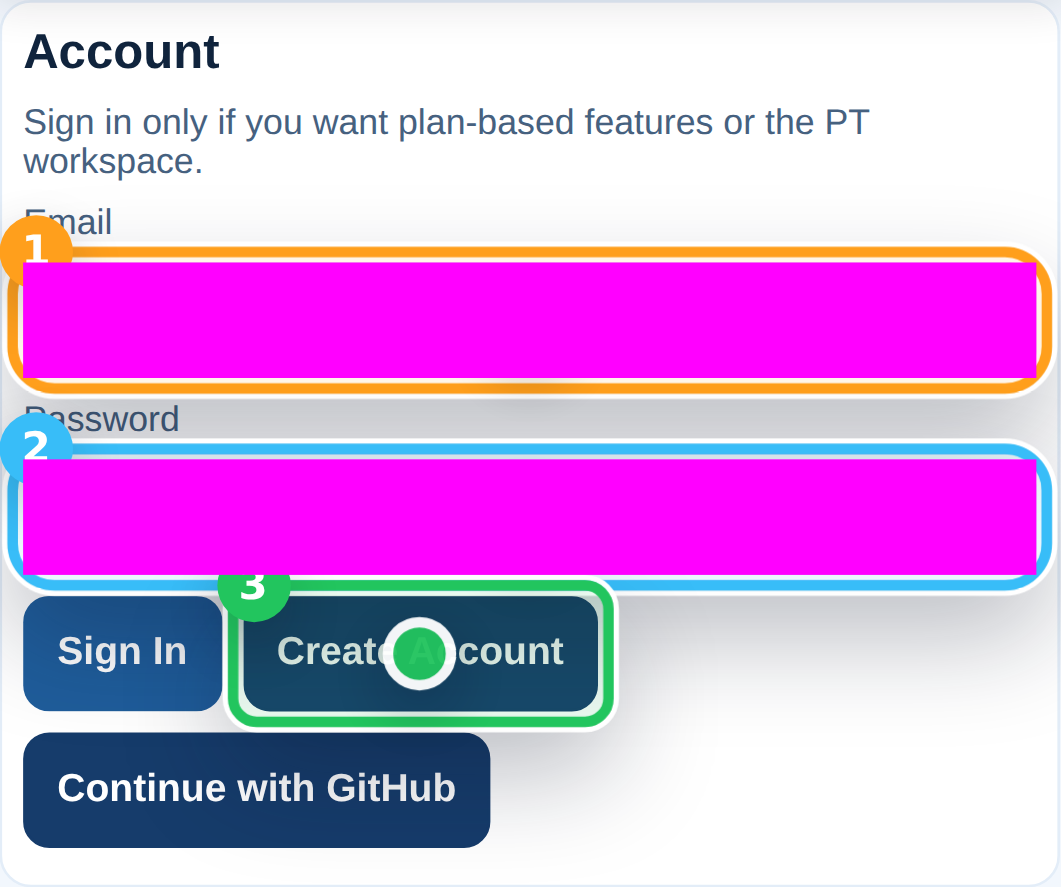
Create your PT account

Enter your email address and password, then tap Create Account to register your PT account.

Create your PT account

Step 5

Check the email confirmation message

After you tap Create Account, GymTracker confirms that you should check your inbox and verify your email before your first full sign-in.

Step 6

Return to PT mode

After your email is verified, open the menu and switch back into PT mode.

Return to PT mode

Step 7

Open Account to sign in

Open Account so you can sign in with your PT email address and password.

Open Account to sign in

Step 8

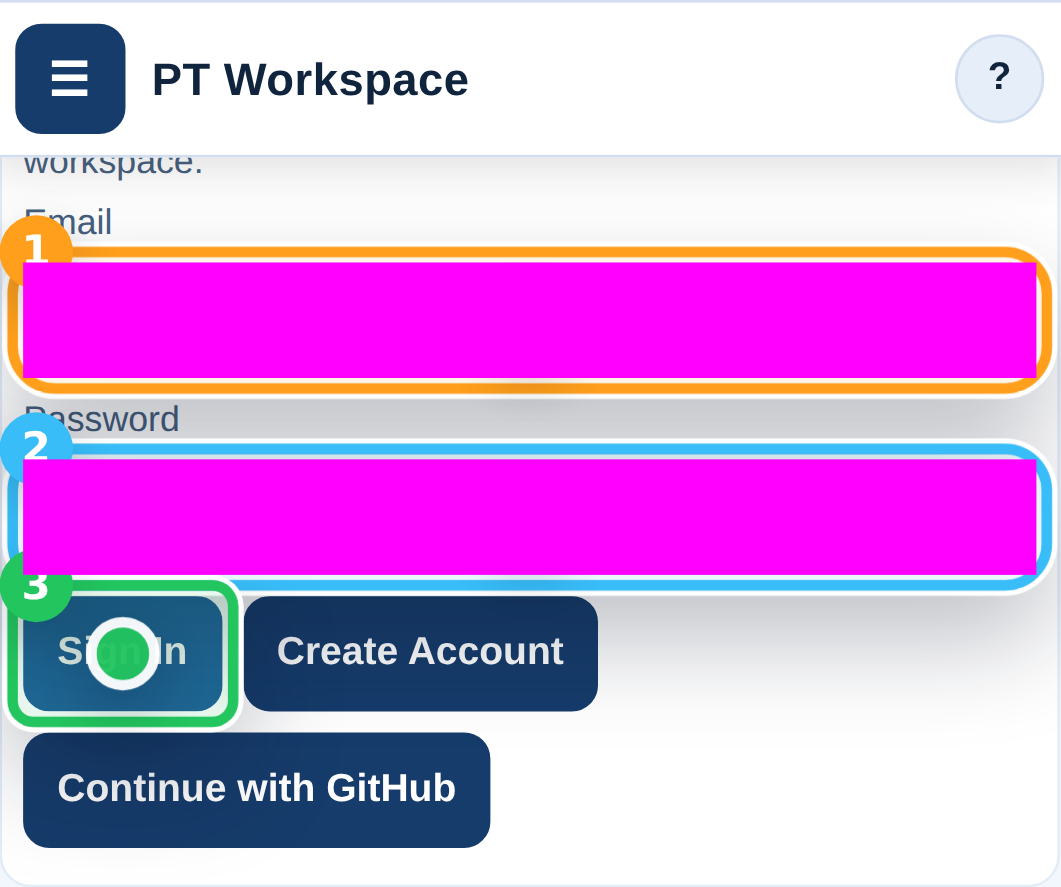
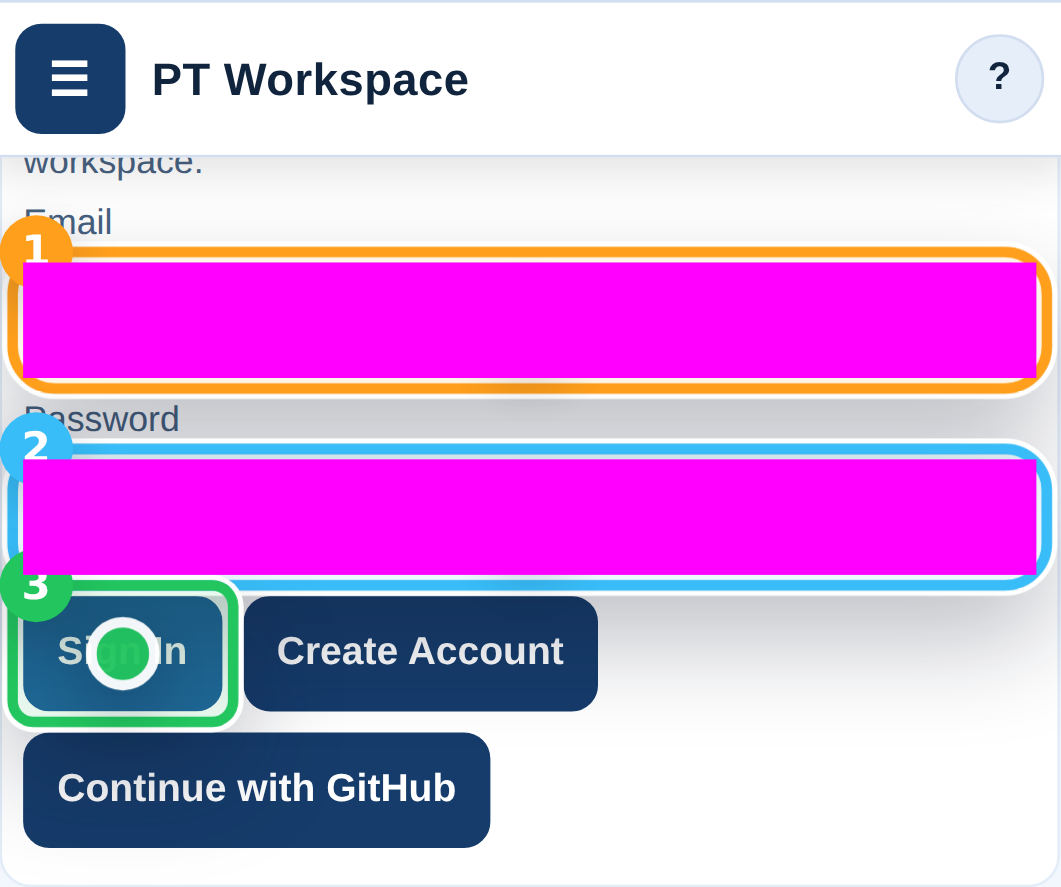
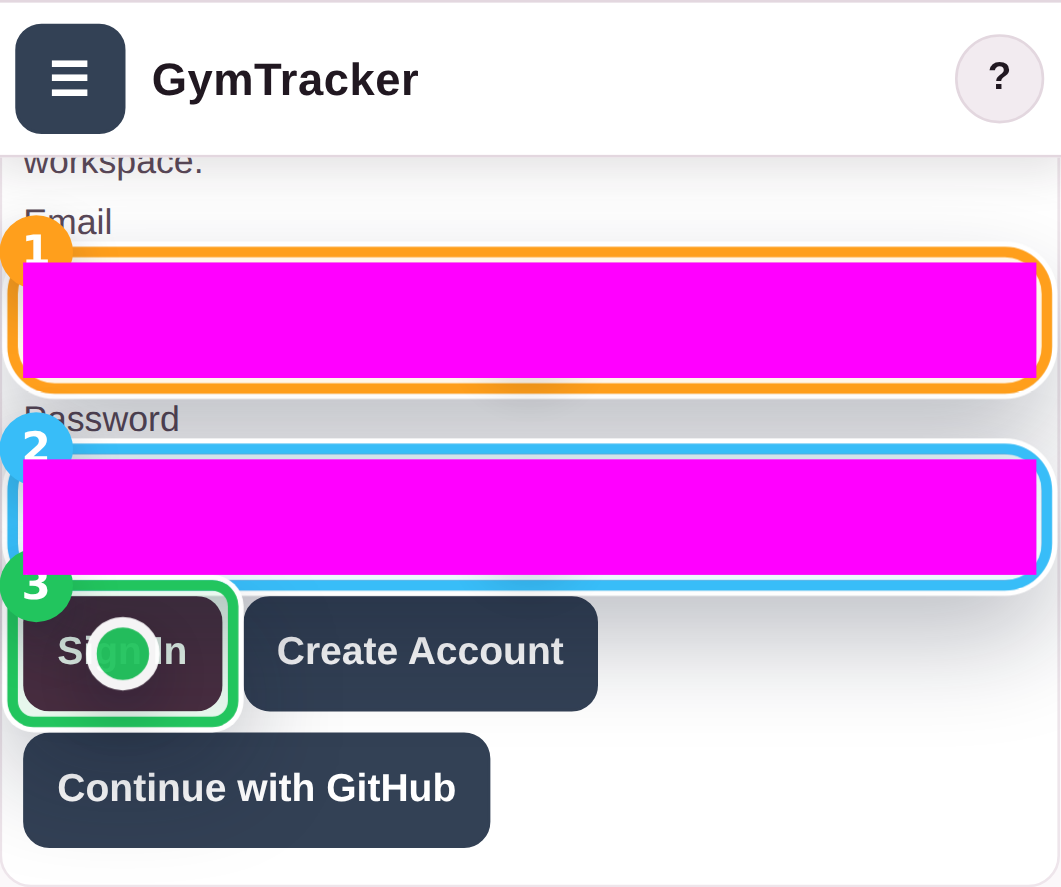
Sign in after verification

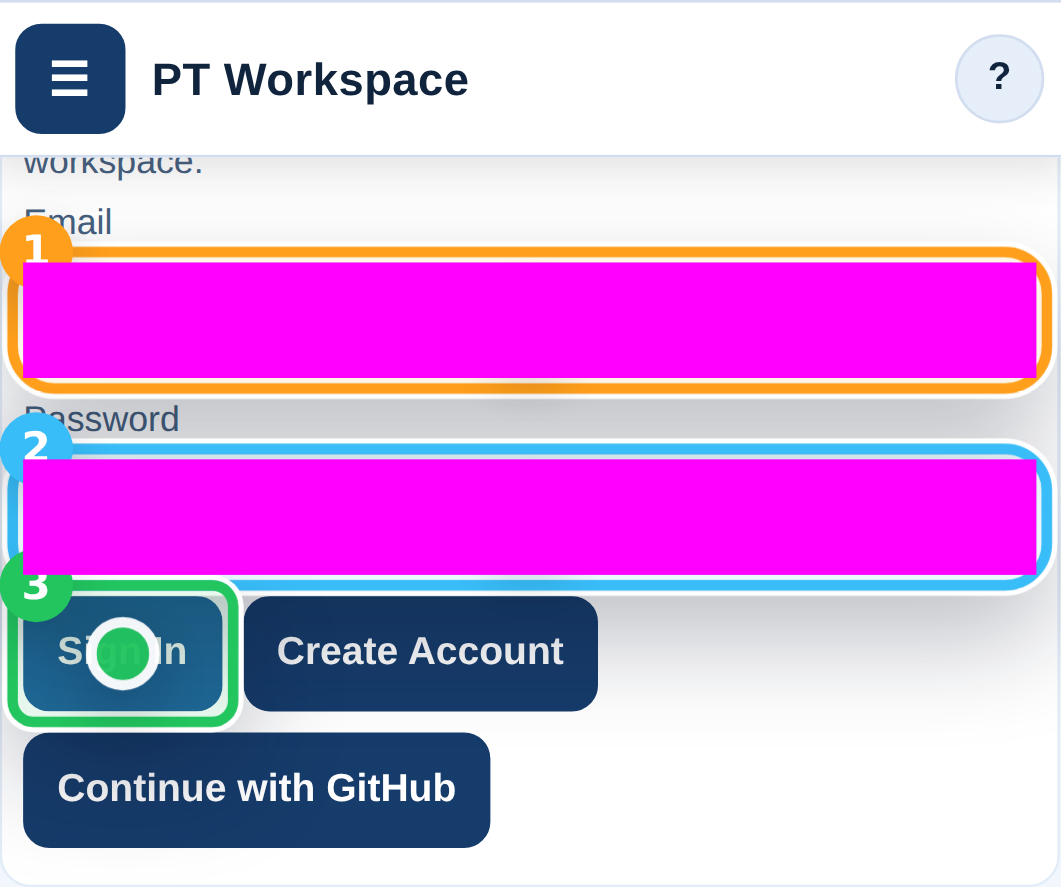
Once your PT account is verified, enter your email address and password, then tap Sign In.

Sign in after verification

Step 9

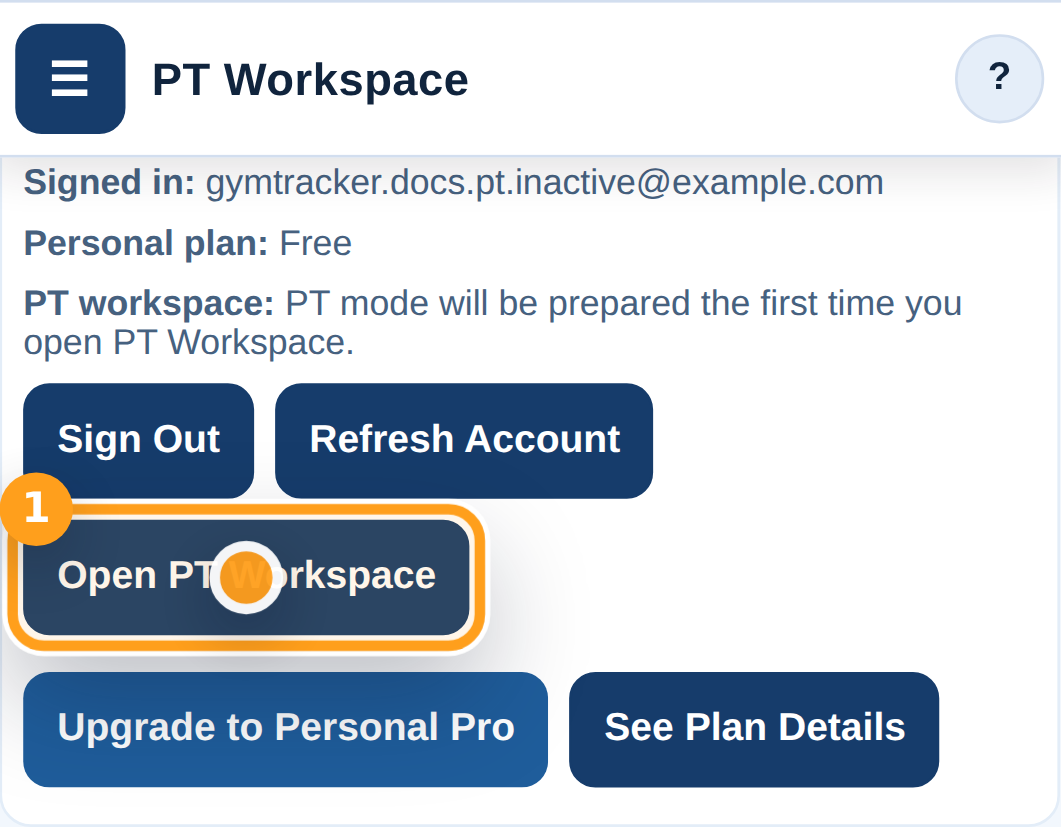
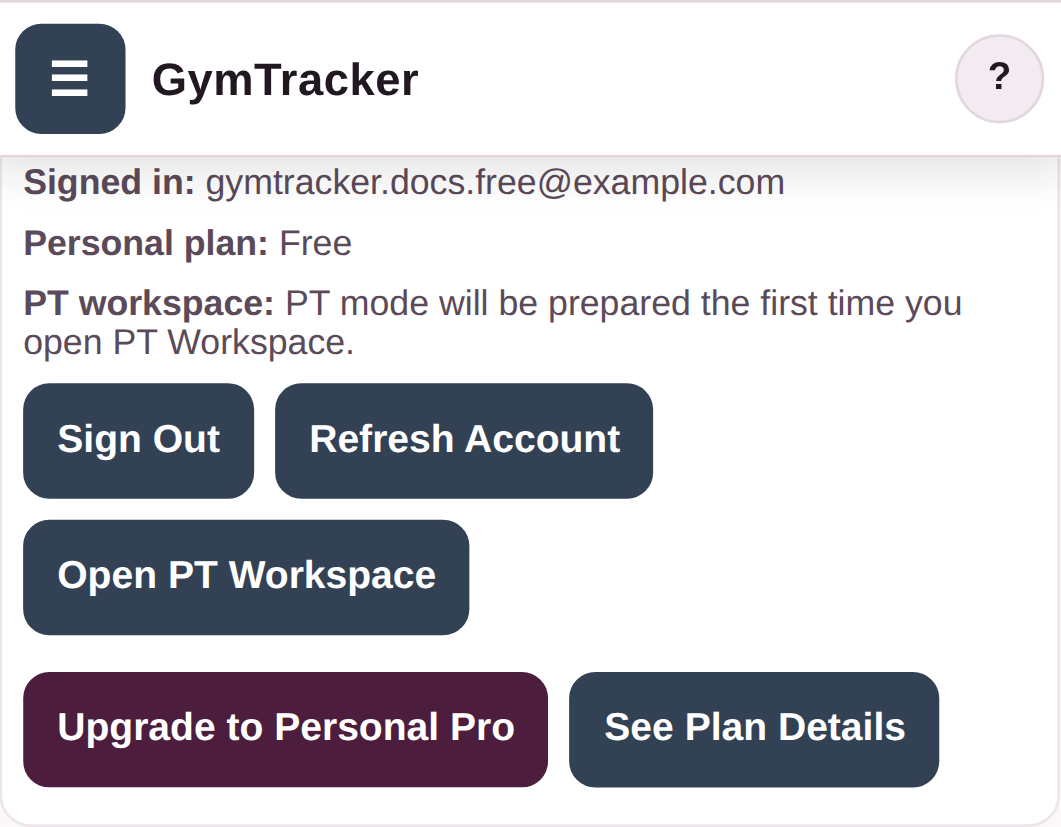
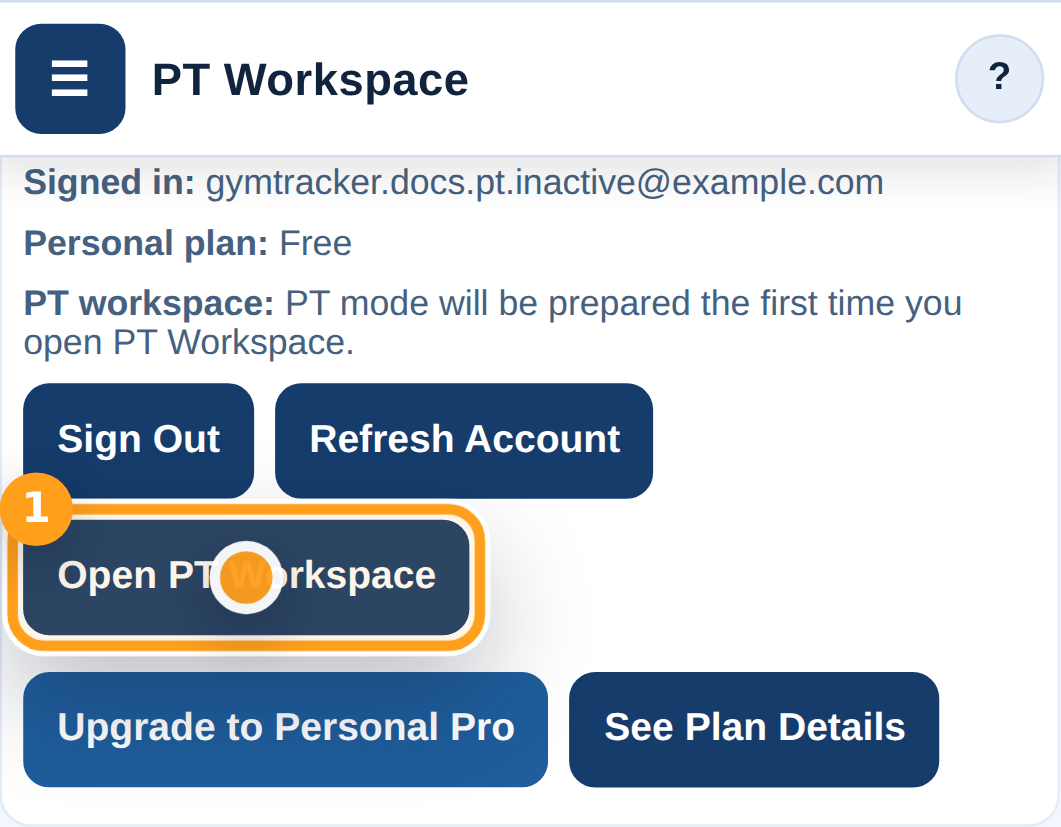
Open PT Workspace from Account

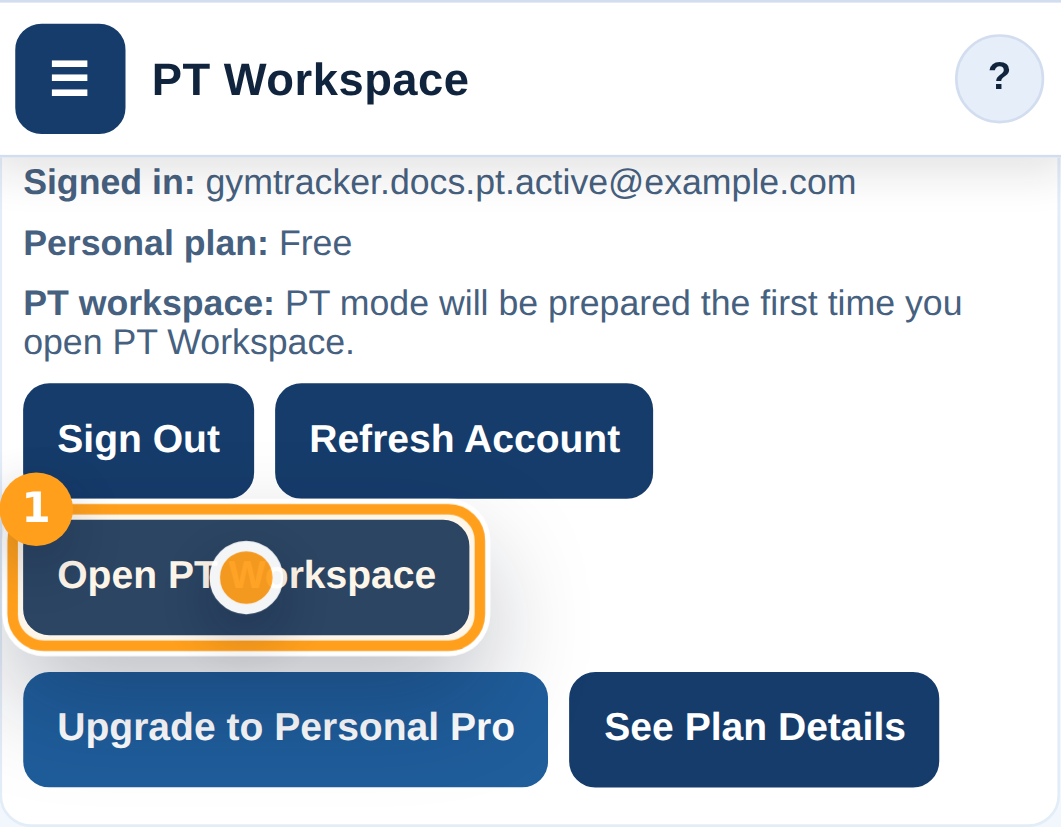
Tap Open PT Workspace to move from Account into the PT workspace for your signed-in account.

Open PT Workspace from Account

Step 10

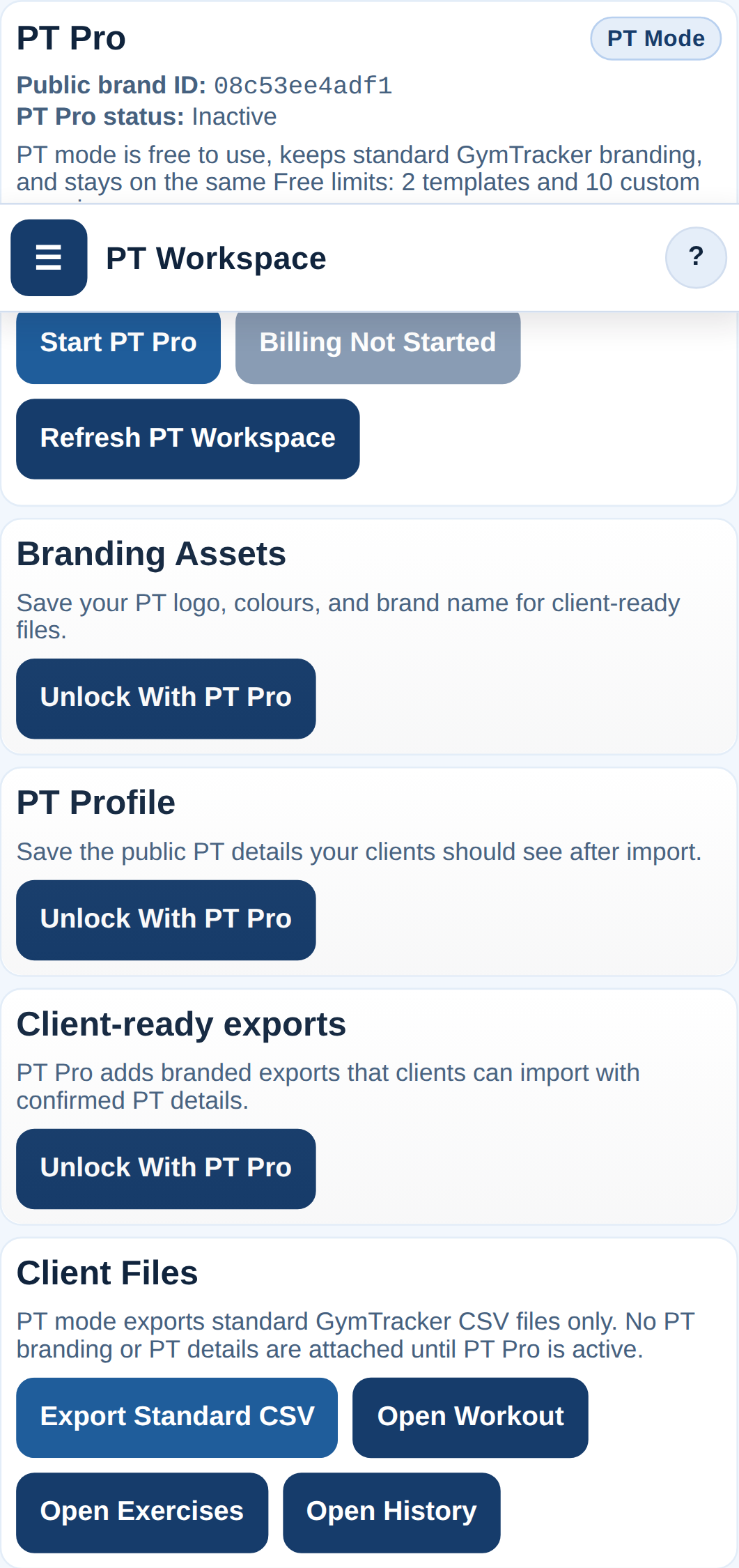
Review PT mode and the PT Pro upgrade path

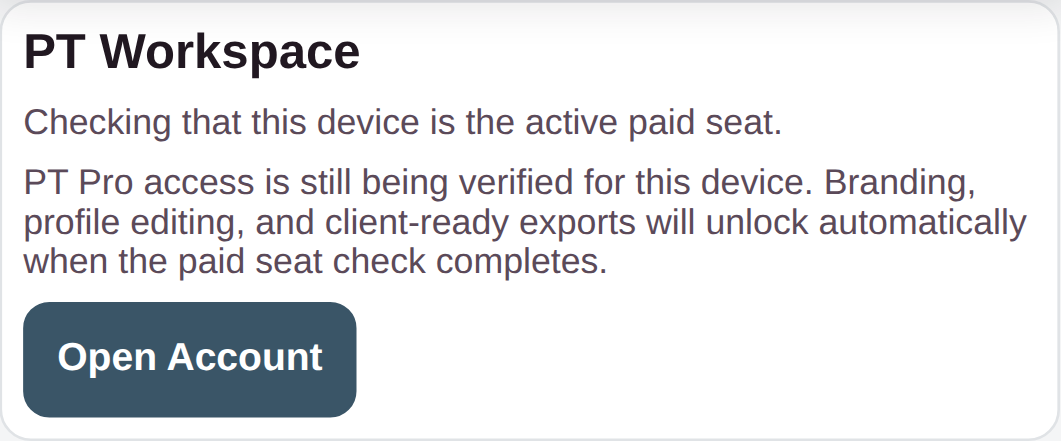
PT mode is ready to use straight away. PT Pro stays visible so you can unlock branding assets, a PT profile, starter files, client-ready exports, billing, and the wider shared-app feature unlocks when you need them.

Review PT mode and the PT Pro upgrade path

Troubleshooting

Common blockers

  • If you do not see PT Workspace, open the menu and switch from Personal to PT.
  • If the account already exists, use Sign In instead of Create Account.
Generated from the live staging build at http://127.0.0.1:4173 using the customer-help Playwright workflow.

GymTracker Help

Upgrading A Data File To Personal Pro

Open a Data File, start the secure Personal Pro checkout, then back up the upgraded file straight away.

AccountBillingData
  • Load or start the Data File you want to upgrade first.

  • Keep the app open until the secure checkout page loads.

The upgraded file stays local and portable. Export or download the backup immediately so the Personal Pro entitlement stays with that file lineage.

Step By Step

5 screens

Step 1

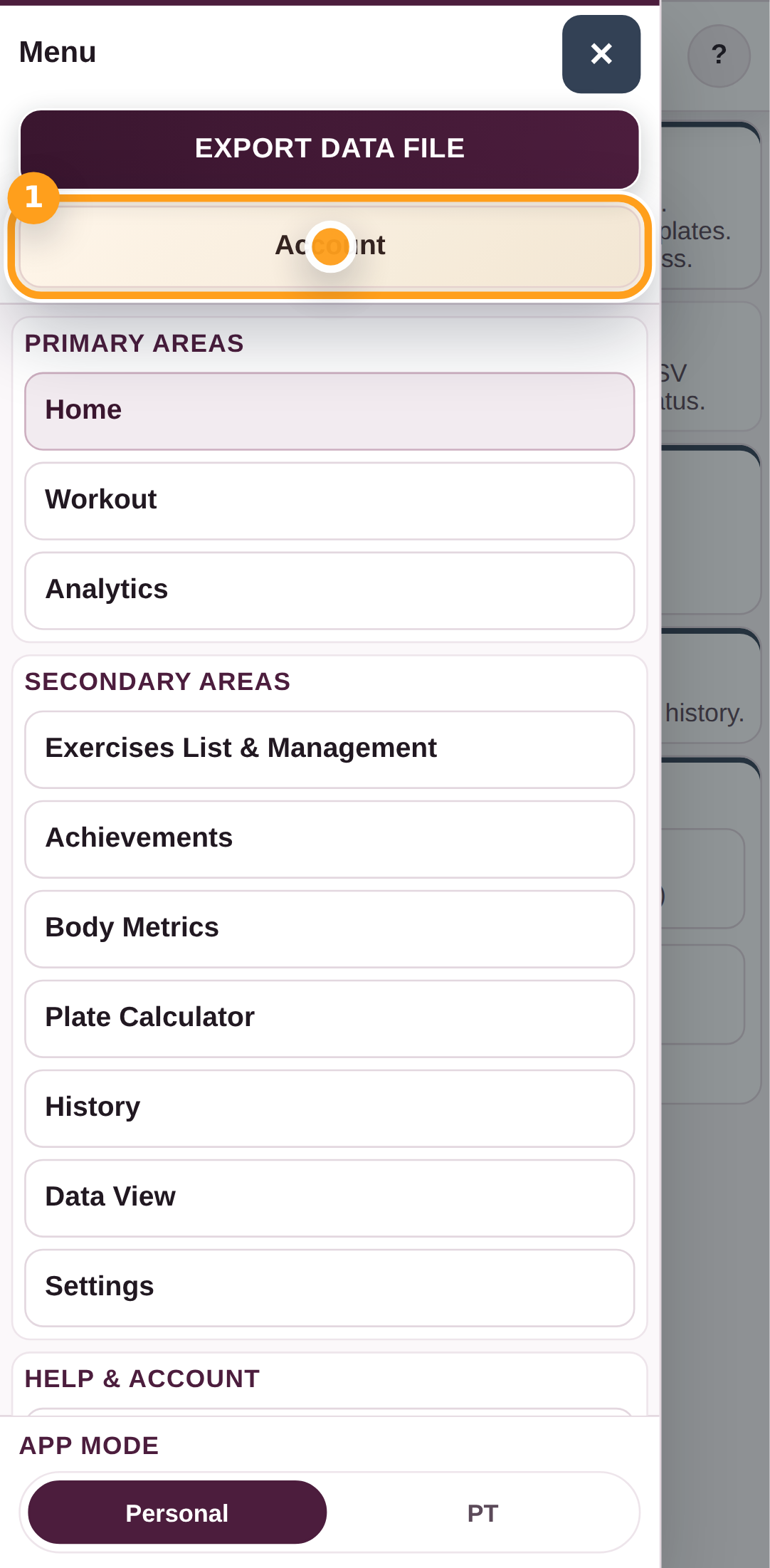
Open Account

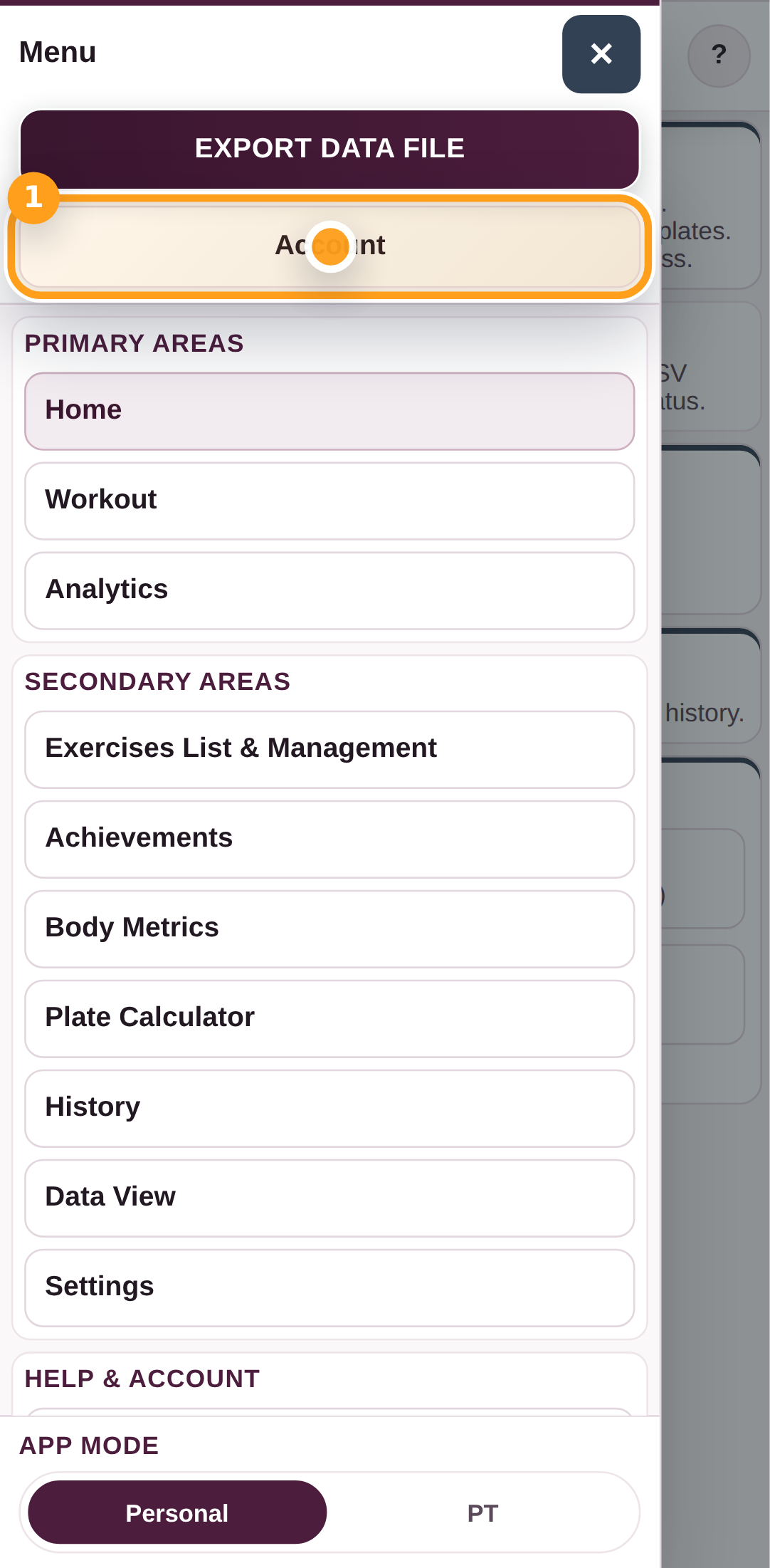
Open the menu and tap Account.

Open Account

Step 2

Review the current Data File
Check the Personal Pro card for the file you currently have open. You do not need a persistent account just to buy Personal Pro.

Review the current Data File
Step 3

Choose Upgrade This Data File
Tap Upgrade This Data File to open the secure checkout for the one-time Personal Pro purchase.
Choose Upgrade This Data File
Step 4

Continue to secure checkout

After you tap Upgrade This Data File, GymTracker opens the secure hosted checkout page in your browser. Keep the page open until the redirect starts.

Continue to secure checkout

Step 5

Back up the upgraded file
After payment is confirmed, GymTracker applies Personal Pro to the current Data File and prompts you to export a backup straight away.
Back up the upgraded file

Troubleshooting

Common blockers

  • If checkout succeeds but the file does not unlock, open Account and send a Support Request.
  • If GymTracker tells you to upload the original file, reopen the same Data File that was loaded when checkout started.
Generated from the live staging build at http://127.0.0.1:4173 using the customer-help Playwright workflow.

GymTracker Help

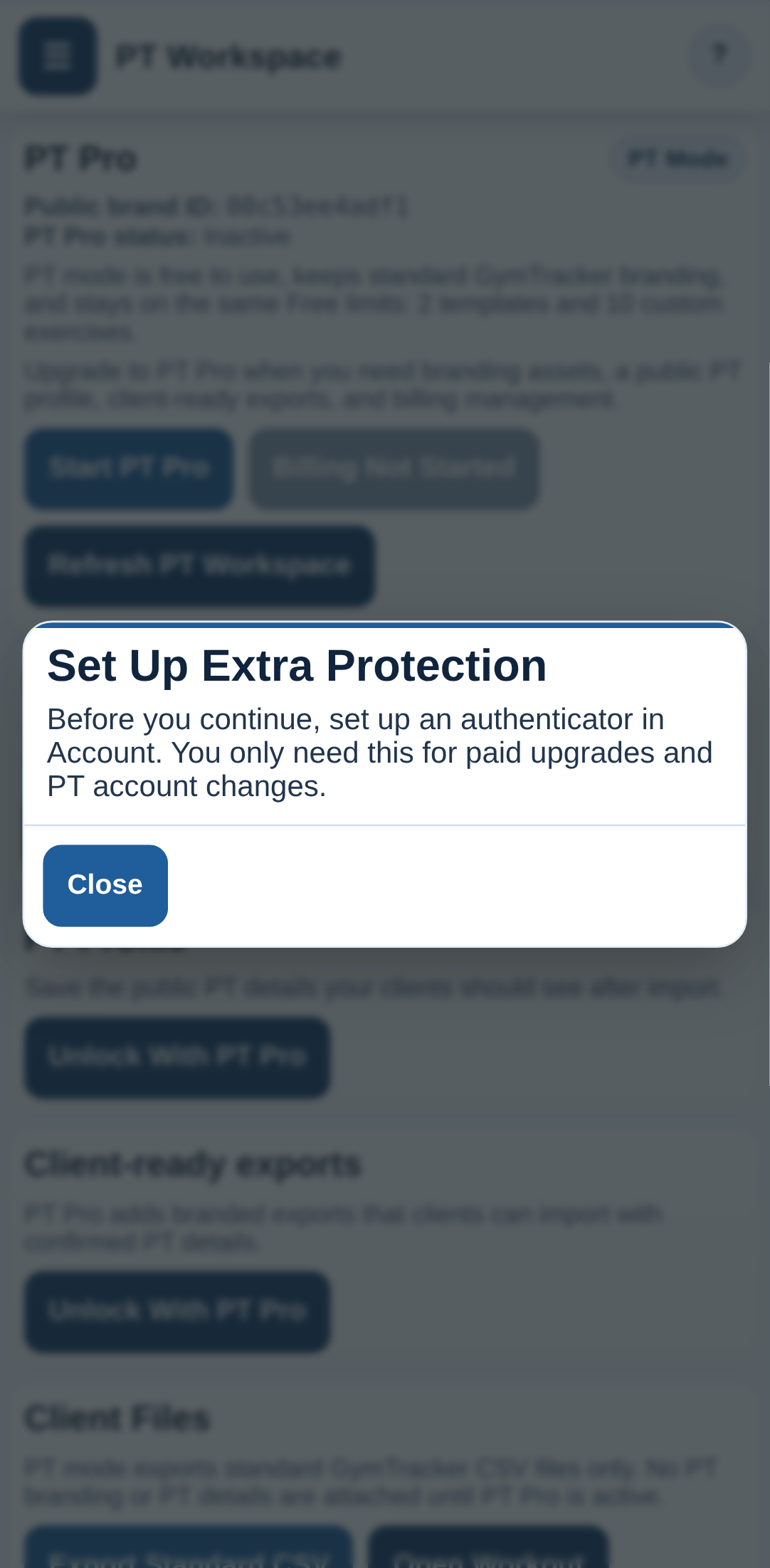
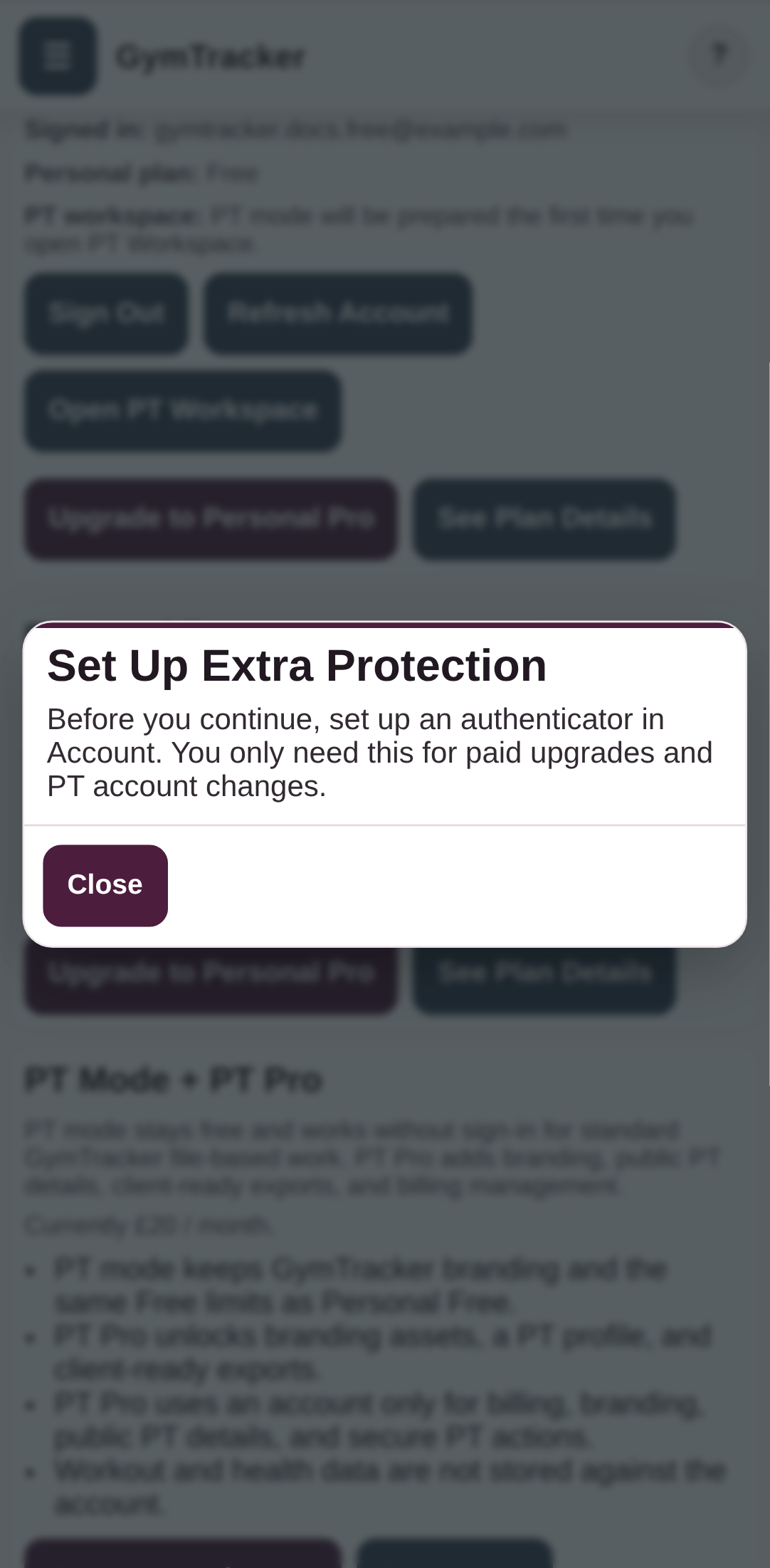
Extra Account Protection And Secure Checkout

This advanced two-factor-authentication flow was removed from the live product on 2026-03-13.

The current app keeps standard sign-in and sign-up, plus the existing active paid-device check for billing and PT account actions. The retired authenticator-based flow is preserved here:

- Advanced 2FA Flow Archive

PTAccountBilling

Step By Step

0 screens

GymTracker Help

Signing In And Switching Between Personal And PT Mode

Sign in from Account, then use the menu switch to move between Personal and PT mode.

PTAccountBilling
  • Use the same account email and password you created earlier.

Personal mode keeps the standard app view, while PT mode trims the app down for PT file work. PT Pro adds branding, a public PT profile, client-ready exports, starter files, and billing management. While PT Pro is active, the same account also gets the wider paid feature unlocks when you switch back to Personal mode.

Step By Step

6 screens

Step 1

Open Account

Open the menu and tap Account so you can sign in first.

Open Account

Step 2

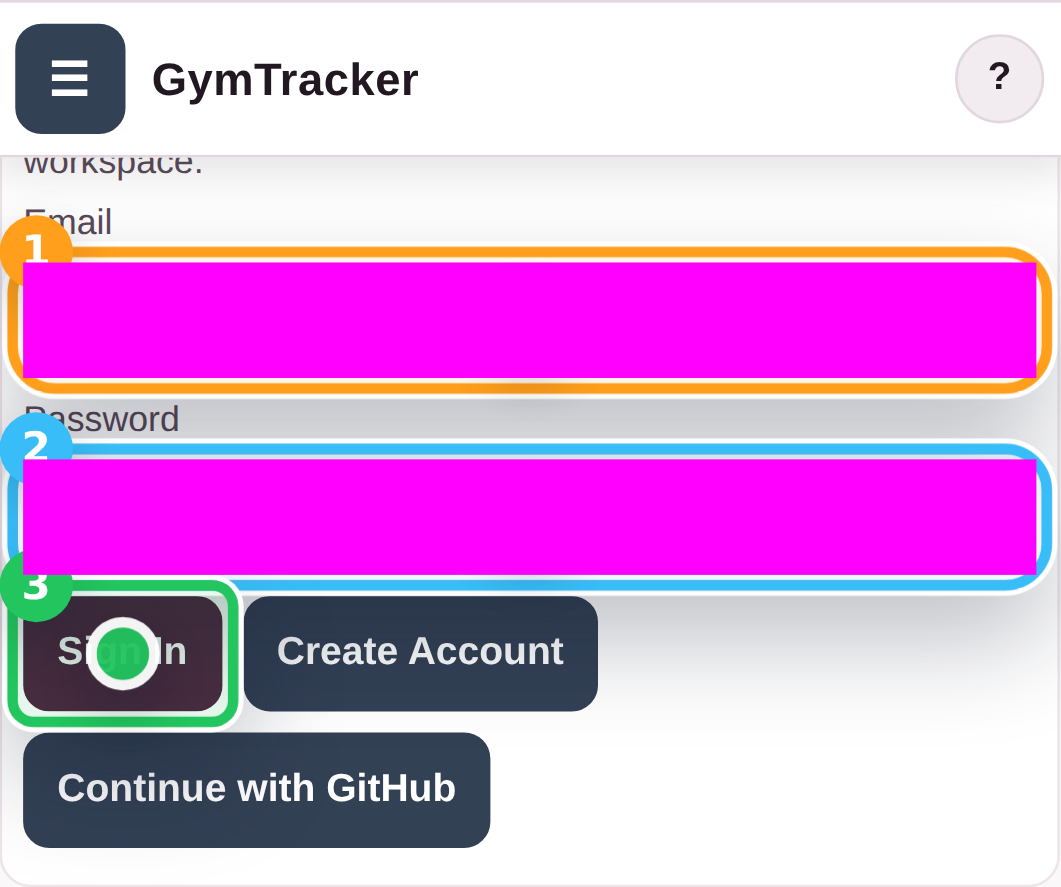
Sign in from Account

Enter your email address and password, then tap Sign In.

Sign in from Account

Step 3

Switch from Personal to PT mode

Open the menu and tap PT at the bottom when you want the PT-focused workspace, branding tools, and client-ready export path.

Switch from Personal to PT mode

Step 4

Check the PT mode layout

PT mode trims the app down for PT file work and client handoffs, while keeping the same CSV workflow and the PT-specific upgrade path.

Check the PT mode layout

Step 5

Switch back to Personal mode

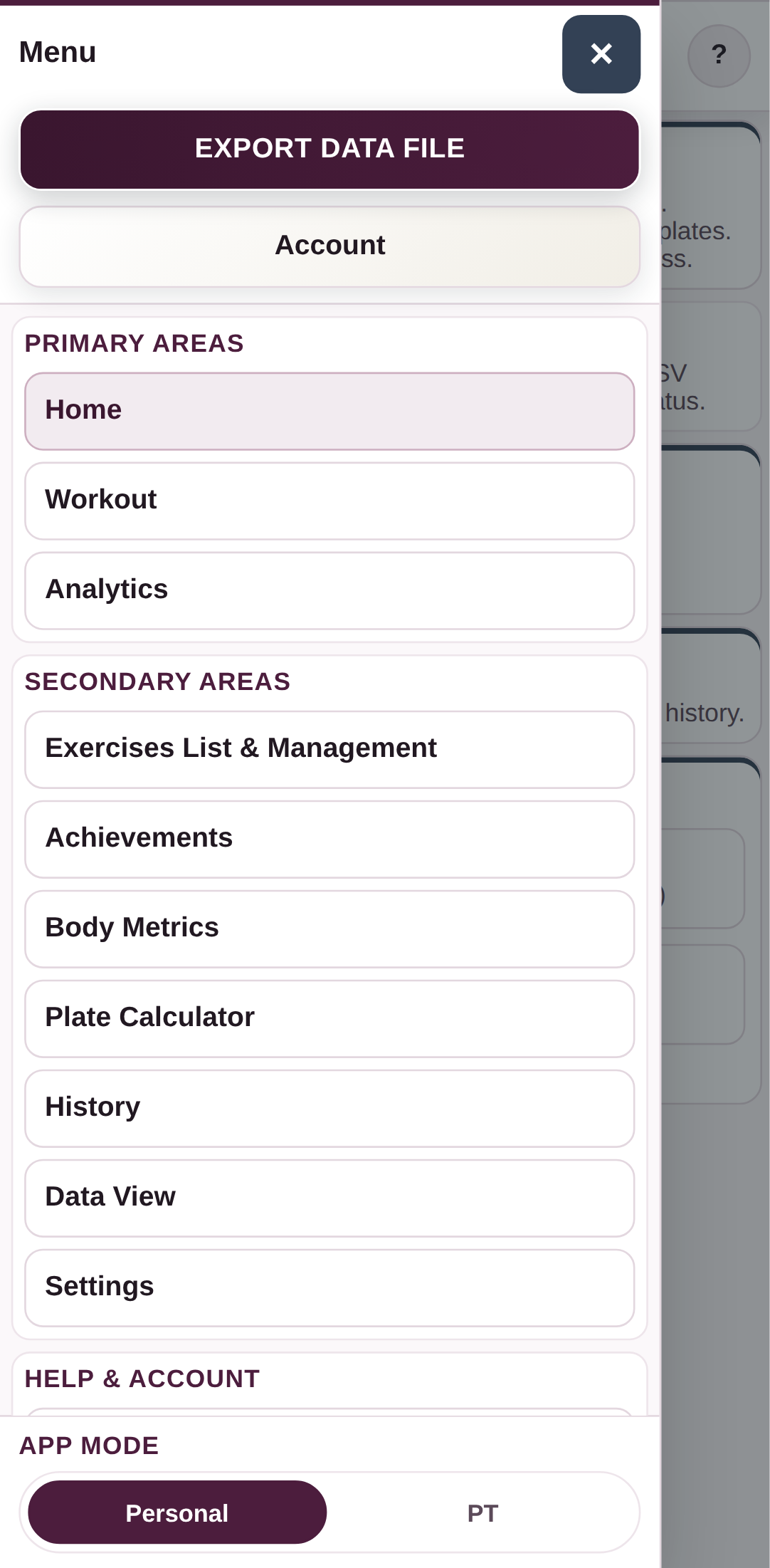
Open the menu again and tap Personal whenever you want to return to the full tracker view.

Switch back to Personal mode

Step 6

Check the Personal layout again

Personal mode restores the full GymTracker view for your own workout tracking and planning.

Check the Personal layout again

Troubleshooting

Common blockers

  • If PT mode does not show the PT workspace you expect, open PT Workspace from Account and refresh the workspace.
Generated from the live staging build at http://127.0.0.1:4173 using the customer-help Playwright workflow.

GymTracker Help

Managing Your PT Branding And Profile

Open PT Workspace to update your brand, logo, public PT details, and the client preview your customers will see.

PTAccountBilling
  • Sign in with your PT Pro account and switch to PT mode.
  • Keep your logo and profile image files ready if you want to upload them.

After saving, your PT workspace preview updates and future client-ready imports use the saved PT profile details from the server. The same active PT Pro billing period also keeps the broader paid feature unlocks available elsewhere in the app for this account.

Step By Step

10 screens

Step 1

Switch to PT mode

Open the menu and tap PT so the app switches into PT mode before you sign in.

Switch to PT mode

Step 2

Open Account

Open Account so you can sign in to the PT Pro account.

Open Account

Step 3

Sign in to the PT Pro account

Enter your PT account email address and password, then tap Sign In.

Sign in to the PT Pro account

Step 4

Open PT Workspace

Tap Open PT Workspace to move into the PT Pro workspace for branding, profile, billing, and client-ready exports.

Open PT Workspace

Step 5

Review the PT Pro workspace

Check that PT Pro is active before you change branding assets, public PT details, or client-ready exports.

Review the PT Pro workspace

Step 6

Prepare the PT logo upload

Choose your logo file first, then tap Upload Logo so the PT workspace can preview it before you save branding.

Prepare the PT logo upload

Step 7

Save the PT branding

Review the brand name and colours, then tap Save Branding to apply the PT branding to your active PT Pro workspace.

Save the PT branding

Step 8

Prepare the PT profile image upload

Choose the profile image file first, then tap Upload Profile Image so you can preview it before saving the PT profile.

Prepare the PT profile image upload

Step 9

Save the public PT details

Review the PT profile details you want clients to see, choose which contact fields stay visible, then tap Save Profile.

Save the public PT details

Step 10

Review the client-facing PT details preview

The Client PT Details Preview shows the version of your PT branding and PT profile that clients will see after they import a client-ready file.

Review the client-facing PT details preview

Troubleshooting

Common blockers

  • If the fields are disabled, PT Pro is not active yet on this account.
Generated from the live staging build at http://127.0.0.1:4173 using the customer-help Playwright workflow.

GymTracker Help

Recording Live Workouts Using GymTracker

Start a live session, add an exercise, record your set, and complete the workout when you are done.

AccountDataWorkout
  • You can do this signed out or signed in.
  • Start Fresh if you want a blank workout session.

Your completed session is stored in the current GymTracker data file and can also be saved as a reusable template.

Step By Step

9 screens

Step 1

Open Workout

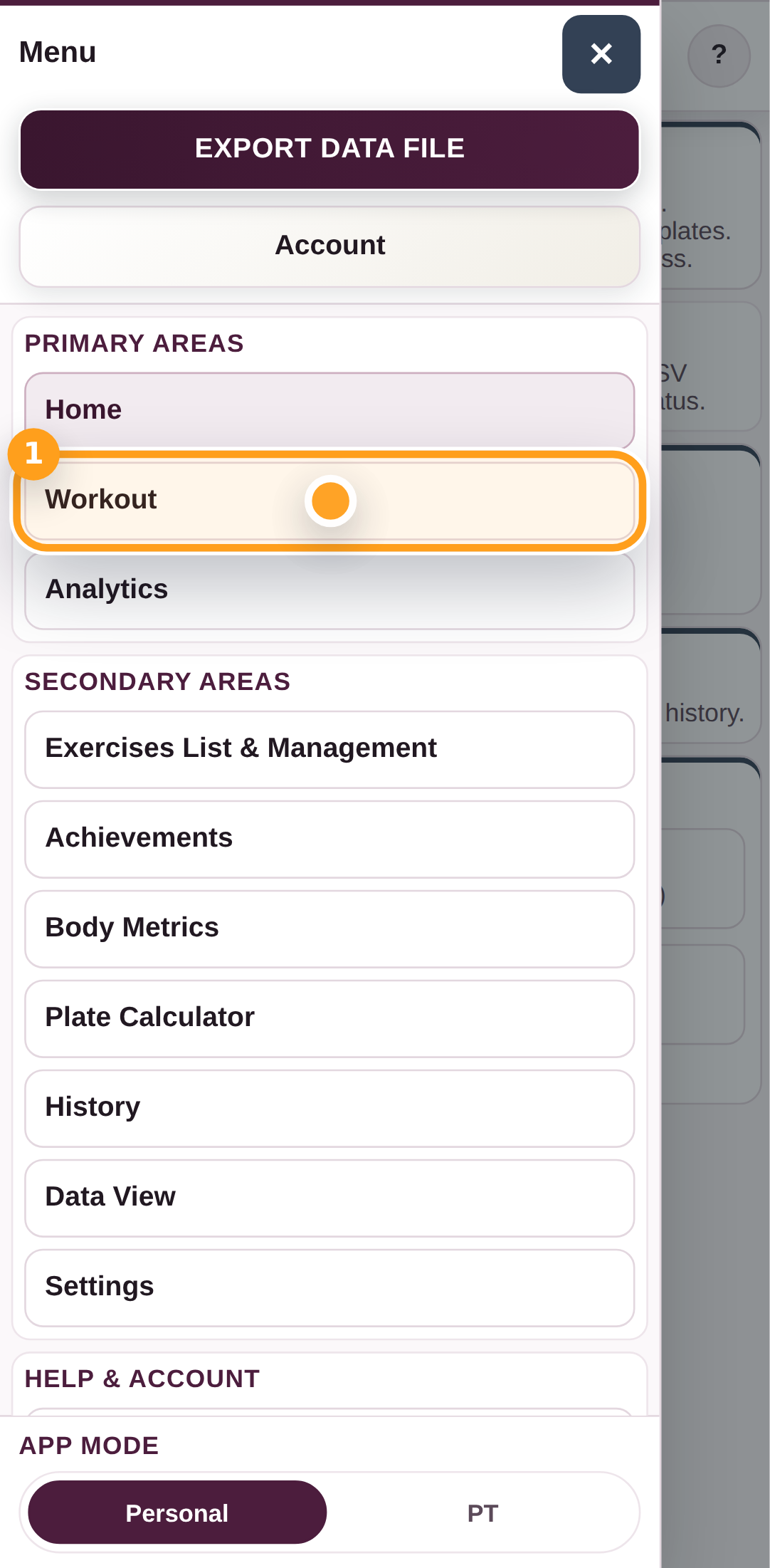
Open the menu and tap Workout to move into the live workout area.

Open Workout

Step 2

Start a live session

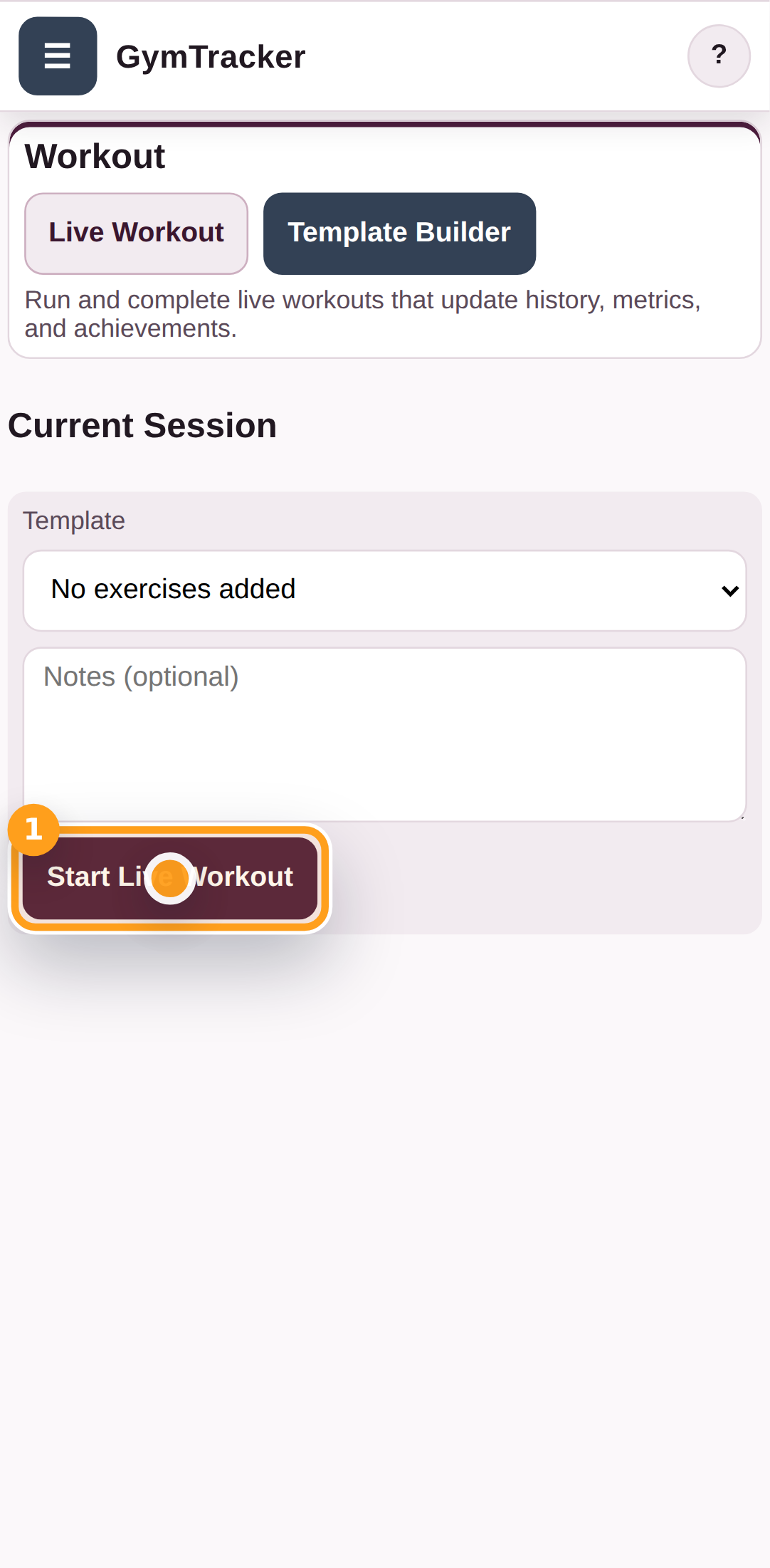
Tap Start Session Now when you are ready to record a live workout.

Start a live session

Step 3

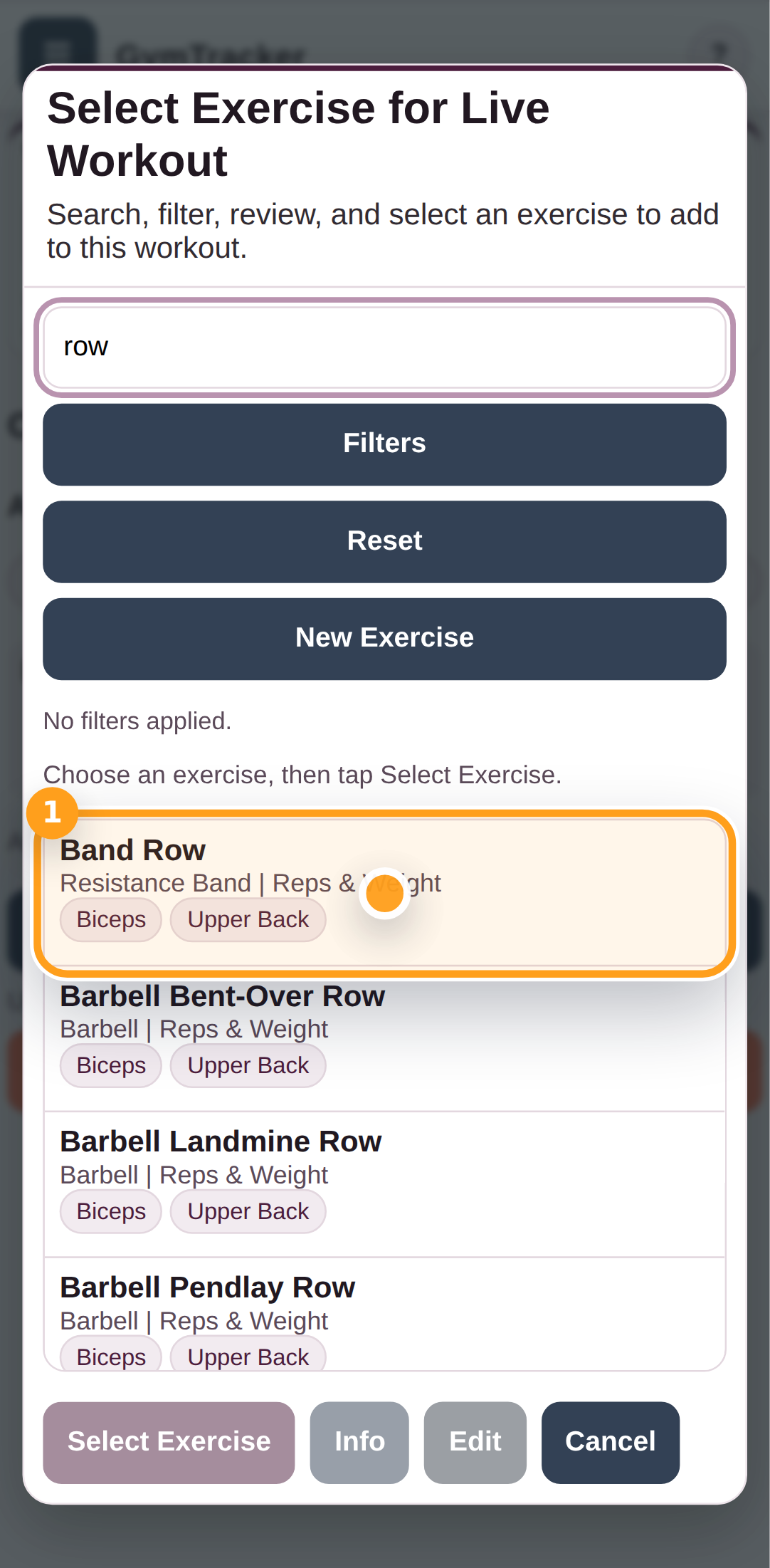
Open exercise search

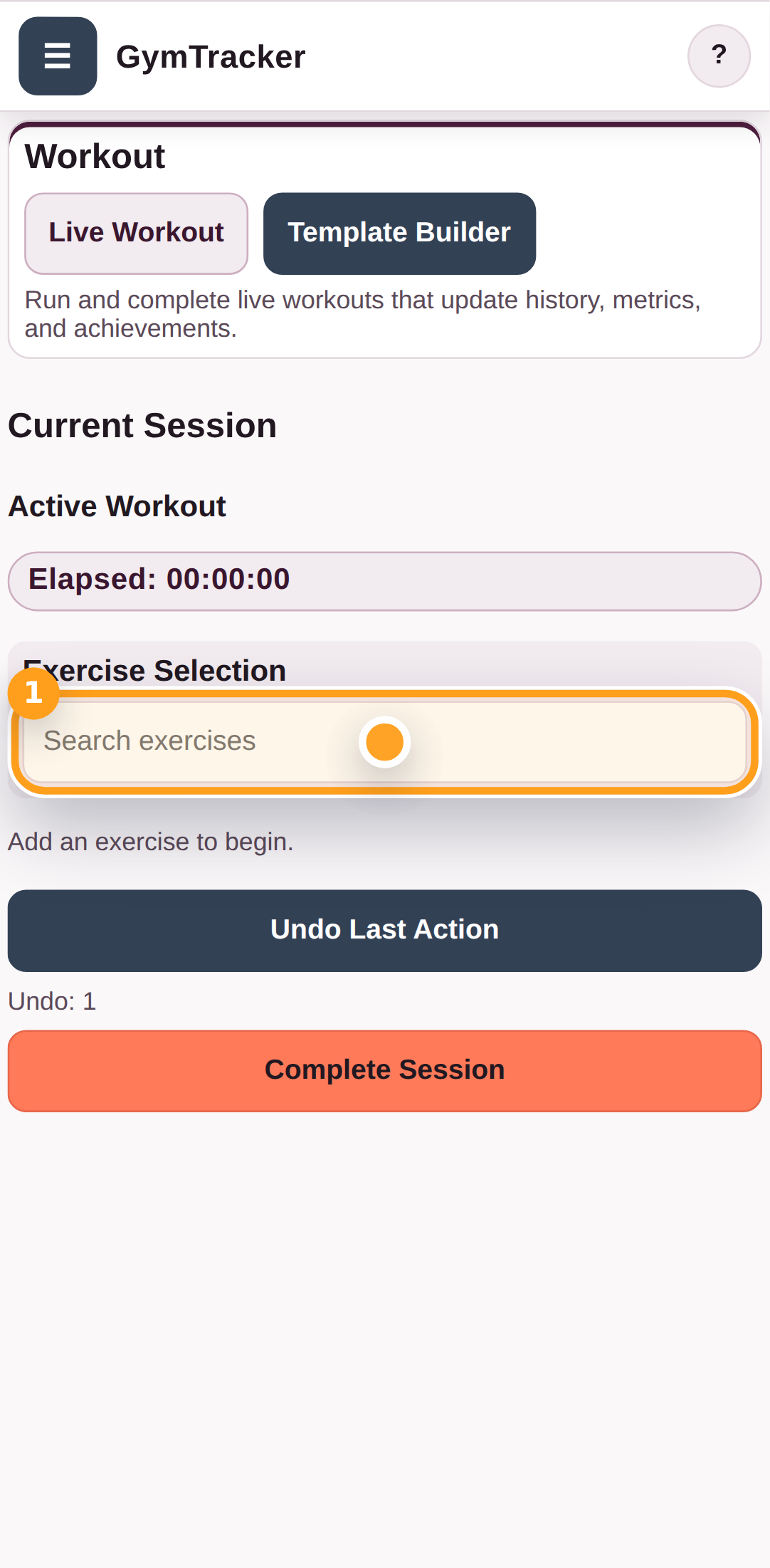
Tap the exercise search field to choose the first exercise for the live workout.

Open exercise search

Step 4

Choose the exercise from search

Search for the exercise you want, then tap the matching exercise in the result list.

Choose the exercise from search

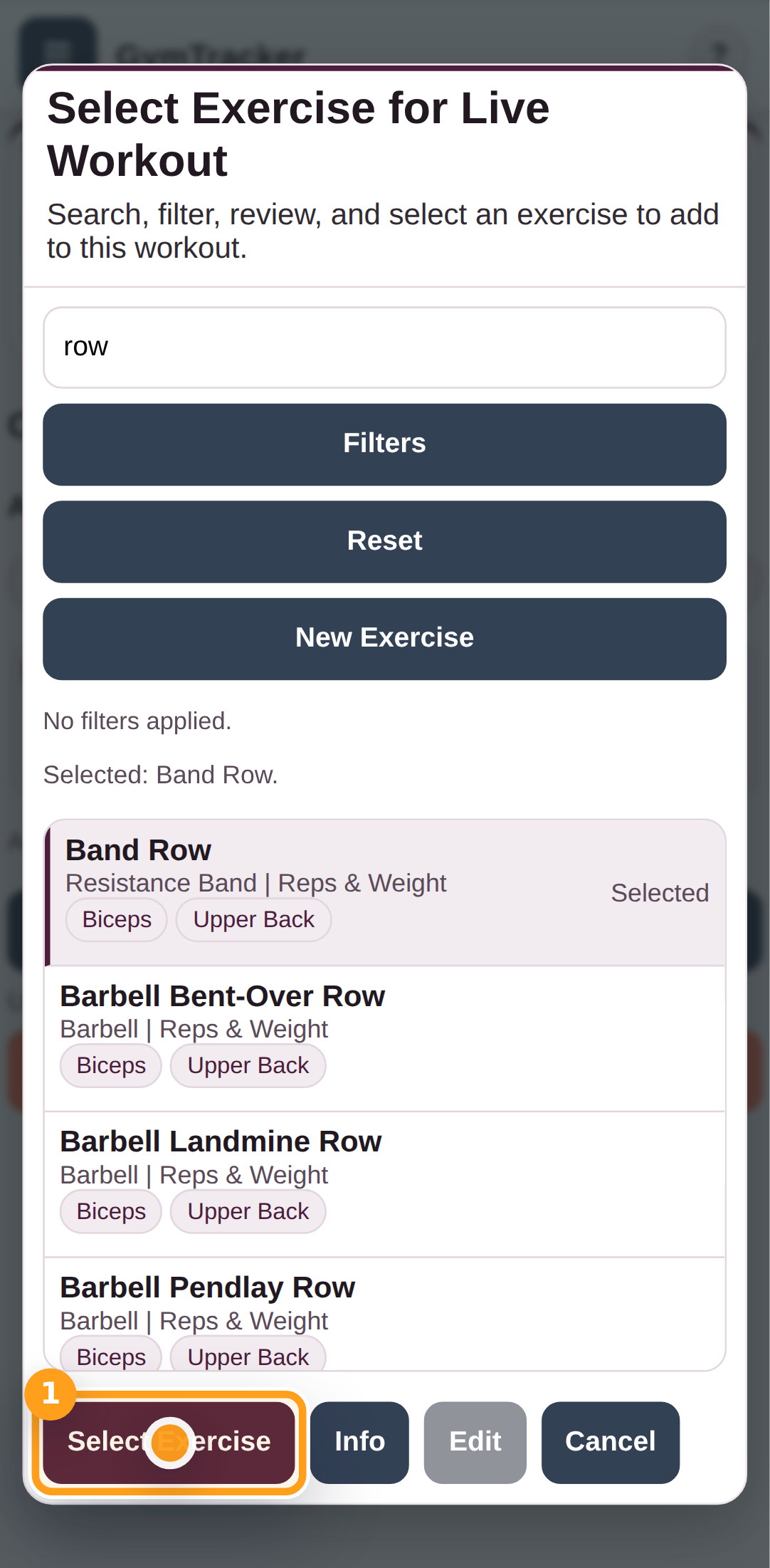
Step 5

Confirm the selected exercise

Tap Select Exercise to add it into the live workout.

Confirm the selected exercise

Step 6

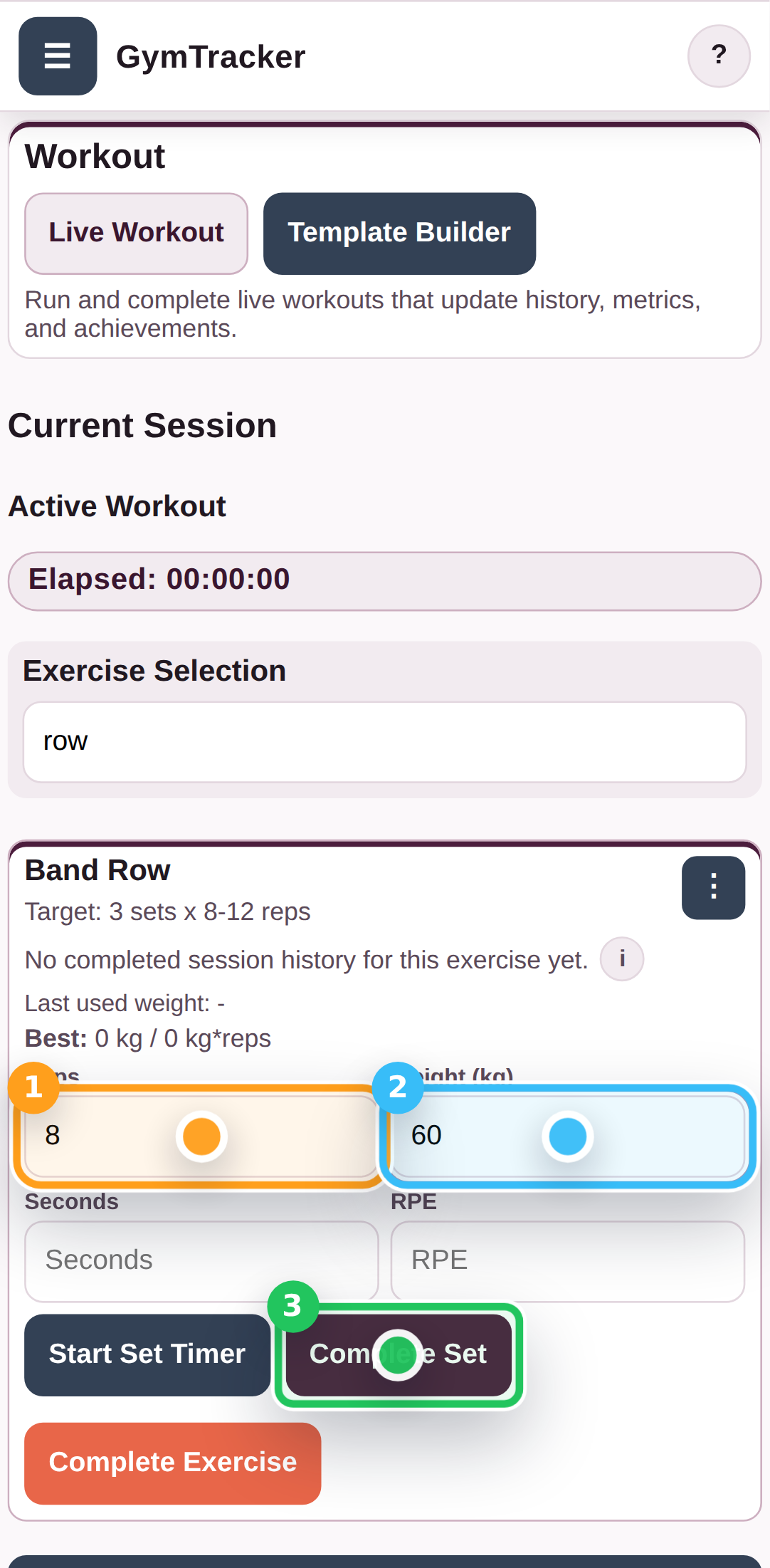
Enter the set details

Fill in the reps and weight for the set, then tap the add-set button to record it.

Enter the set details

Step 7

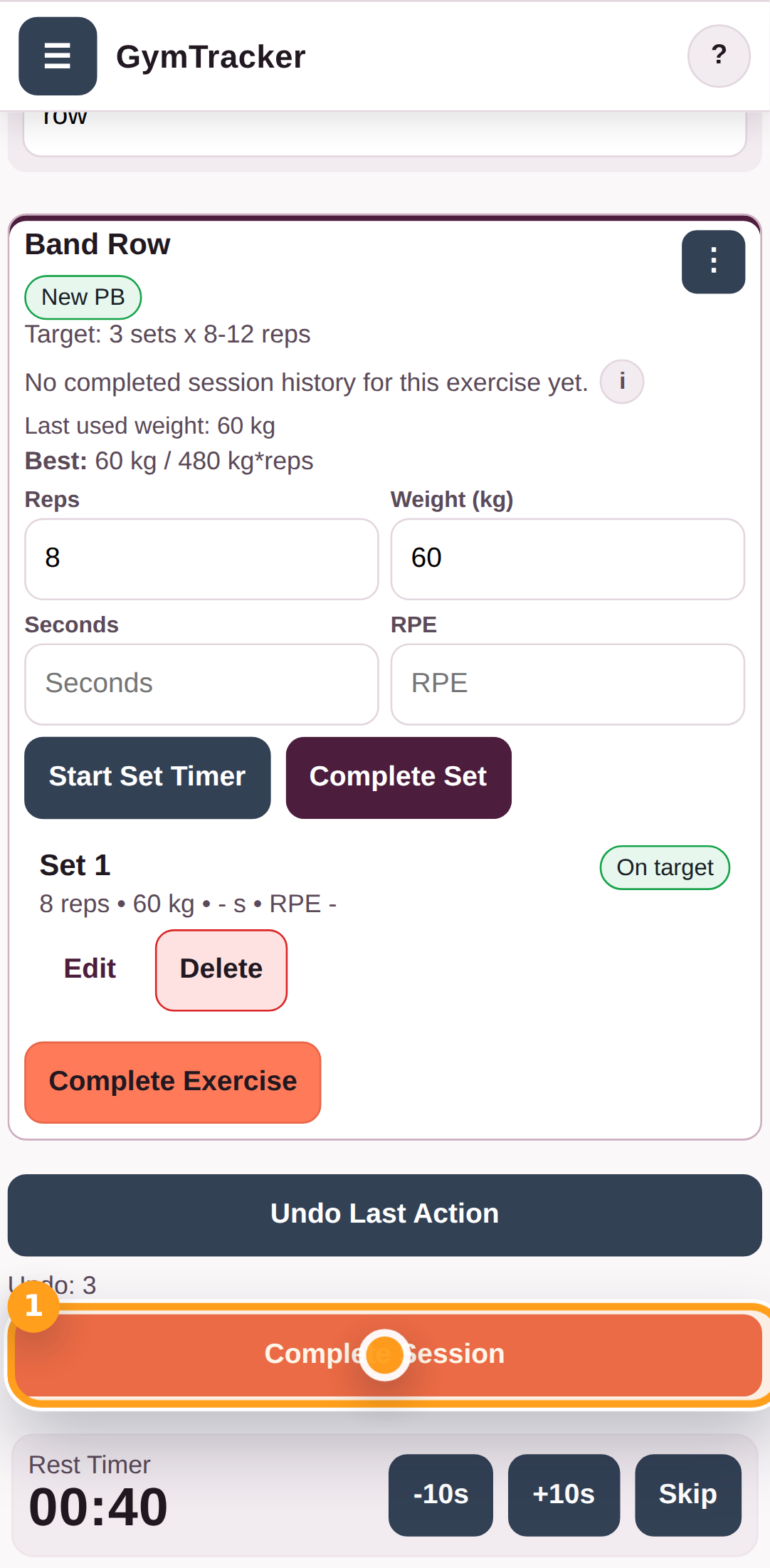
Finish the live workout

When the session is done, tap Complete Session to move to the confirmation step.

Finish the live workout

Step 8

Confirm workout completion

Review the confirmation popup, then tap Complete Live Workout to save the session into history.

Confirm workout completion

Step 9

Review the workout summary

The Workout Complete popup confirms the session has been saved and gives you export and save-as-template options.

Review the workout summary

Troubleshooting

Common blockers

  • If the workout search does not open, make sure you are on the Workout tab before adding an exercise.
Generated from the live staging build at http://127.0.0.1:4173 using the customer-help Playwright workflow.

GymTracker Help

Creating Workout Templates Using GymTracker

Use the template builder to name a workout, add exercises, save it, and start a live session from the saved template.

AccountWorkout
  • Start Fresh if you want a clean template list.

Saved templates appear in the workout picker so you can reuse them whenever you want to start a new session.

Step By Step

8 screens

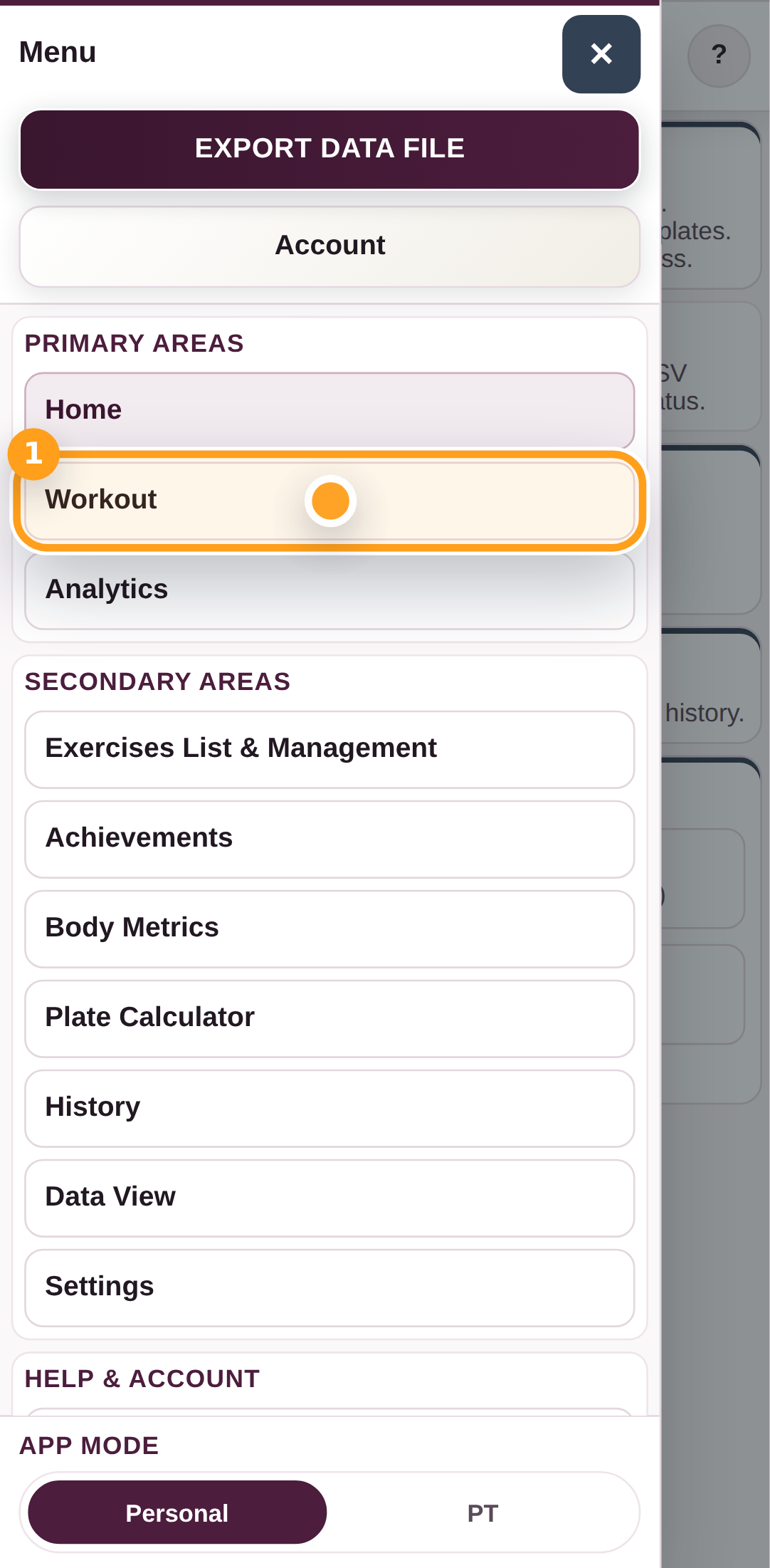
Step 1

Open Workout

Open the menu and tap Workout to move into the workout builder.

Open Workout

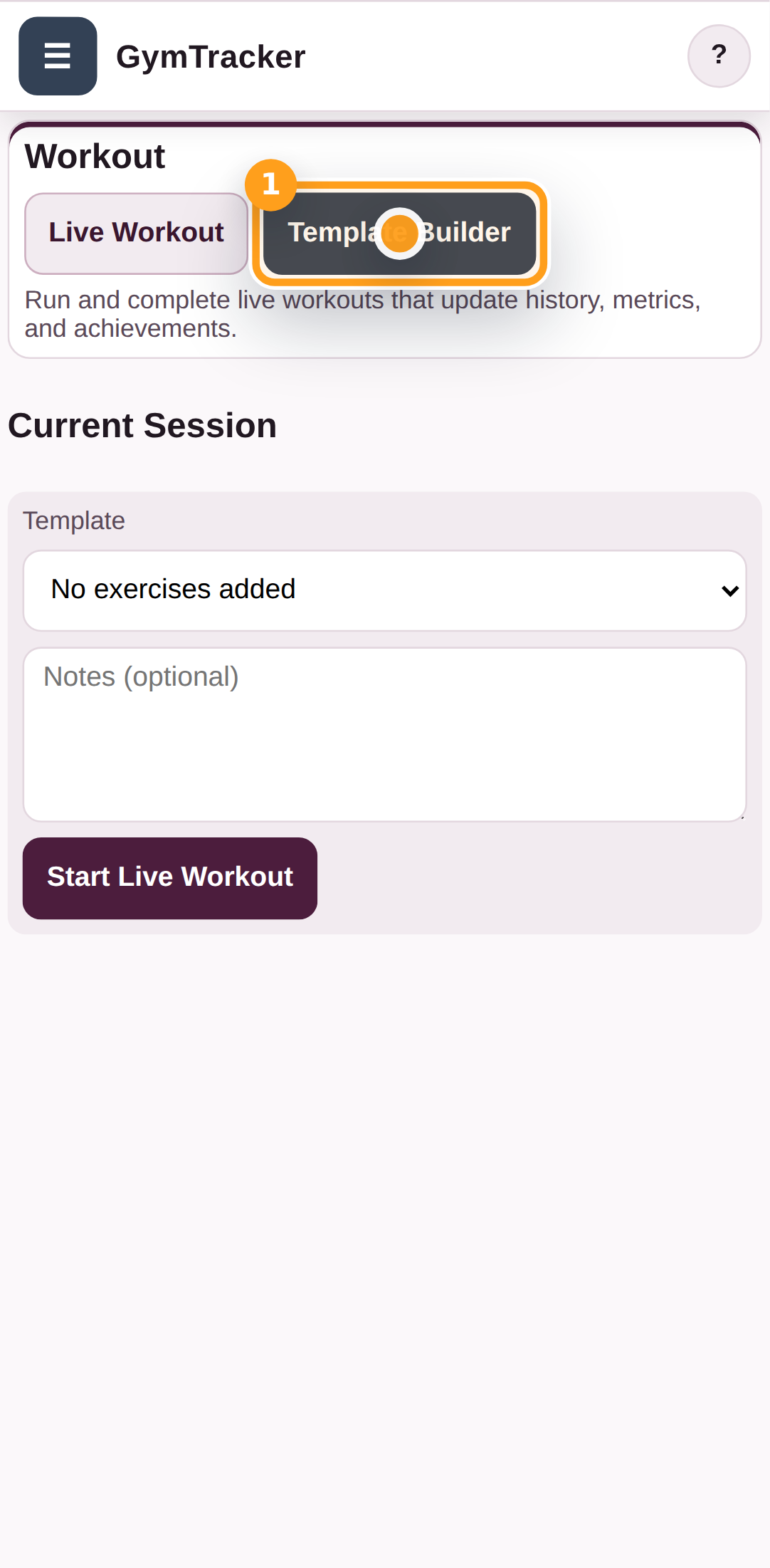
Step 2

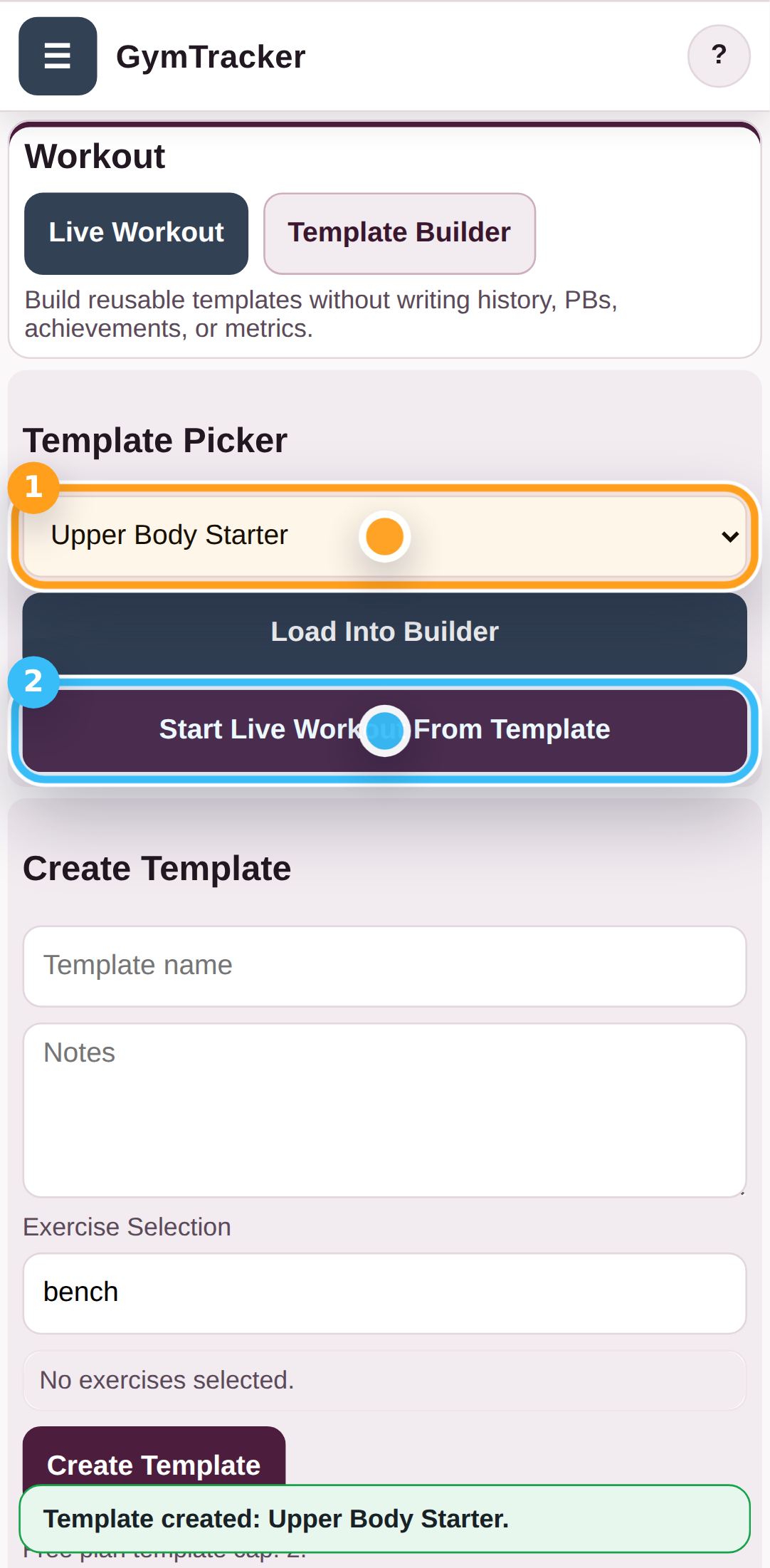
Switch into Template Builder

Tap Template Builder when you want to create a reusable workout template instead of logging a live session straight away.

Switch into Template Builder

Step 3

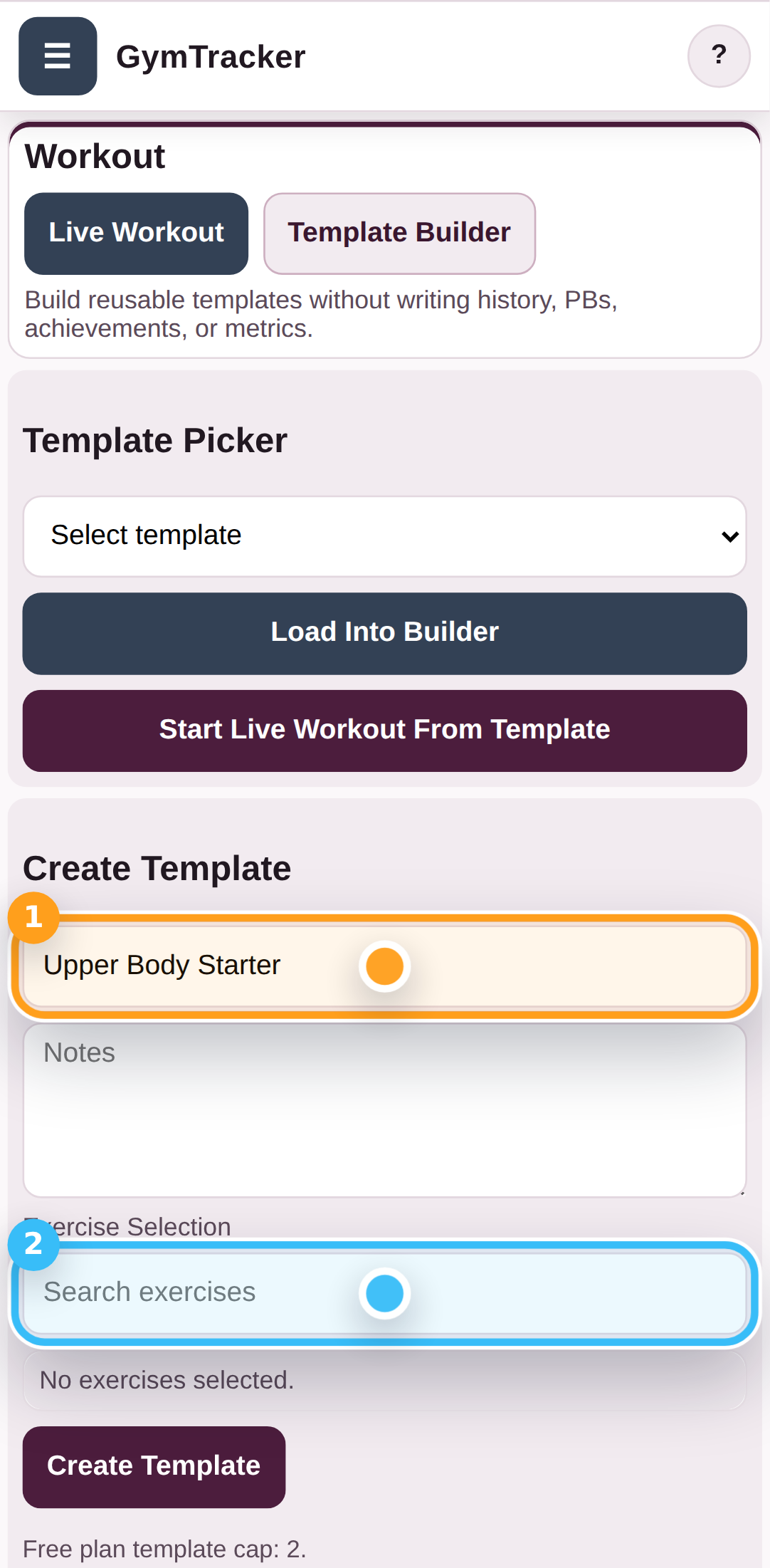
Name the template and open exercise search

Enter a name for the template, then tap the exercise search field to start adding exercises.

Name the template and open exercise search

Step 4

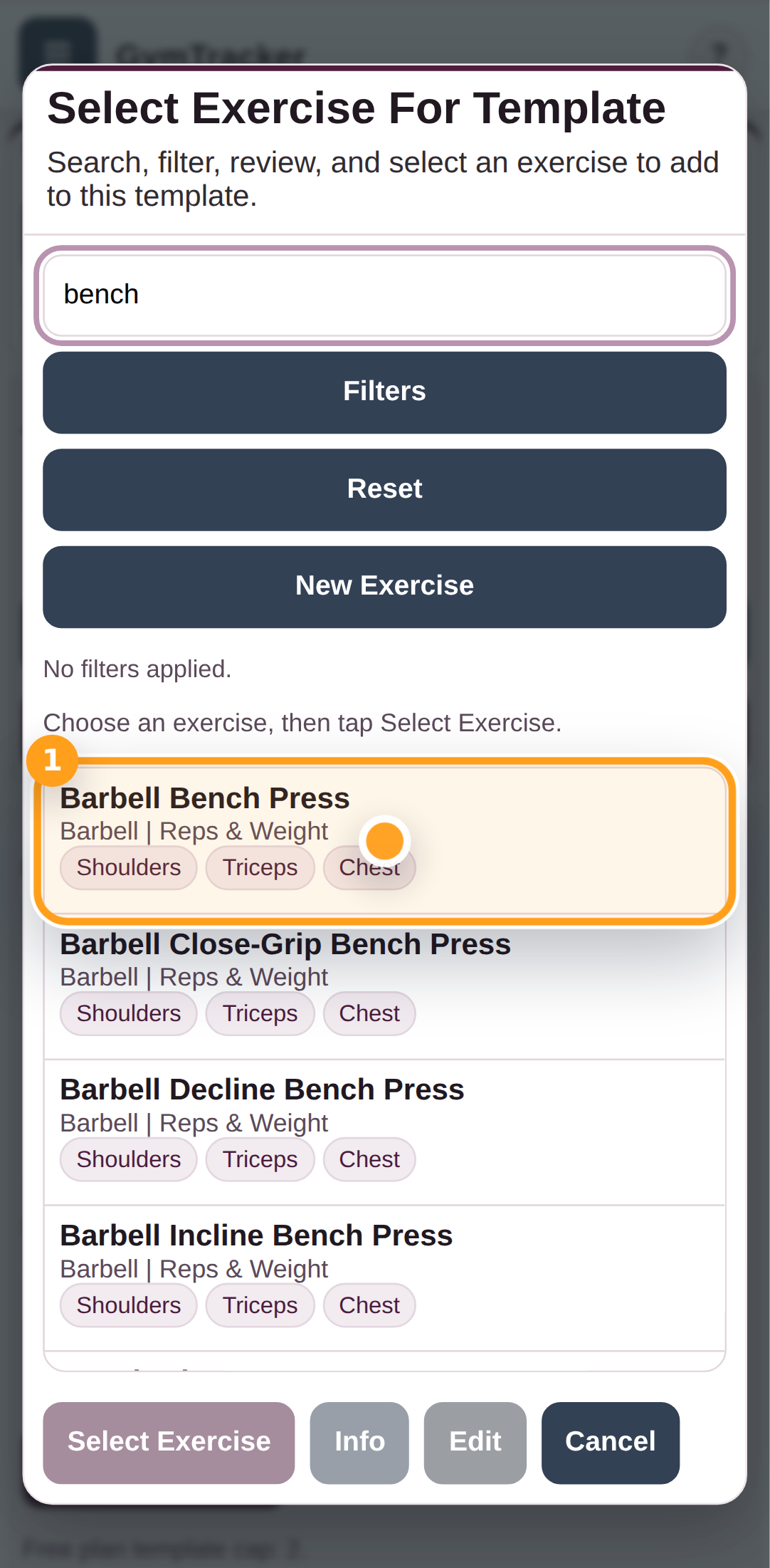
Choose the exercise for the template

Search for the exercise you want to add, then tap the matching result in the list.

Choose the exercise for the template

Step 5

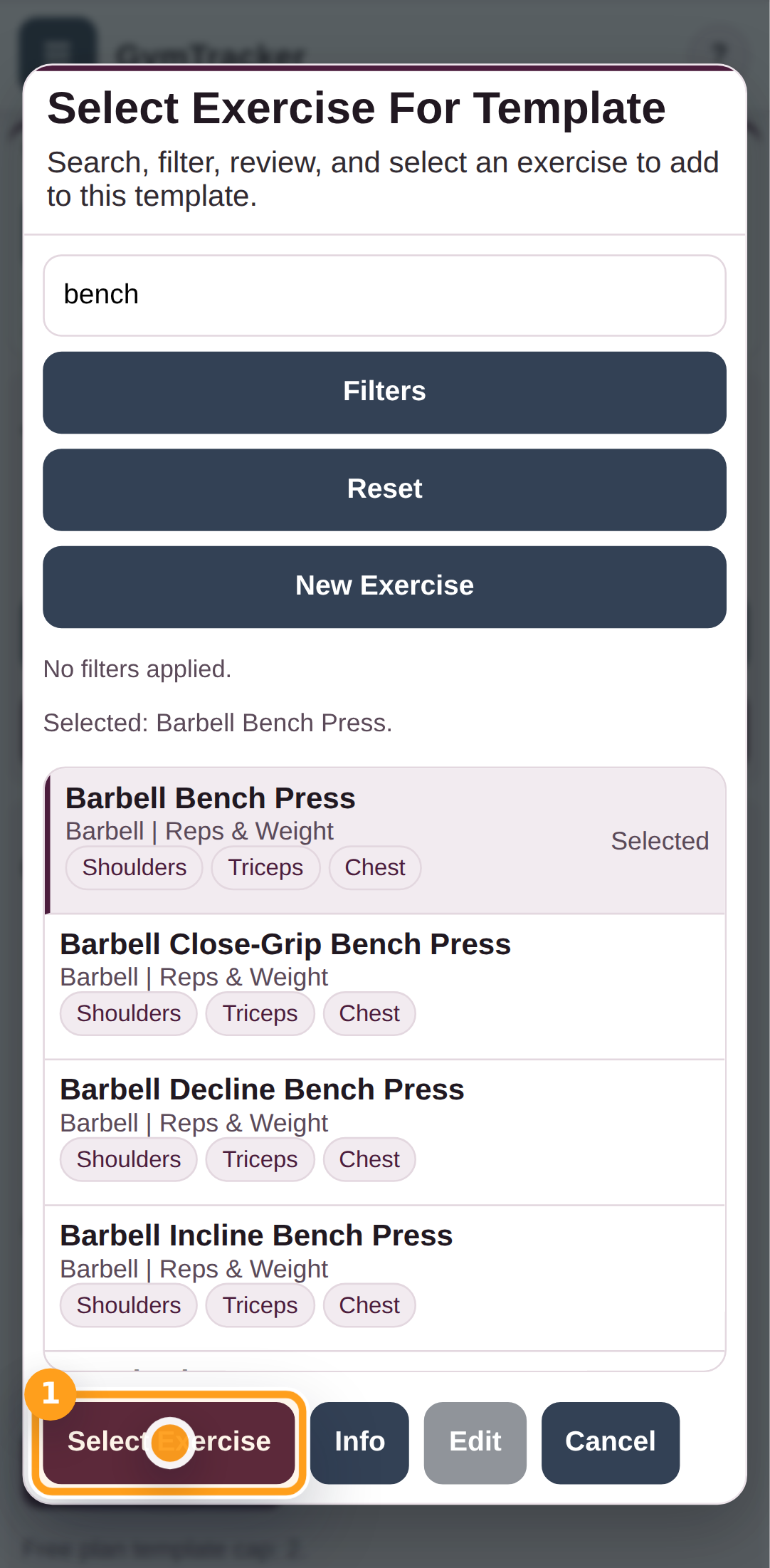
Confirm the template exercise

Tap Select Exercise to add the chosen exercise into the template builder.

Confirm the template exercise

Step 6

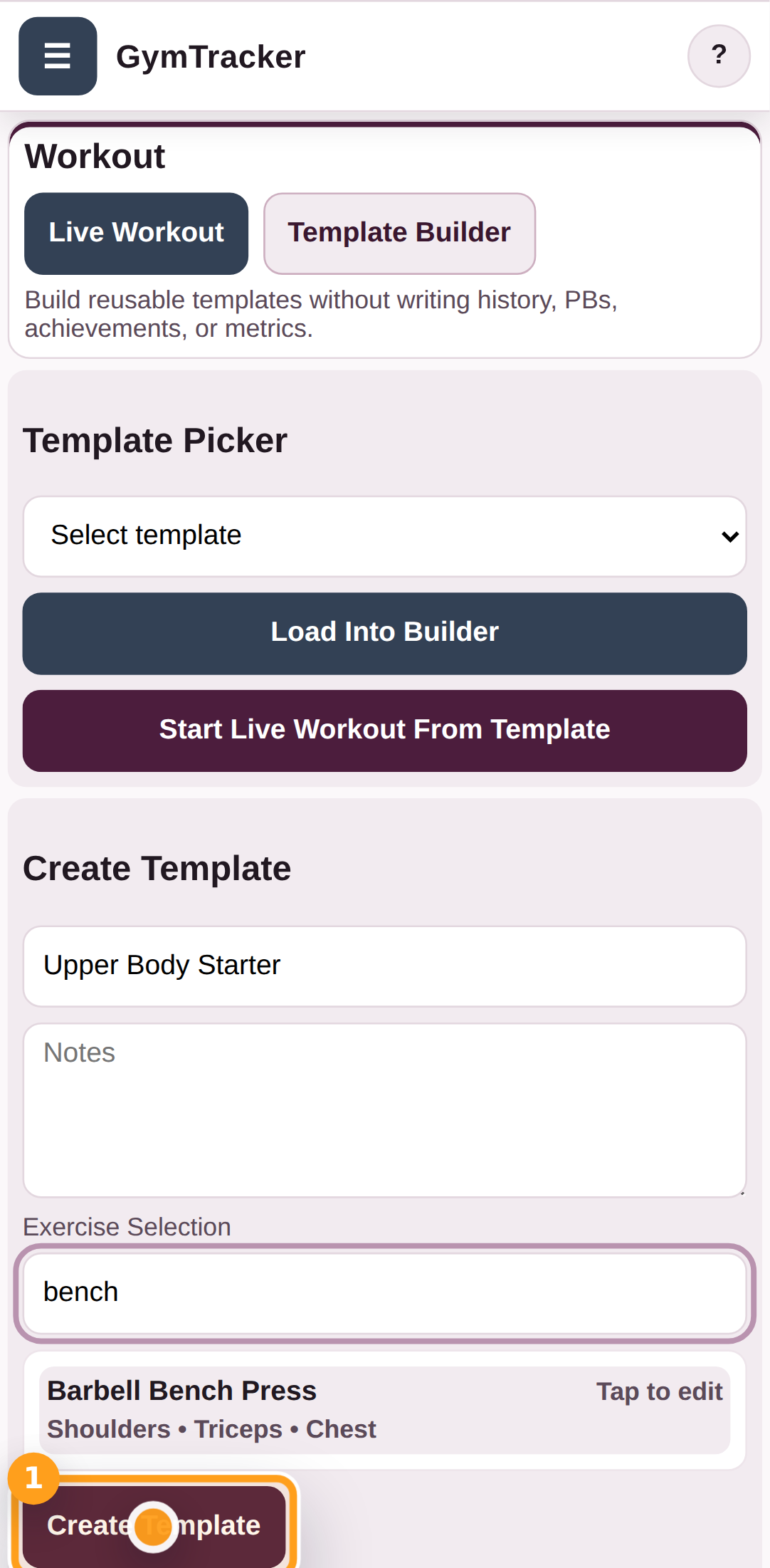
Save the template

Tap Create Template to save the workout so you can reuse it later.

Save the template

Step 7

Start a live session from the saved template

Choose the saved template in the picker, then tap Start Live Workout From Template to turn it into a live session.

Start a live session from the saved template

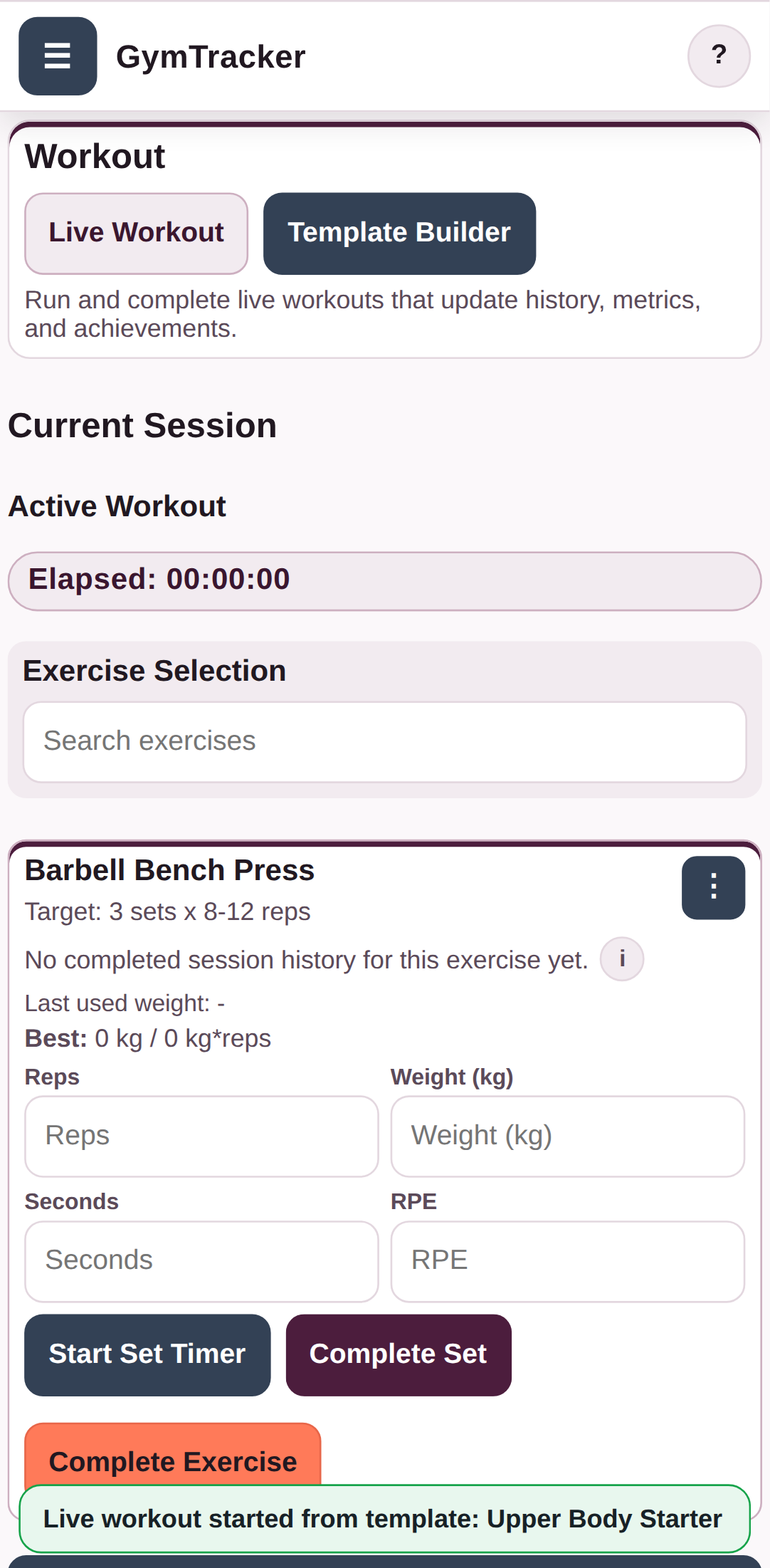
Step 8

Check the live workout built from the template

The saved template now opens as a live workout session that you can log in the normal way.

Check the live workout built from the template

Troubleshooting

Common blockers

  • If you cannot save a template on a free account, you may have reached the current free template limit.
Generated from the live staging build at http://127.0.0.1:4173 using the customer-help Playwright workflow.

GymTracker Help

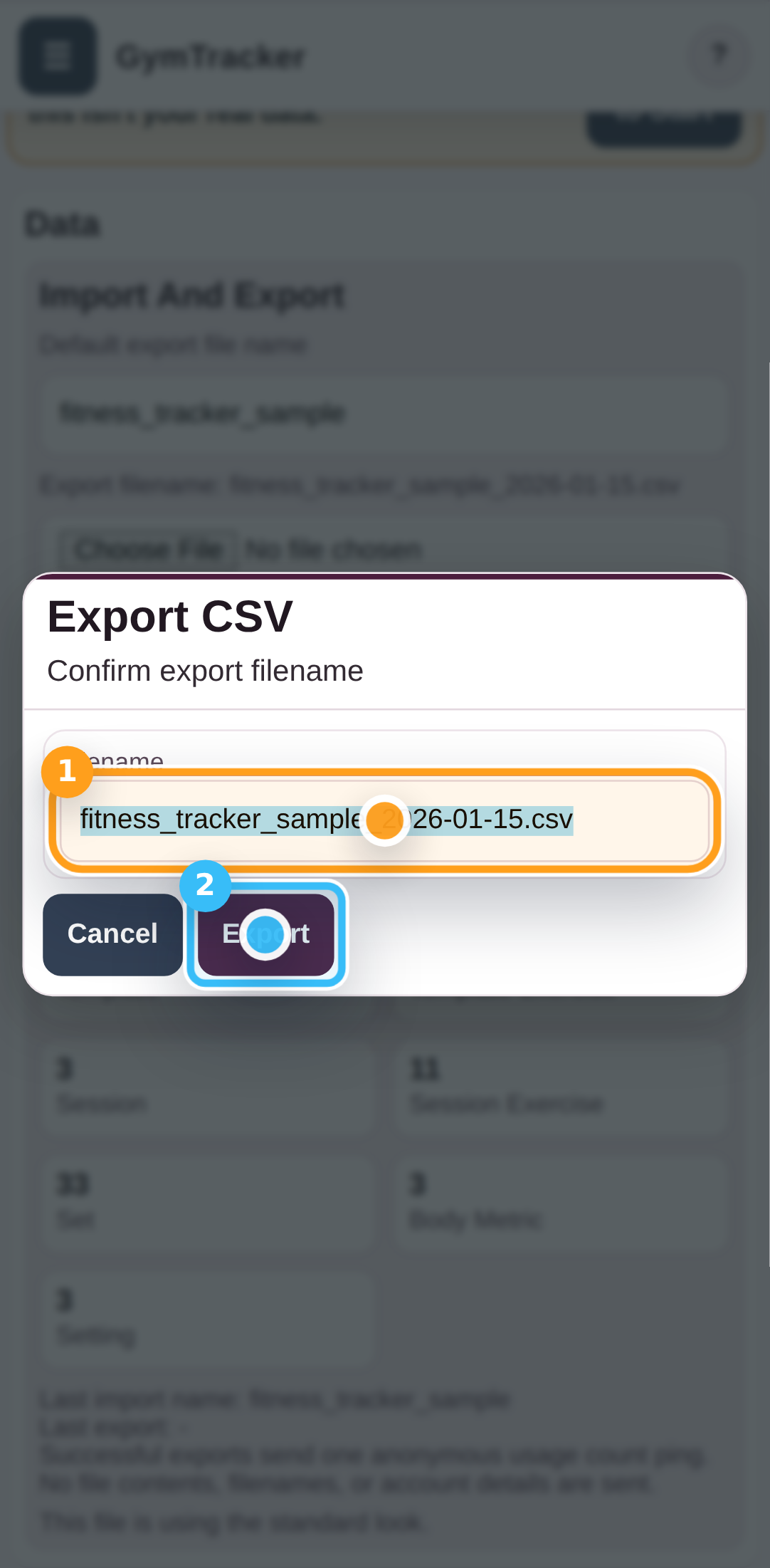
Exporting Your Data File Using GymTracker

Open Data, choose Export Data File, confirm the filename, and save your GymTracker data file (.csv).

AccountDataWorkout
  • Make sure the current workout history or templates you want to keep are already in the app.

The saved GymTracker data file can be backed up, moved to another device, or imported back into GymTracker later.

Step By Step

4 screens

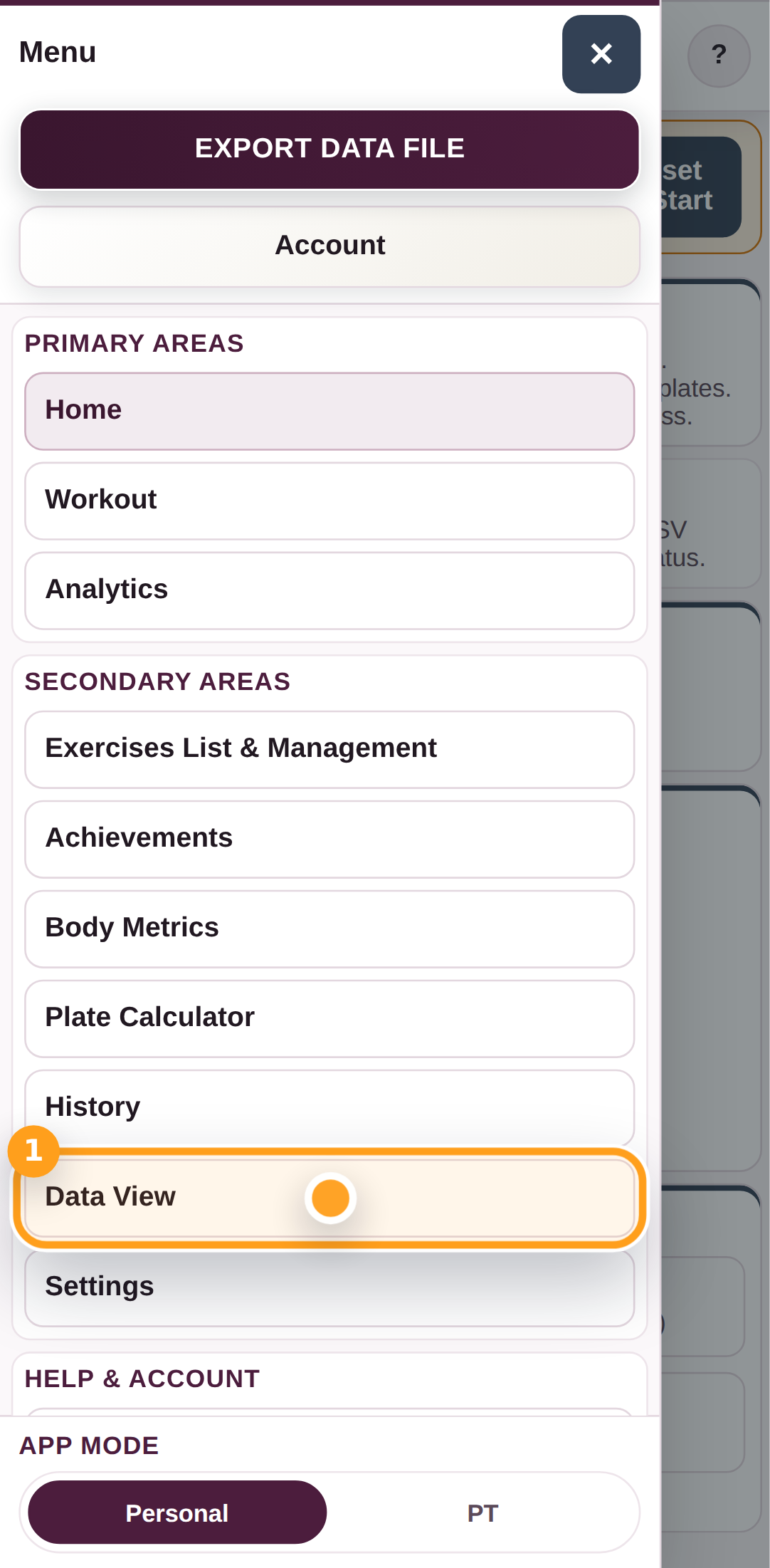
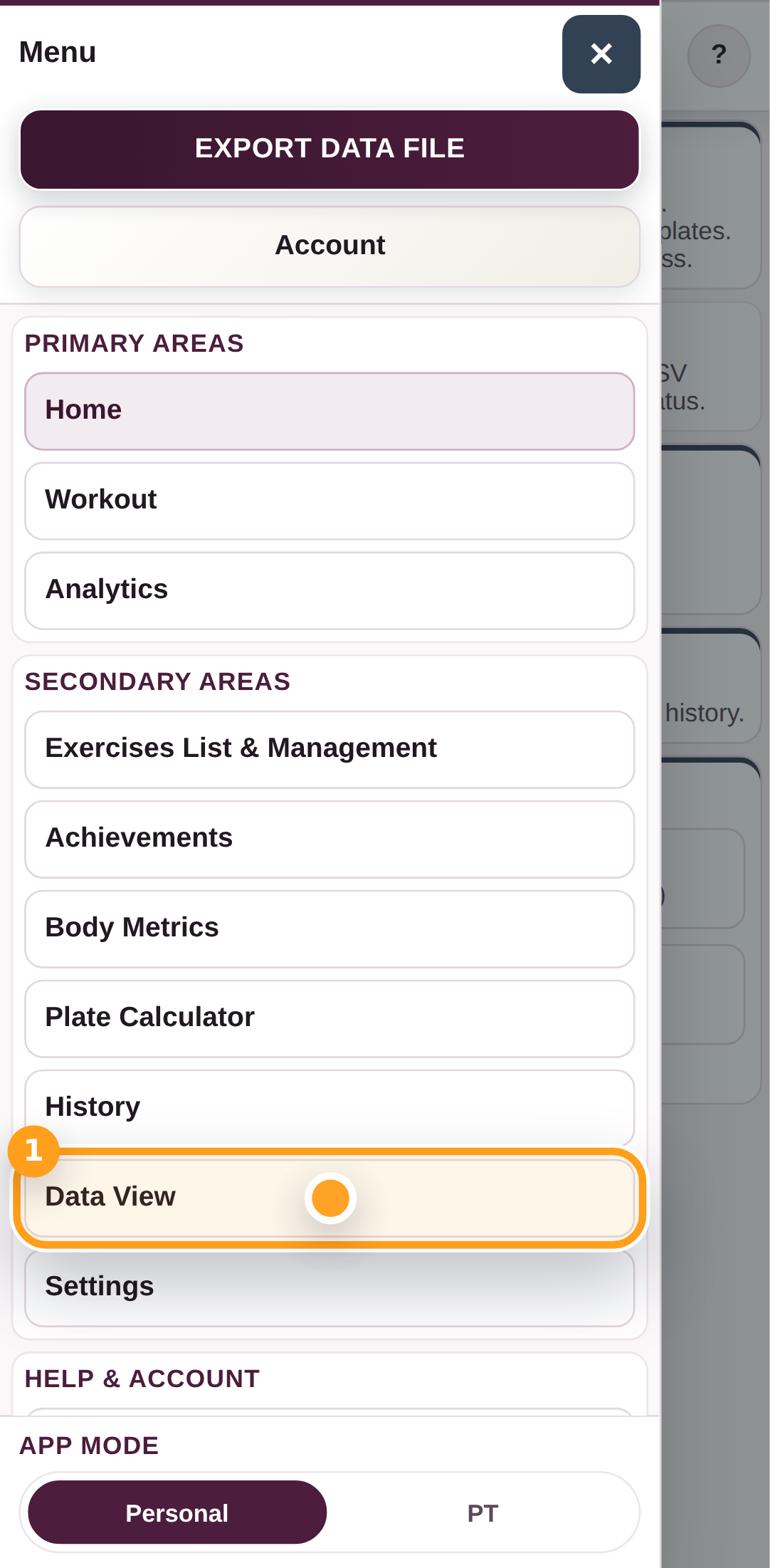
Step 1

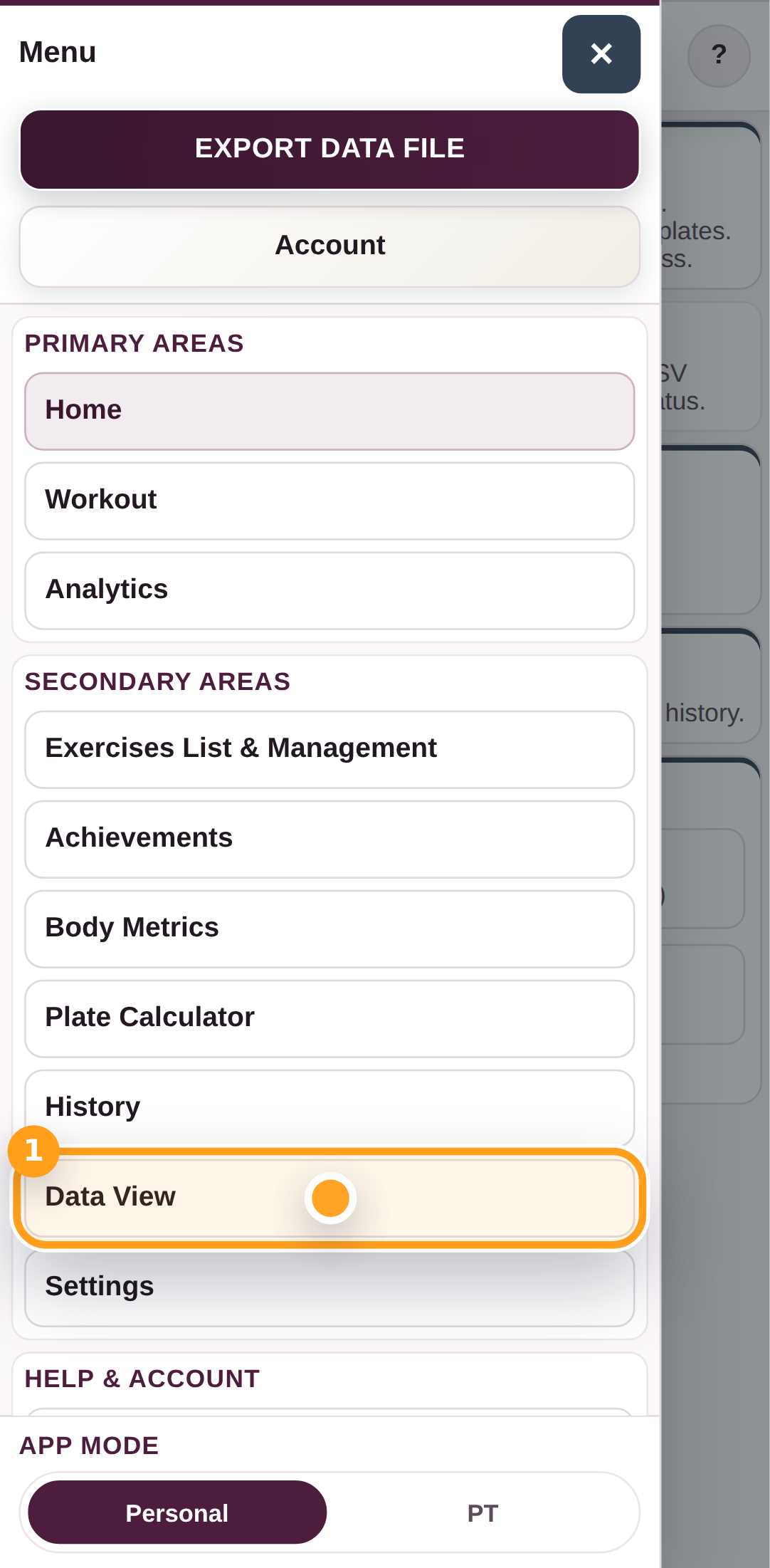
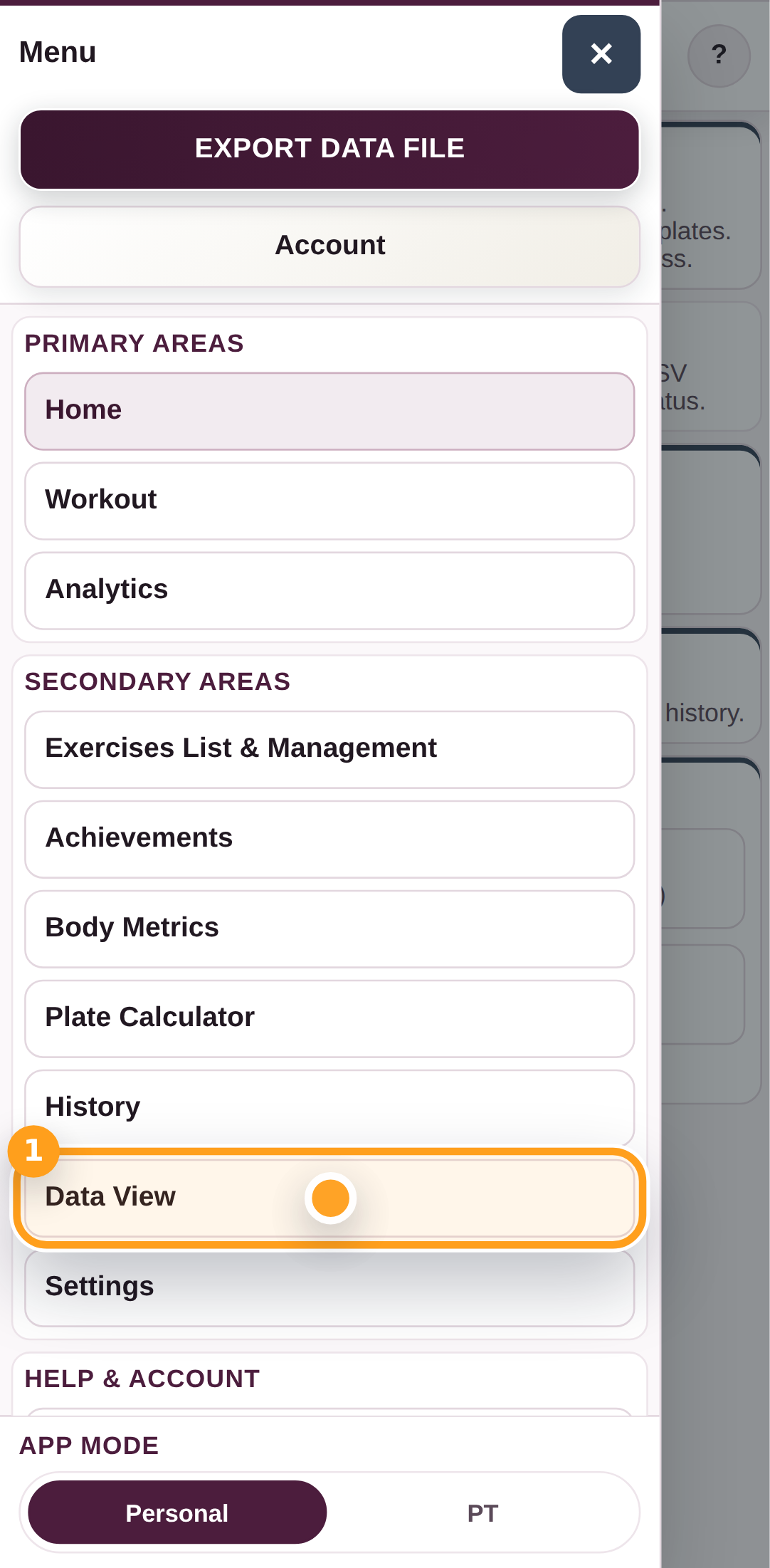
Open Data

Open the menu and tap Data View to reach the import and export tools for the current GymTracker file.

Open Data

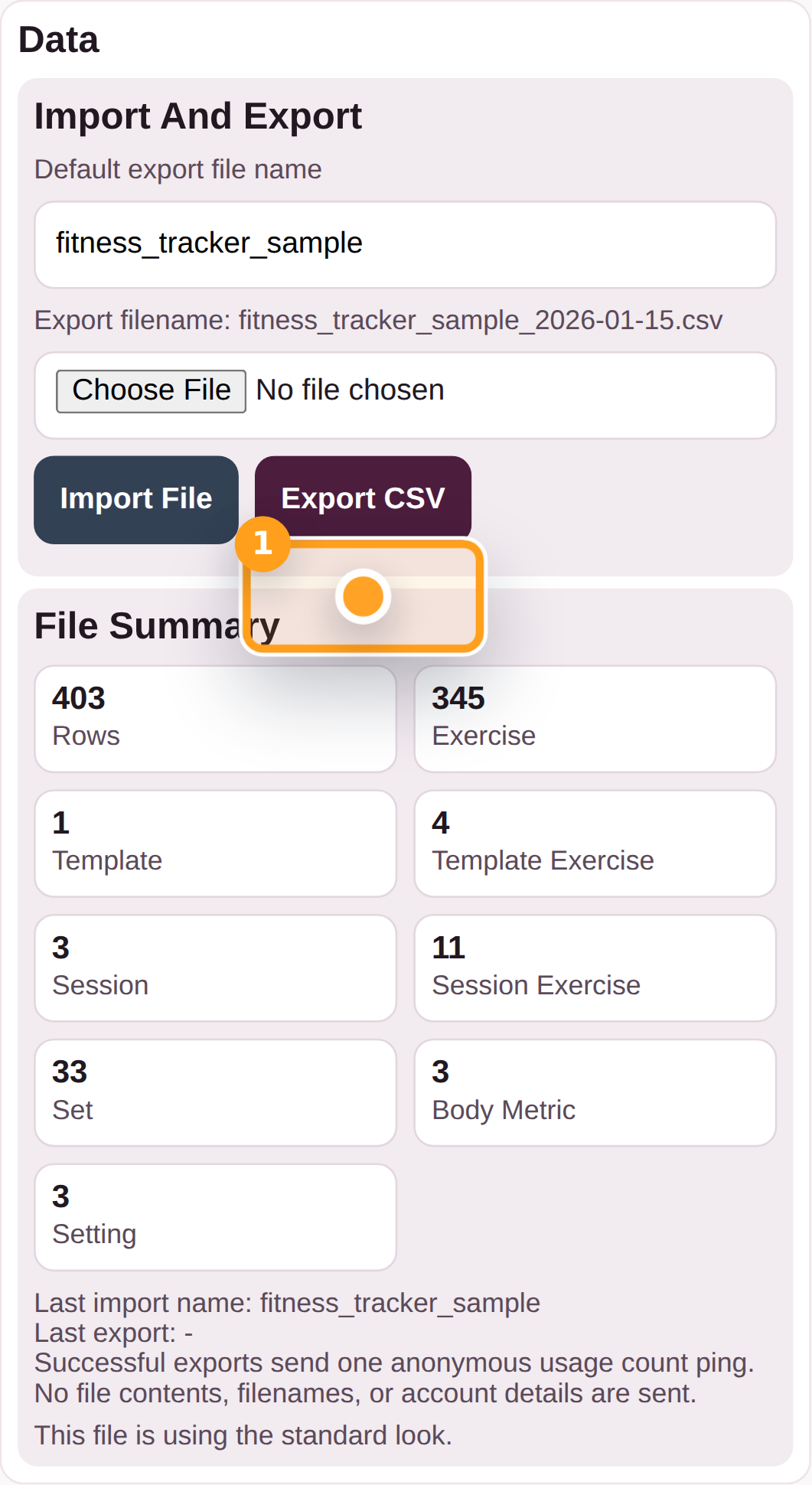
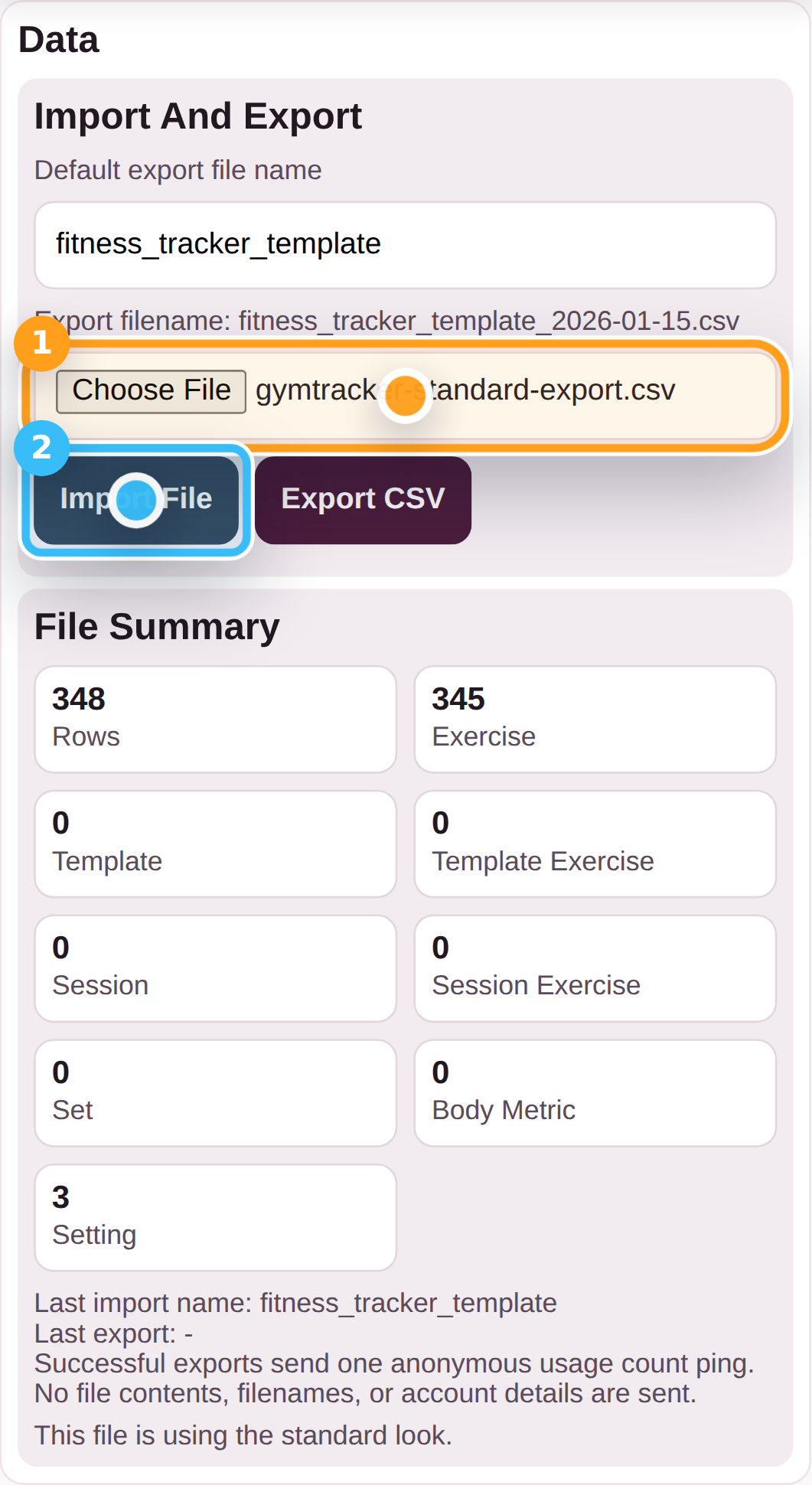
Step 2

Choose Export CSV

Tap Export CSV when you want to save the current GymTracker data file to your device.

Choose Export CSV

Step 3

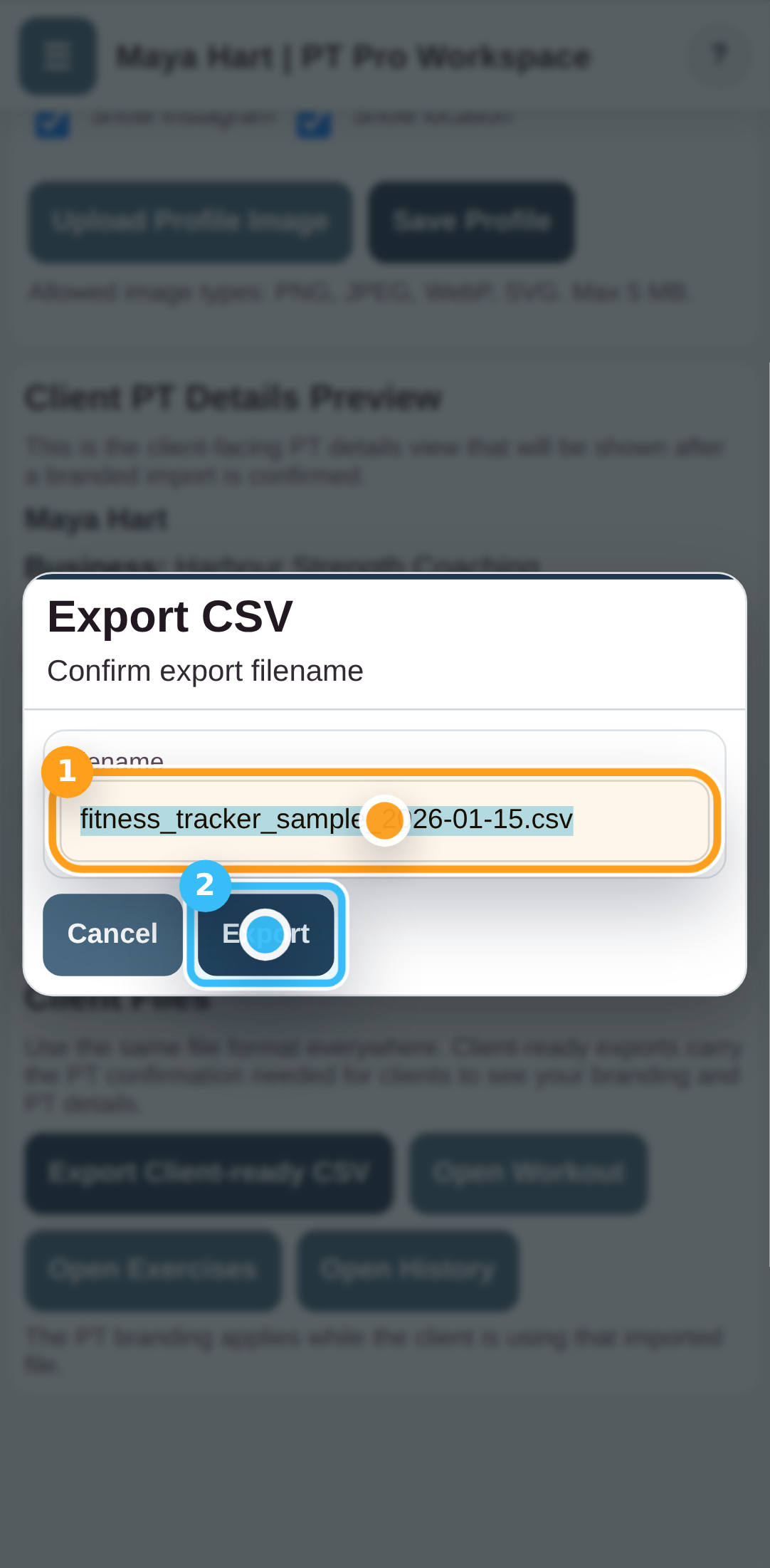
Confirm the export filename

Check the filename in the save prompt, then tap Save to download the GymTracker CSV file.

Confirm the export filename

Step 4

Keep the exported CSV somewhere safe

You can use the exported GymTracker CSV as your backup, move it to another device, or import it back later.

Troubleshooting

Common blockers

  • If your browser blocks the download, allow downloads and try again.
Generated from the live staging build at http://127.0.0.1:4173 using the customer-help Playwright workflow.

GymTracker Help

Importing An Existing GymTracker Data File

Choose your GymTracker data file (.csv), review the import preview, and apply it to the app.

DataWorkout
  • Keep a backup copy of your current data file if you do not want to replace it.

Your imported workout history, templates, and settings load into the app and stay local unless you explicitly export again.

Step By Step

5 screens

Step 1

Open Data

Open the menu and tap Data View to reach the import and export tools.

Open Data

Step 2

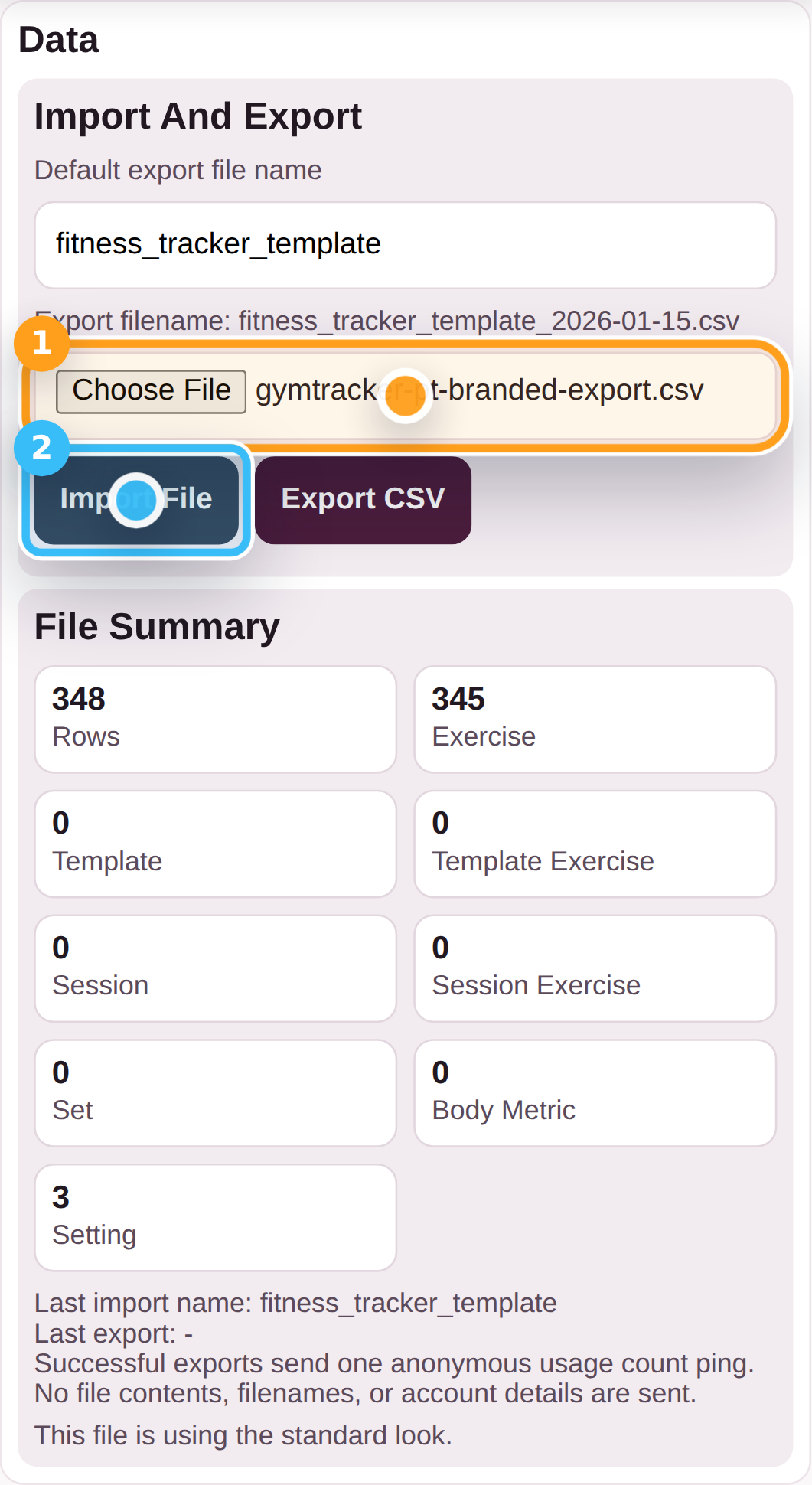
Choose the GymTracker CSV and preview it

Select your GymTracker CSV file, then tap Import File to open the import preview.

Choose the GymTracker CSV and preview it

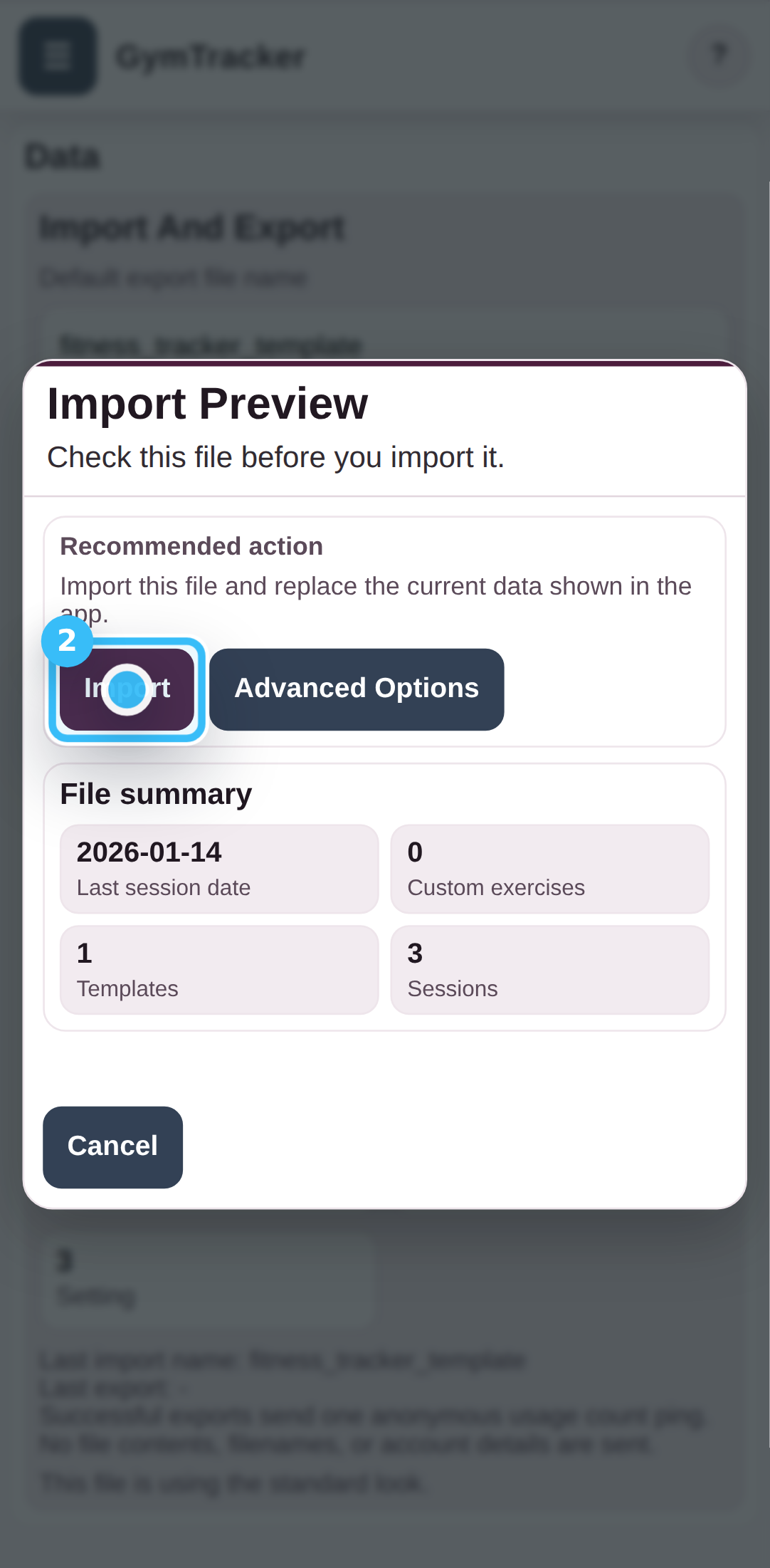
Step 3

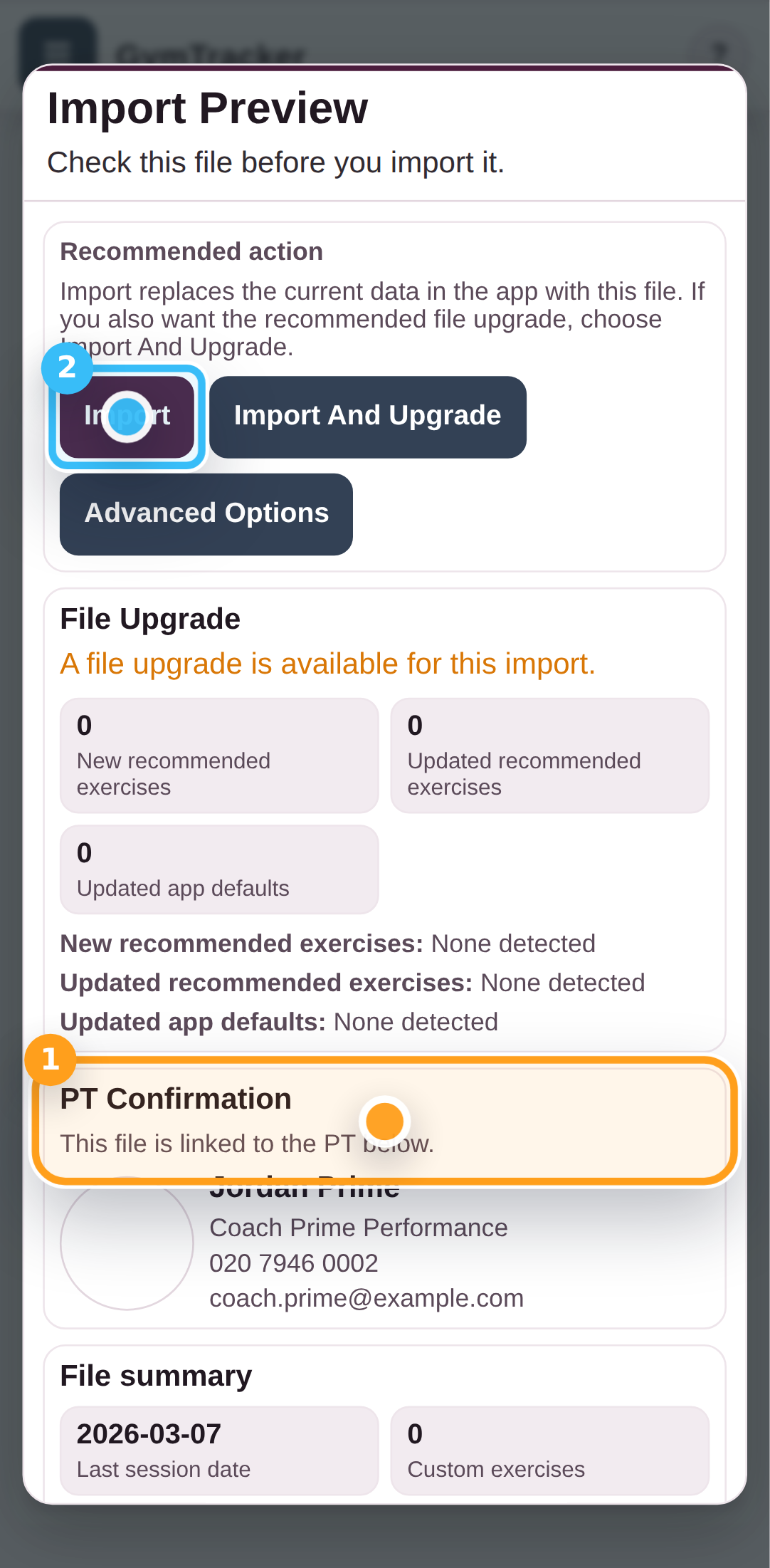
Review the import preview

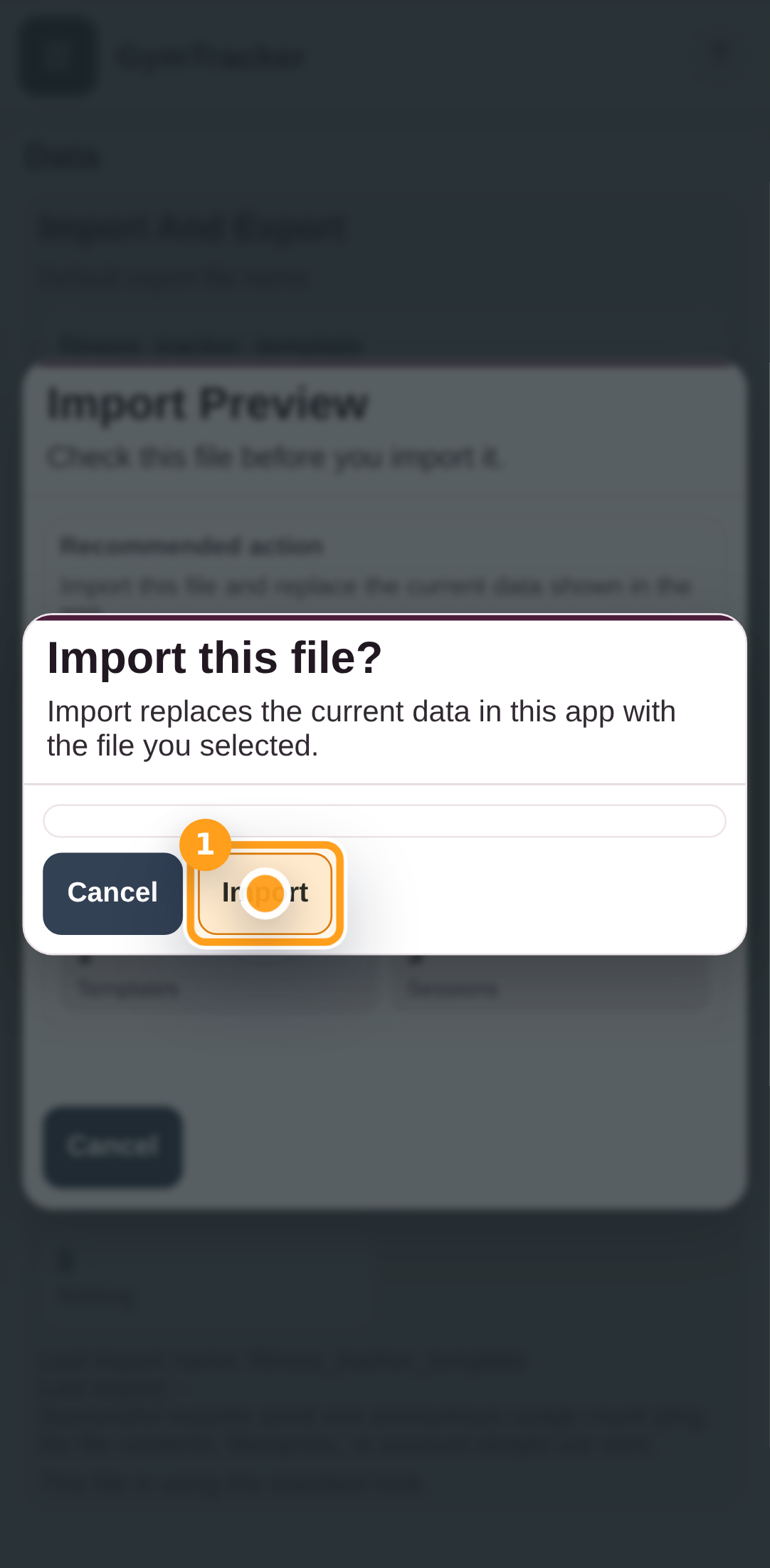
Check the file summary and recommended action in the import preview, then tap Import when you are ready to load the file.

Review the import preview

Step 4

Confirm the import

If GymTracker asks for a final confirmation, tap Confirm to continue with the import.

Confirm the import

Step 5

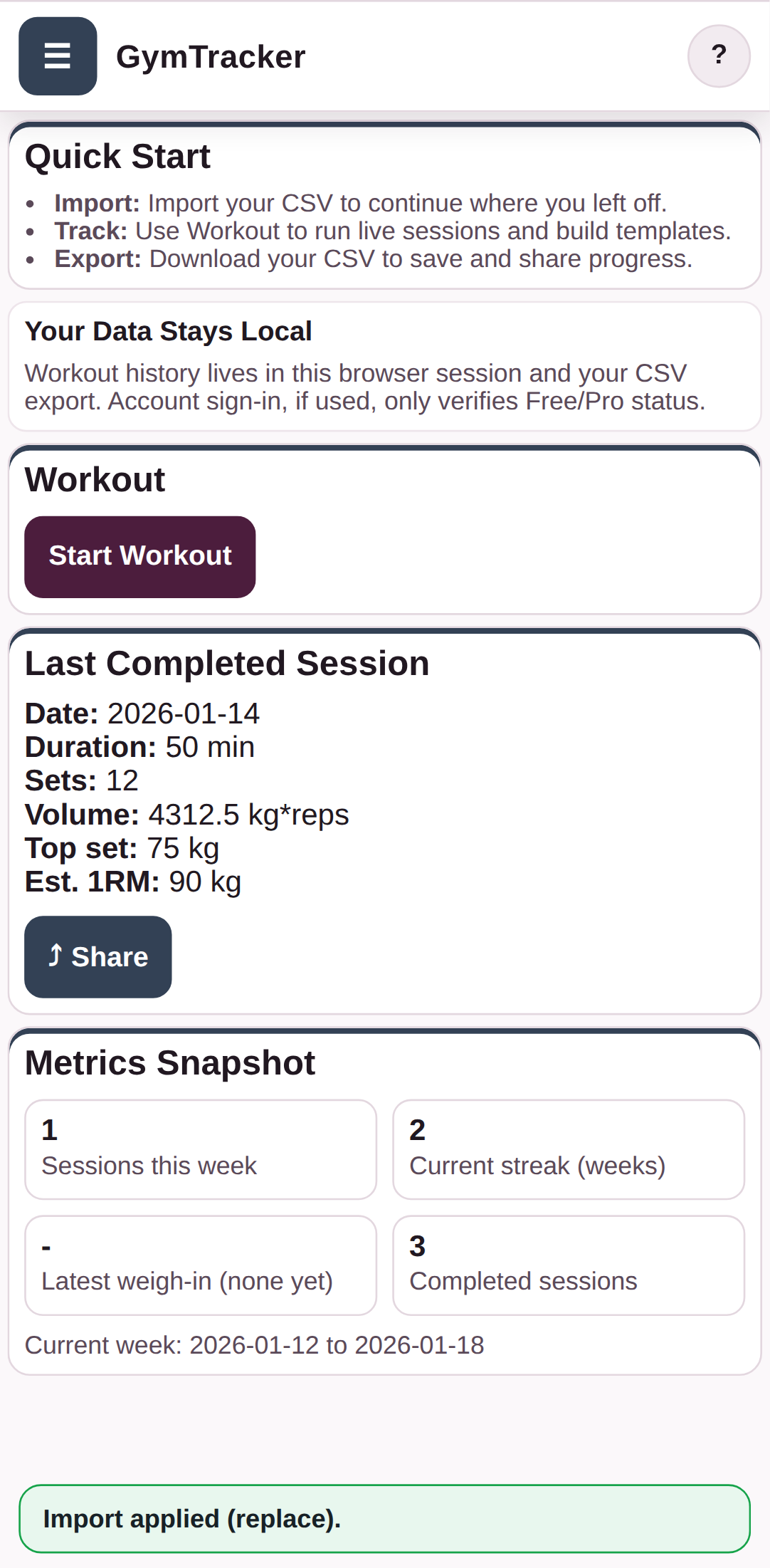
Check the imported data in the app

The imported workout history, templates, and settings are now loaded into the app and stay local until you export again.

Check the imported data in the app

Troubleshooting

Common blockers

  • If you already have unsaved work open, the app may ask you to confirm before previewing the import.
Generated from the live staging build at http://127.0.0.1:4173 using the customer-help Playwright workflow.

GymTracker Help

Exporting Your Branded Client File

Open PT Workspace and export a client-ready GymTracker data file (.csv) so your clients get your verified PT branding on import.

PTAccountBilling
  • Sign in with a PT account that has active PT Pro billing.
  • Make sure the workout data you want to share is already in the app.

Your client-ready file can be sent to a client. When they import it, GymTracker verifies the linked PT entitlement before applying your branding.

Step By Step

4 screens

Step 1

Review the PT Pro workspace before exporting

Check that PT Pro is active and the PT workspace is ready before you export a client-ready CSV.

Review the PT Pro workspace before exporting

Step 2

Choose Export Client-ready CSV

Tap Export Client-ready CSV when you want the file to carry the confirmed PT branding and PT details for your client.

Choose Export Client-ready CSV

Step 3

Confirm the branded export filename

Check the filename in the save prompt, then tap Save to download the client-ready PT CSV file.

Confirm the branded export filename

Step 4

Send the client-ready CSV to your client

Once the file is saved, send the client-ready CSV to your client. GymTracker confirms the linked PT branding and PT details when they import it.

Troubleshooting

Common blockers

  • If Export Client-ready CSV is unavailable or falls back to a standard export, refresh PT Workspace and check your PT Pro status.
Generated from the live staging build at http://127.0.0.1:4173 using the customer-help Playwright workflow.

GymTracker Help

How Clients Use Your Branded Client File

Clients can import your branded GymTracker data file without creating an account and immediately see your verified PT branding.

PTAccountData
  • Send your client the client-ready GymTracker data file you exported from PT Workspace.

The client keeps using the same CSV format, and GymTracker only applies your PT branding when the file entitlement verifies successfully.

Step By Step

5 screens

Step 1

Open Data

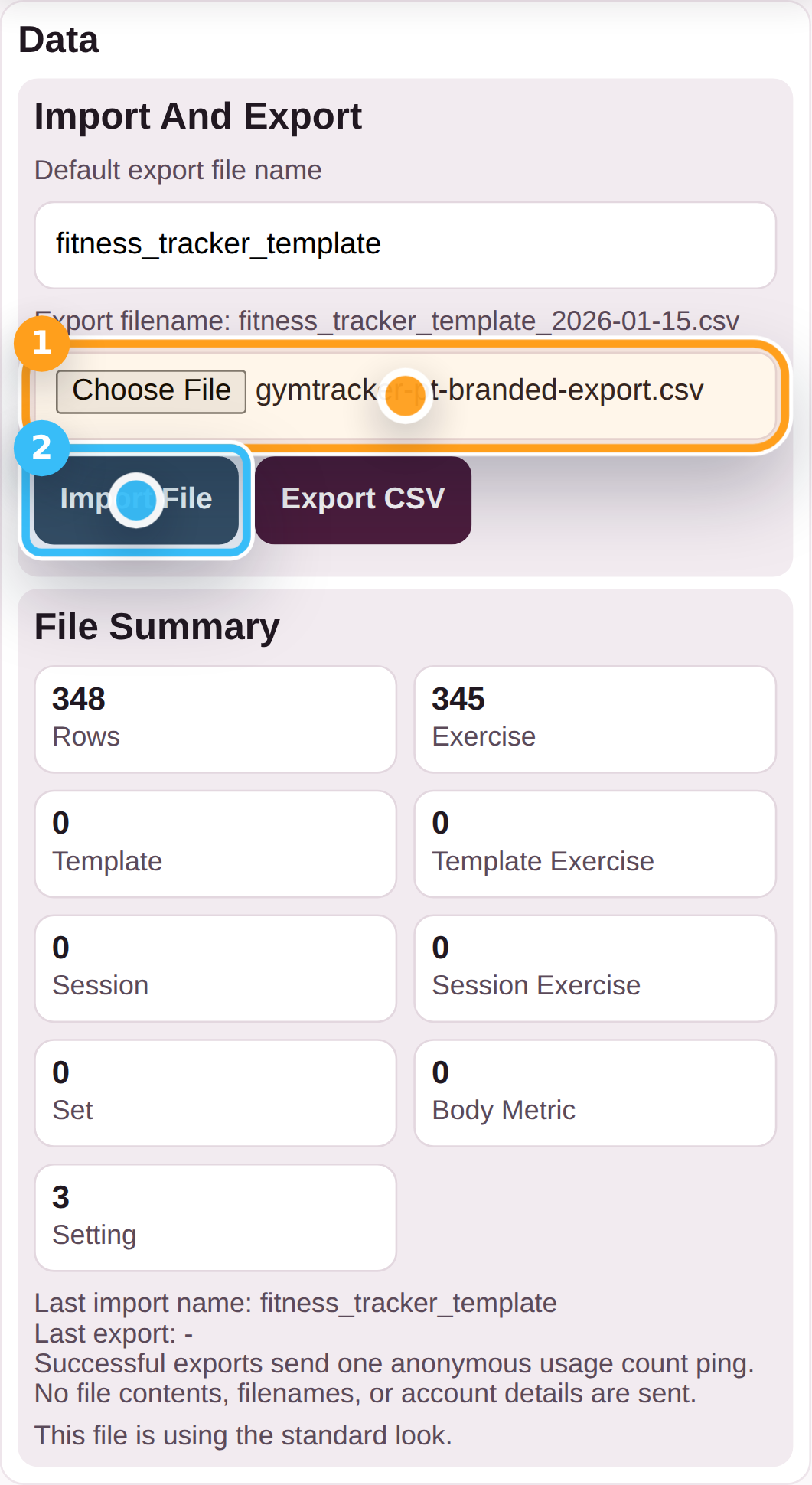
Open the menu and tap Data View so you can import the client-ready PT CSV file.

Open Data

Step 2

Choose the client-ready PT CSV

Select the client-ready PT CSV file, then tap Import File to open the branded import preview.

Choose the client-ready PT CSV

Step 3

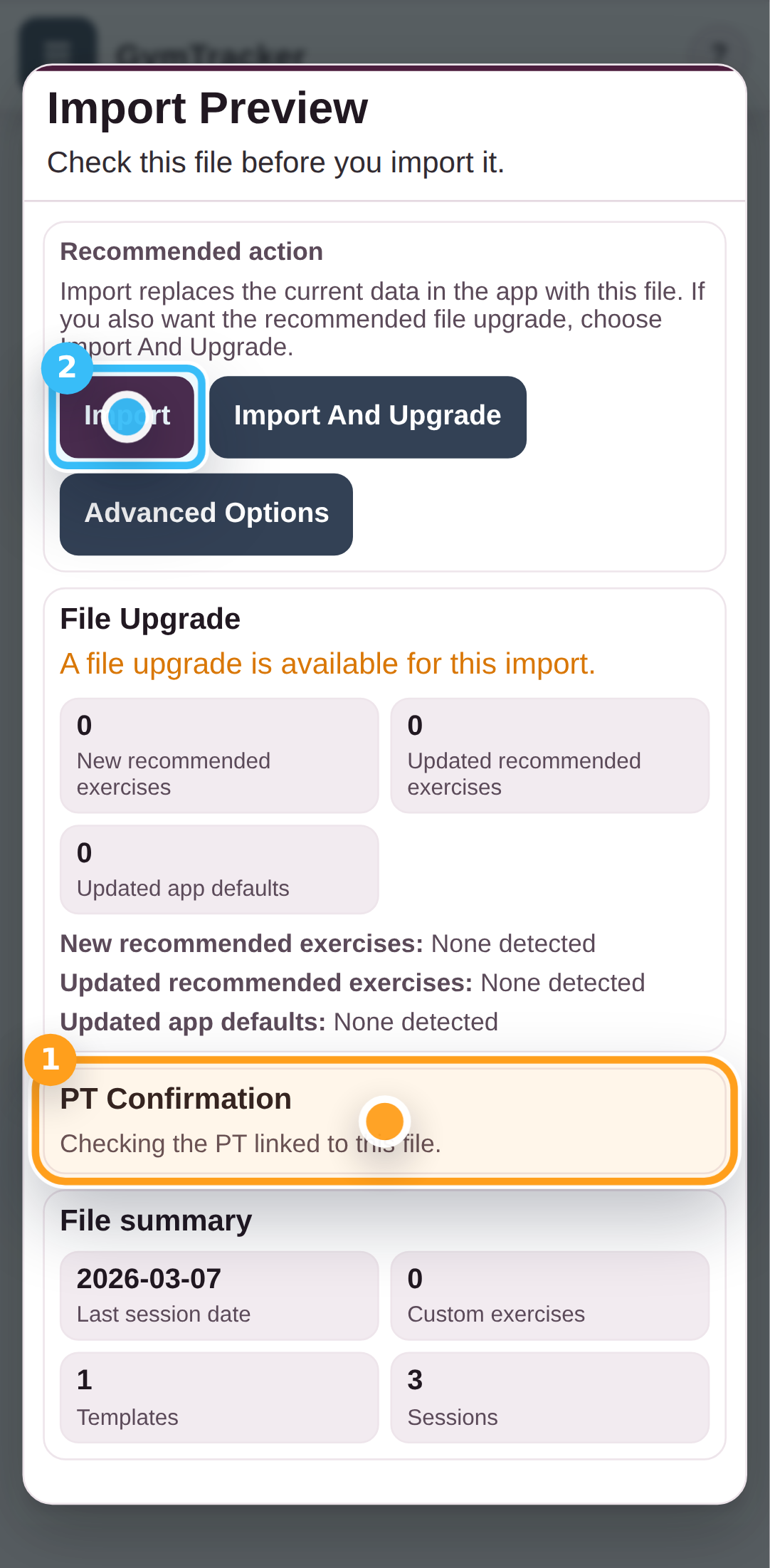
Review the PT confirmation in the import preview

Check the import preview so you can see the confirmed PT branding and PT details that will be applied, then tap Import.

Review the PT confirmation in the import preview

Step 4

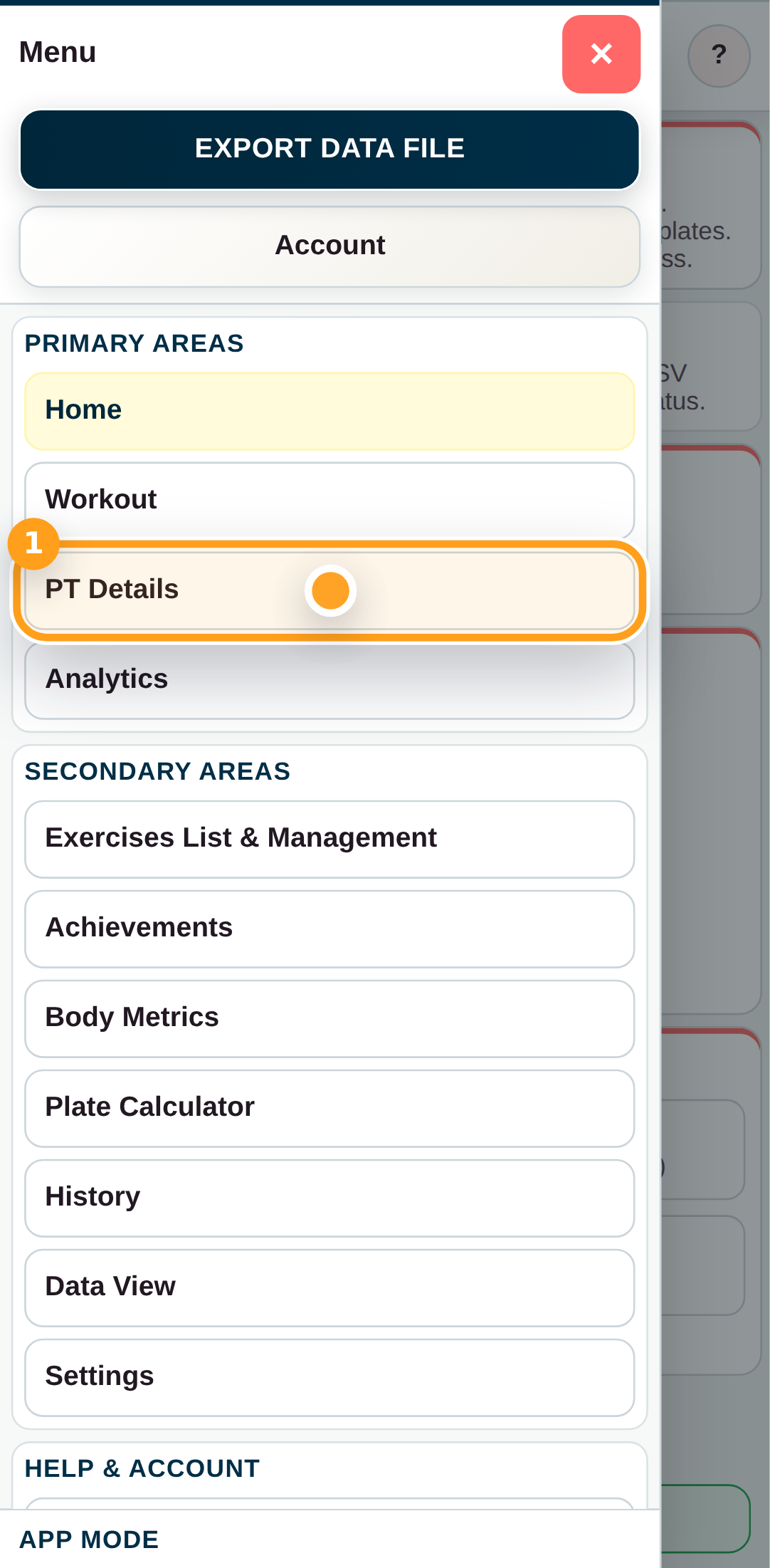
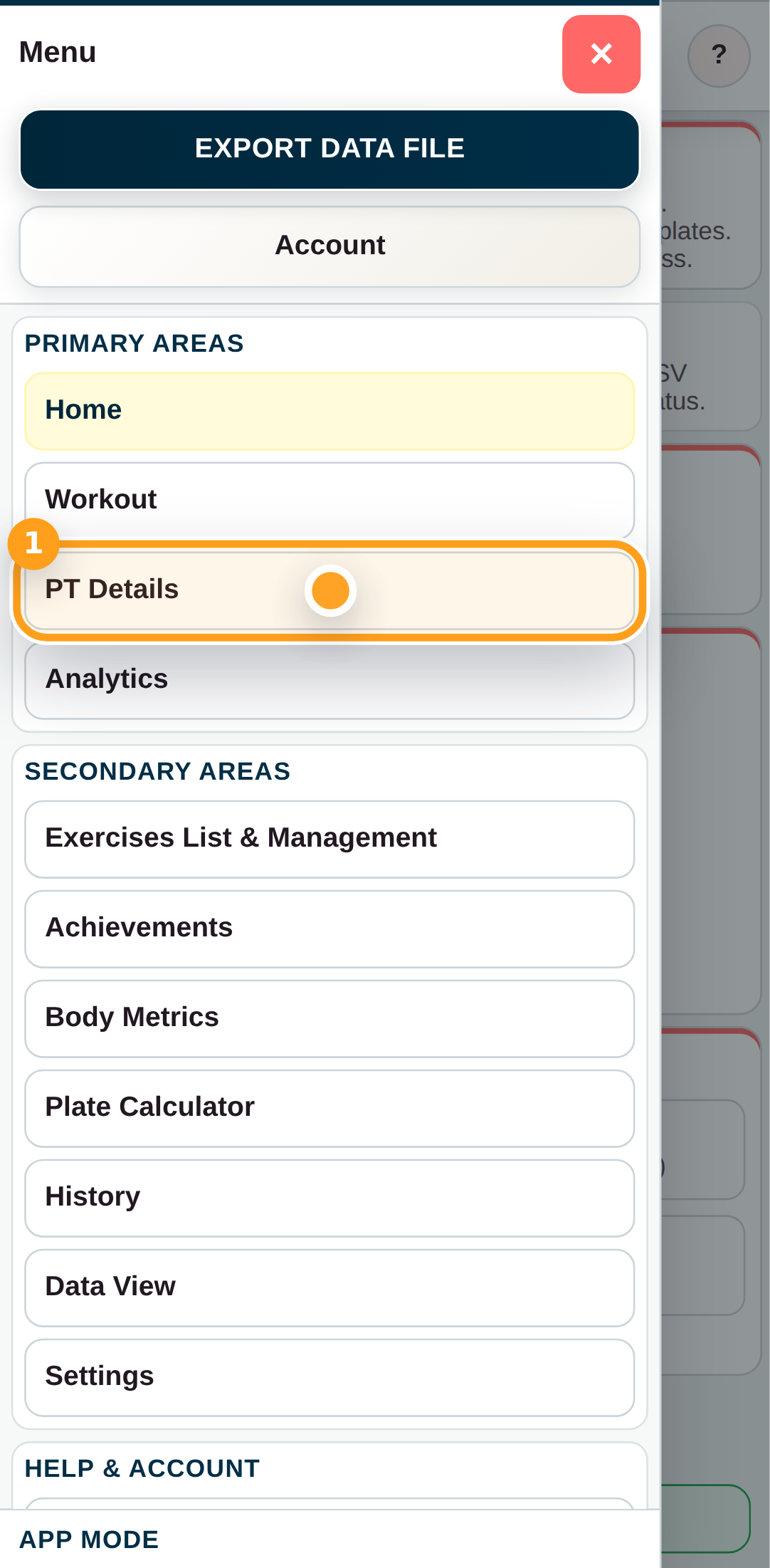
Open PT Details from the menu

Open the menu and tap PT Details to view the trusted PT details linked to the imported file.

Open PT Details from the menu

Step 5

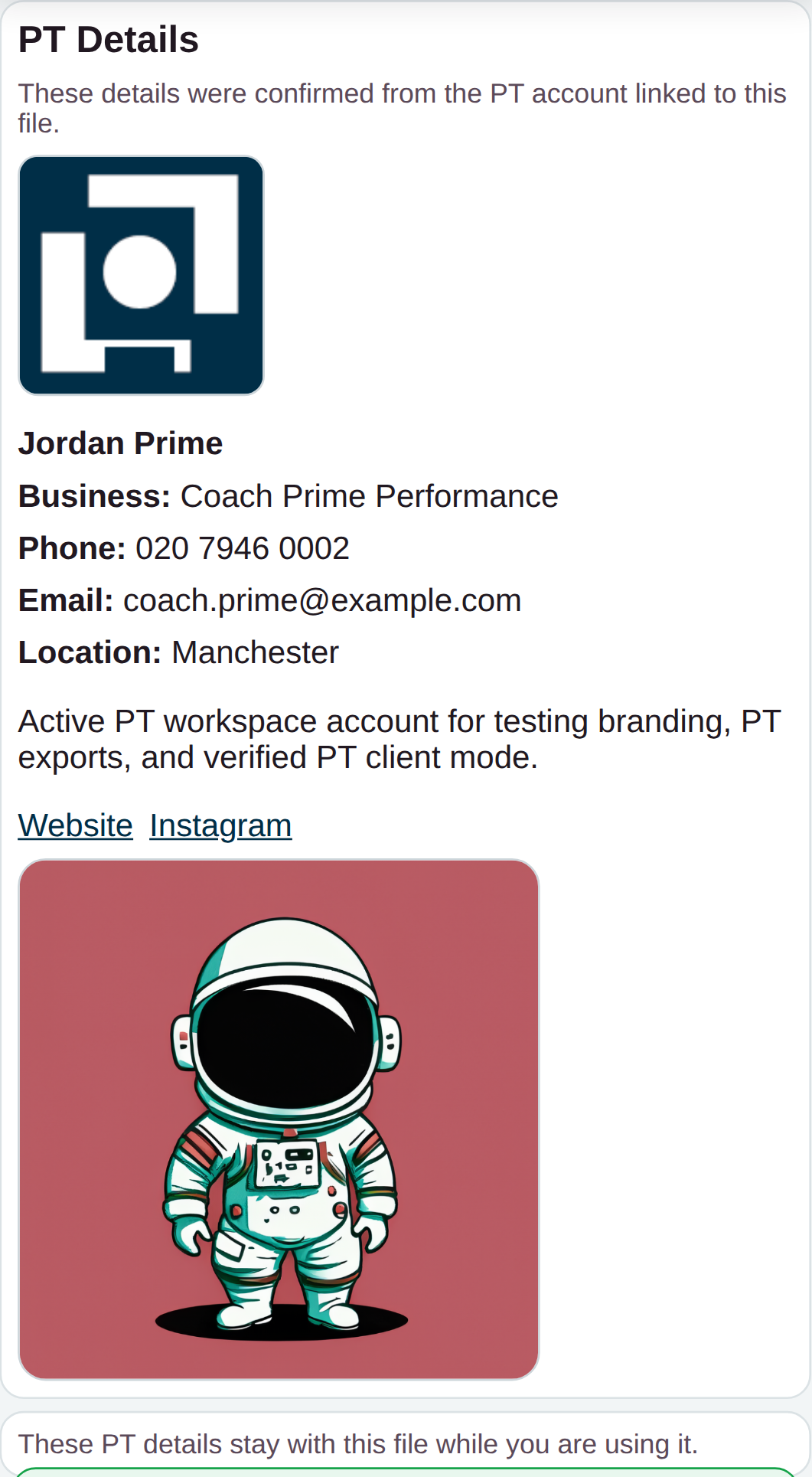
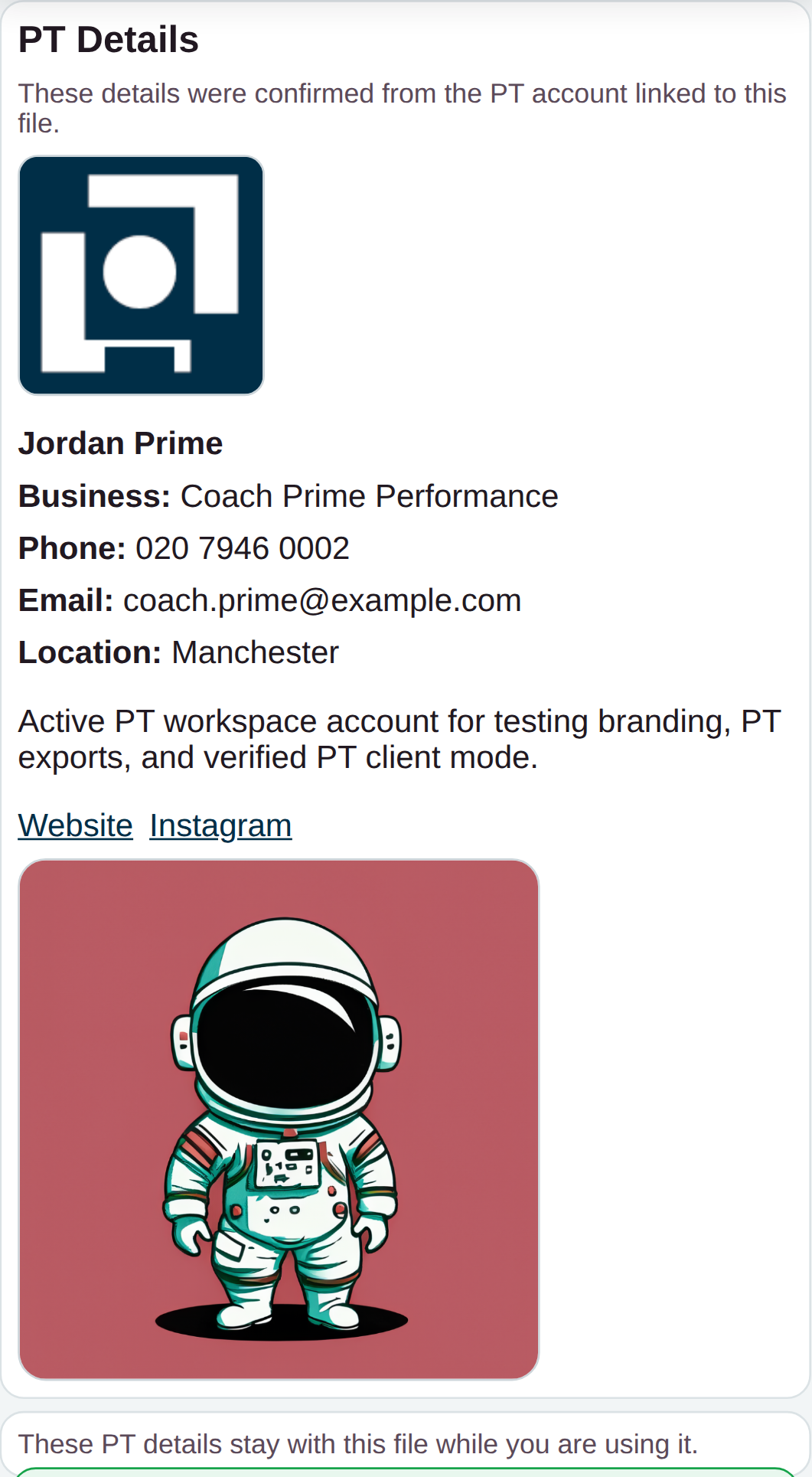
Review the imported PT details

The PT details panel shows the confirmed PT branding and public PT profile that were linked to the imported client-ready CSV.

Review the imported PT details

Troubleshooting

Common blockers

  • If the client does not see PT branding, ask them to re-import the latest client-ready file you exported.
Generated from the live staging build at http://127.0.0.1:4173 using the customer-help Playwright workflow.

GymTracker Help

Managing PT Pro Billing

Open PT Workspace to start PT Pro billing or manage it when billing is already linked to your account.

PTAccountBilling
  • Switch to PT mode before opening PT Workspace.

PT Pro billing controls whether client-ready exports and verified PT branding are active for your clients. While PT Pro is active, it also unlocks the wider paid feature set in the shared app for the same account.

Step By Step

7 screens

Step 1

Switch to PT mode

Open the menu and tap PT so the app switches into PT mode before you sign in.

Switch to PT mode

Step 2

Open Account

Open Account so you can sign in to the PT account that will manage billing.

Open Account

Step 3

Sign in to the PT account

Enter your PT account email address and password, then tap Sign In.

Sign in to the PT account

Step 4

Open PT Workspace

Tap Open PT Workspace to move from Account into the PT workspace for this account.

Open PT Workspace

Step 5

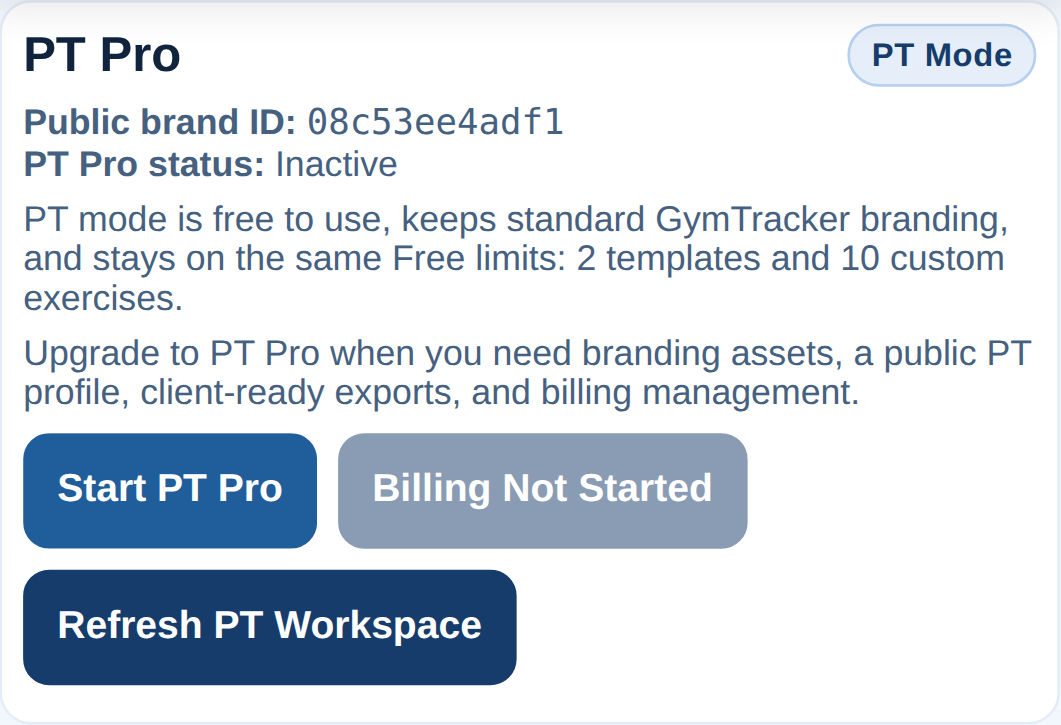
Review the PT Pro billing card

The PT Pro card shows whether PT Pro is active and whether billing has already been linked to the account.

Review the PT Pro billing card

Step 6

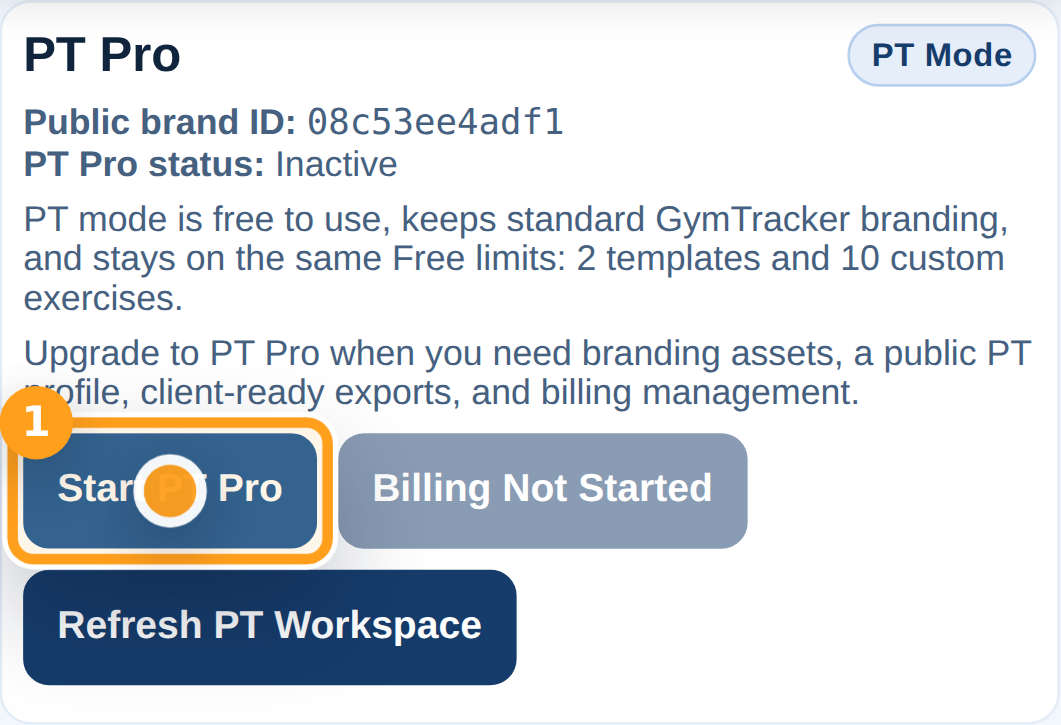
Sign up to PT Pro

Tap Sign Up To PT Pro to open the secure monthly checkout. Billing management stays unavailable until sign-up creates the billing link for your account, then the same area changes to Manage Billing.

Sign up to PT Pro

Step 7

Continue to hosted PT Pro checkout

If PT Pro checkout does not open straight away, refresh PT Workspace and try Sign Up To PT Pro again. When it succeeds, GymTracker redirects you to the secure hosted checkout page.

Continue to hosted PT Pro checkout

Troubleshooting

Common blockers

  • If Billing Starts After Sign-up is disabled, finish PT Pro sign-up first so the account can be linked to billing.
Generated from the live staging build at http://127.0.0.1:4173 using the customer-help Playwright workflow.

GymTracker Help

Viewing PT Details After Importing A Branded File

After a branded import is verified, open PT Details to see the PT profile your trainer chose to share with you.

PTAccountData
  • Import a branded PT file first.

PT Details stays available only while you are using the verified branded session from that imported data file.

Step By Step

5 screens

Step 1

Open Data

Open the menu and tap Data View so you can import the client-ready PT CSV file first.

Open Data

Step 2

Choose the client-ready PT CSV

Select the client-ready PT CSV file, then tap Import File to open the import preview.

Choose the client-ready PT CSV

Step 3

Apply the branded import

Review the branded import preview, then tap Import to apply the file and its confirmed PT details.

Apply the branded import

Step 4

Open PT Details

Open the menu and tap PT Details to view the PT profile linked to the imported file.

Open PT Details

Step 5

Review the trusted PT details

The PT Details panel shows the confirmed PT branding and public PT profile that GymTracker verified for this imported file.

Review the trusted PT details

Troubleshooting

Common blockers

  • If PT Details is missing, the imported file may not include a valid current PT entitlement.
Generated from the live staging build at http://127.0.0.1:4173 using the customer-help Playwright workflow.